AI Automation ROI Calculator: How Much Can Your Business Save?




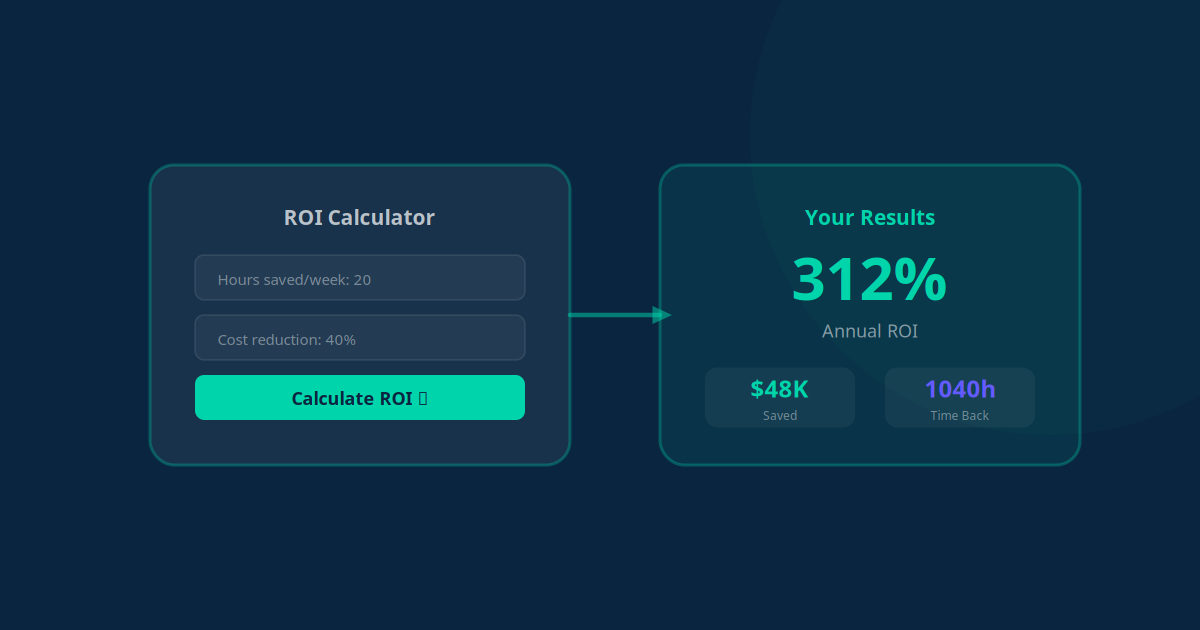
Every business owner considering AI automation asks the same question: "Will it actually be worth the investment?" It is a fair question. Automation tools and AI agents cost money, and you need to know the numbers work before committing.
The problem is that most businesses guess at ROI instead of calculating it. In this guide, we will give you a practical, step-by-step framework to calculate exactly how much AI automation will save (and earn) your business. No vague promises -- just real math you can apply today.
The Three Pillars of Automation ROI
AI automation delivers value in three distinct ways. Most people only think about the first one, but the real ROI comes from all three combined:
- Time savings: Hours freed up from manual, repetitive tasks (the most obvious benefit)
- Cost reduction: Lower operational expenses from fewer errors, less rework, and reduced need for additional staff
- Revenue growth: More sales from faster response times, better lead nurture, and fewer missed opportunities
Let us build a framework to quantify each one.
Step 1: Measure Your Current Costs
Before you can calculate savings, you need to understand what your current manual processes actually cost. Here is how to audit your operations:
Time Audit: Track Where Hours Go
For one week, have your team (or yourself, if you are a solo operator) track time spent on these common automatable tasks:
| Task Category | Examples | Typical Hours/Week |
|---|---|---|
| Data entry | CRM updates, spreadsheet management, copying between apps | 5-15 hours |
| Email management | Sending follow-ups, responding to inquiries, sorting inbox | 5-10 hours |
| Scheduling | Booking meetings, sending reminders, handling reschedules | 3-6 hours |
| Reporting | Compiling data, creating reports, updating dashboards | 3-8 hours |
| Lead management | Capturing leads, qualifying, assigning, following up | 5-12 hours |
| Customer support | Answering FAQs, status updates, basic troubleshooting | 8-20 hours |
| Invoicing and billing | Creating invoices, sending reminders, reconciling payments | 2-5 hours |
Add up the total hours per week spent on tasks that could be automated. For most small businesses with 3-10 employees, this is typically 30-60 hours per week across the team.
Calculate the Cost of Those Hours
Now, assign a cost to those hours. Use the fully loaded cost per hour for each team member (salary + benefits + overhead, divided by working hours):
- Junior staff: Rs 200-400/hour (fully loaded)
- Mid-level staff: Rs 500-1,000/hour
- Senior staff or business owner: Rs 1,500-3,000/hour
Formula: Weekly cost of manual tasks = (Hours on automatable tasks) x (Average hourly cost)
Example: If your team spends 40 hours per week on automatable tasks at an average cost of Rs 500/hour, that is Rs 20,000 per week or Rs 80,000 per month in labor cost on tasks that a machine could handle.
Key Takeaway
Most businesses underestimate how much time they spend on automatable tasks because the work is spread across many people and feels "normal." A one-week time audit almost always reveals 30-60 hours of work that could be automated -- that is essentially one full-time employee's worth of effort.
Step 2: Estimate Automation Savings
Not every task can be 100% automated. Some require human oversight, and others can only be partially automated. Here is a realistic framework for estimating savings:
Automation Potential by Task Type
| Task Type | Automation Potential | Time Saved |
|---|---|---|
| Data entry and syncing | 95-100% | Almost complete elimination |
| Scheduled communications | 90-100% | Set up once, runs forever |
| Lead capture and routing | 90-95% | Instant, 24/7 processing |
| Report generation | 85-95% | Automated dashboards, manual review only |
| Customer support (FAQ type) | 70-85% | AI handles routine, humans handle complex |
| Lead qualification and scoring | 75-90% | AI scores, human verifies top leads |
| Invoicing and payment reminders | 90-100% | Fully automated end-to-end |
| Appointment scheduling | 85-95% | Self-service booking with AI backup |
Conservative estimate: Assume you can automate 70% of the identified manual hours. This accounts for setup time, edge cases, and tasks that still need human involvement.
Formula: Monthly time savings = (Weekly manual hours) x (0.70) x (4 weeks)
Using our earlier example: 40 hours x 0.70 x 4 = 112 hours saved per month
Step 3: The ROI Formula
Now let us put it all together with a comprehensive ROI calculation that includes all three value pillars:
Part A: Time Savings Value
Monthly time savings value = Hours saved per month x Average hourly cost
Example: 112 hours x Rs 500 = Rs 56,000/month
Part B: Error Reduction Value
Manual processes introduce errors -- wrong data, missed follow-ups, delayed responses. Estimate the cost of errors in your business:
- How much revenue do you lose from slow lead response? (Typically 10-30% of potential sales)
- How much do data errors cost in rework? (Typically 5-15 hours/month)
- How much does inconsistent customer experience cost in churn? (Typically 5-15% of revenue)
Conservative estimate: Error reduction saves an additional 15-25% on top of time savings.
Example: Rs 56,000 x 0.20 = Rs 11,200/month in error reduction
Part C: Revenue Growth Value
This is where automation ROI really compounds. Faster response times, consistent follow-ups, and 24/7 availability directly drive revenue:
- Faster lead response: Responding in under 5 minutes increases conversion by 3-4x
- Consistent follow-up: Automated nurture sequences convert 15-20% of leads that would otherwise go cold
- 24/7 availability: Capturing after-hours leads increases total leads by 20-35%
- Cart recovery: Recovering 20-25% of abandoned carts (for e-commerce)
Conservative estimate: AI automation drives a 15-30% increase in revenue from existing lead flow.
Example: If your monthly revenue is Rs 10 lakhs, a 20% increase = Rs 2 lakhs/month in additional revenue
The Complete ROI Formula
Monthly ROI = (Time Savings + Error Reduction + Revenue Growth - Automation Cost) / Automation Cost x 100
Using our example numbers:
- Time savings: Rs 56,000
- Error reduction: Rs 11,200
- Revenue growth: Rs 2,00,000
- Automation cost: Rs 30,000/month
- Monthly net benefit: Rs 2,37,200
- ROI: 791%
Even if you remove the revenue growth component and only count cost savings, the ROI is still (56,000 + 11,200 - 30,000) / 30,000 = 124% ROI -- more than doubling your investment.
Key Takeaway
When you factor in time savings, error reduction, and revenue growth, AI automation typically delivers 300-800% ROI for small businesses. Even the most conservative calculation -- counting only direct time savings -- usually shows a 100-200% return.
Real Examples by Industry
Here is what actual ROI looks like across different business types. These are based on real client data, using conservative estimates:
| Industry | Automation Cost | Monthly Savings | Revenue Lift | ROI |
|---|---|---|---|---|
| Real Estate Agency | Rs 25,000/mo | Rs 45,000 | Rs 3,00,000 | 1,280% |
| E-commerce Store | Rs 20,000/mo | Rs 35,000 | Rs 2,50,000 | 1,325% |
| Healthcare Clinic | Rs 30,000/mo | Rs 60,000 | Rs 1,50,000 | 600% |
| Coaching Business | Rs 15,000/mo | Rs 30,000 | Rs 1,00,000 | 767% |
| Digital Agency | Rs 25,000/mo | Rs 50,000 | Rs 1,75,000 | 800% |
| Restaurant / F&B | Rs 15,000/mo | Rs 25,000 | Rs 80,000 | 600% |
Notice that the highest ROI often comes from businesses with high lead volumes (real estate, e-commerce) where automation directly converts more leads into paying customers.
Understanding Your Payback Period
The payback period tells you how quickly your automation investment pays for itself. Most businesses see payback much faster than they expect:
Typical Payback Periods
- Week 1-2: Simple automations (data syncing, email sequences, form-to-CRM) start delivering value immediately. Payback is almost instant because there is no significant upfront cost.
- Month 1: Lead response automation and basic chatbots typically pay for themselves within the first month through faster lead conversion.
- Month 1-2: Cart recovery automation for e-commerce usually pays back within 2-4 weeks based on recovered revenue alone.
- Month 2-3: More complex AI agents (customer support, lead qualification) take 2-3 months to fully optimize but deliver compounding returns thereafter.
- Month 3-6: Full workflow automation across multiple departments typically reaches full payback within 6 months, with ROI accelerating over time as the AI learns and improves.
Formula: Payback period (months) = Total setup cost / Monthly net benefit
Example: If setup costs Rs 1,00,000 and monthly net benefit is Rs 2,37,200, your payback period is just 0.42 months -- roughly 13 days.
"We were worried about spending 2 lakhs on automation setup. It paid for itself in 3 weeks. Now it generates an additional 4 lakhs per month in revenue we were previously losing to slow follow-ups." -- Dental clinic owner
How to Build Your Own ROI Calculation
Here is a practical worksheet you can fill out right now to estimate your specific ROI:
- List your top 5 most time-consuming repetitive tasks and the hours each takes per week
- Calculate the hourly cost of the people doing those tasks (salary / 160 hours per month)
- Estimate automation potential for each task (use the table above as a guide)
- Add up monthly time savings value: Hours saved x Hourly cost x 4 weeks
- Estimate revenue impact: How many more leads could you convert? How many fewer customers would you lose? What percentage of your revenue is at risk from slow response or missed follow-ups?
- Get automation cost quotes: Contact providers (like us) for pricing based on your specific needs
- Calculate ROI: (Total savings + Revenue growth - Cost) / Cost x 100
Key Takeaway
Do not let the investment hold you back when the math clearly works. Most businesses see full payback within 30-60 days, with the average ROI exceeding 500%. The bigger risk is not automating and continuing to lose money on inefficiency and missed opportunities every single month.
Common ROI Mistakes to Avoid
When calculating your automation ROI, watch out for these common errors:
- Only counting time savings: Time savings are real, but revenue growth from better lead management and customer experience is usually 3-5x larger. Include both in your calculation.
- Ignoring opportunity cost: Every hour your senior staff spends on data entry is an hour they are not spending on strategy, sales, or client relationships. Value freed-up time at the highest-value activity it enables, not just the task it replaces.
- Underestimating compounding effects: Automation ROI compounds over time. Month 6 delivers more value than month 1 because AI agents learn, you add more automations, and the efficiency gains multiply.
- Comparing to the wrong baseline: Compare automation cost to the full cost of the manual process (including errors, delays, and missed opportunities), not just the salary of the person doing the task.
- Forgetting scalability: Manual processes cost more as you grow (hire more people). Automation costs stay relatively flat. The ROI increases dramatically as your business scales.
The bottom line: if your business has repetitive tasks, customer-facing communication, or lead management processes, the ROI of AI automation is almost certainly positive. The only question is how much you will gain -- and the framework above gives you the tools to find out.