Make.com vs Zapier vs n8n: Which Is Best for Small Businesses?




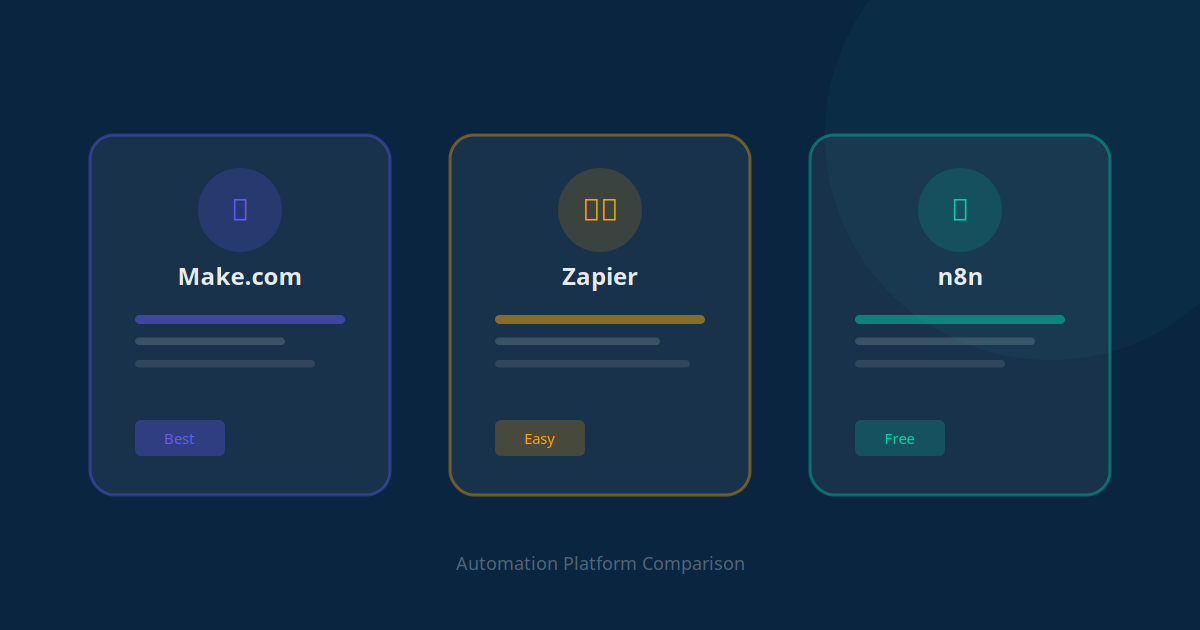
Choosing the right automation platform can feel overwhelming. Make.com, Zapier, and n8n are the three most popular options for small businesses in 2026, and each has distinct strengths. Pick the wrong one and you will waste time and money migrating later. Pick the right one and you will build a foundation that scales with your business for years.
We have built hundreds of automations across all three platforms for our clients. In this guide, we will share an honest, detailed comparison to help you make the right choice for your specific situation.
Key Takeaway
There is no single "best" platform. Zapier is best for beginners who want simplicity. Make.com offers the best value for complex workflows. n8n gives technical teams maximum control and the lowest long-term cost.
Quick Overview: What Each Platform Does
All three platforms serve the same core purpose: they connect your business apps and automate workflows between them. When something happens in one app (a trigger), the platform automatically performs actions in other apps.
For example, when a new lead fills out your website form (trigger), the platform can add them to your CRM, send a welcome email, notify your sales team on Slack, and create a follow-up task -- all automatically.
The difference lies in how they approach this, what they charge, and how much flexibility they offer.
The Full Comparison Table
| Feature | Zapier | Make.com | n8n |
|---|---|---|---|
| Free plan | 100 tasks/month, 5 Zaps | 1,000 ops/month, 2 scenarios | Unlimited (self-hosted) |
| Paid plans start at | $29.99/month | $10.59/month | $24/month (cloud) or free (self-hosted) |
| Integrations | 7,000+ apps | 2,000+ apps | 500+ built-in + custom nodes |
| Ease of use | Easiest -- linear step builder | Moderate -- visual flow builder | Hardest -- requires some technical skill |
| Workflow complexity | Simple to moderate | Simple to very complex | Unlimited complexity |
| AI features | AI actions, ChatGPT integration | AI modules, OpenAI/Anthropic support | Full AI agent building capabilities |
| Branching/logic | Paths (paid plans only) | Routers and filters (all plans) | Full conditional logic (all plans) |
| Error handling | Basic retry | Advanced error routes | Full error workflows |
| Data hosting | Cloud only (US/EU) | Cloud only (US/EU) | Cloud or self-hosted (your servers) |
| Best for | Non-technical users, simple workflows | Growing businesses, complex workflows | Technical teams, data-sensitive businesses |
Zapier: Best for Beginners and Simple Workflows
Zapier is the automation platform most people try first, and for good reason. It is the easiest to use, has the largest app library, and you can build your first automation in under 5 minutes without any technical knowledge.
What Zapier Does Well
- Unmatched app library: With 7,000+ integrations, Zapier connects to virtually every business tool you use. If an app exists, Zapier probably supports it.
- Dead-simple interface: Automations (called "Zaps") are built in a linear, step-by-step format. If you can fill out a form, you can build a Zap.
- Templates: Thousands of pre-built templates mean you can often find an automation for your exact use case and activate it with a few clicks.
- AI integration: Zapier now offers built-in AI actions that let you summarize text, extract data, and draft responses within your workflows.
Where Zapier Falls Short
- Cost at scale: Zapier's pricing is based on "tasks" (each action in a workflow counts as one task). For businesses running high-volume automations, costs can escalate quickly. A workflow that triggers 100 times per day with 5 steps uses 500 tasks daily -- that is 15,000 tasks per month, pushing you into the $73.50+/month tier.
- Limited complexity: Zapier's linear workflow builder struggles with complex logic. Branching (called "Paths") is only available on paid plans and is less intuitive than Make.com's visual approach.
- Limited error handling: When something goes wrong in a Zap, your options are limited compared to the other platforms.
Our recommendation: Zapier is perfect if you need simple, reliable automations and value ease of use over everything else. It is the "it just works" option.
Make.com: Best Value for Complex Workflows
Make.com (formerly Integromat) is the platform we recommend most often to our clients. It strikes the ideal balance between power and usability, and its pricing model is significantly more affordable than Zapier for complex workflows.
What Make.com Does Well
- Visual workflow builder: Make.com uses a drag-and-drop visual canvas where you can see your entire automation as a flowchart. This makes complex, multi-branch workflows much easier to understand and manage.
- Superior pricing model: Make.com charges based on "operations" rather than tasks, and its pricing is far more generous. You get 1,000 operations free, and paid plans start at just $10.59/month for 10,000 operations. The same workflow that costs $73.50/month on Zapier might cost $10.59/month on Make.com.
- Advanced logic: Routers, filters, iterators, and aggregators are available on all plans. You can build workflows that branch into multiple paths, loop through data sets, and handle complex conditional logic without any workarounds.
- Excellent error handling: Make.com lets you create dedicated error-handling routes. If a step fails, instead of the entire workflow breaking, you can route errors to a notification, a retry sequence, or a fallback action.
- AI capabilities: Native modules for OpenAI, Anthropic, and other AI providers let you embed AI directly into your workflows -- summarize documents, generate responses, classify data, and more.
Where Make.com Falls Short
- Steeper learning curve: The visual builder is powerful but takes more time to learn than Zapier's linear approach. Expect 1-2 hours to feel comfortable.
- Fewer integrations: With 2,000+ apps, Make.com covers most popular tools but has fewer niche integrations than Zapier. You may need to use webhooks or the HTTP module for less common apps.
- Documentation quality: While improving, Make.com's documentation is not as beginner-friendly as Zapier's.
Our recommendation: Make.com is the best choice for most growing small businesses. You get enterprise-grade automation capabilities at a fraction of the cost, with enough flexibility to handle virtually any workflow.
n8n: Best for Technical Teams and Data Privacy
n8n (pronounced "n-eight-n") is the open-source powerhouse of the automation world. It is the most flexible and potentially the cheapest option, but it requires more technical skill to set up and manage.
What n8n Does Well
- Self-hosting option: n8n is the only platform on this list that you can run on your own servers. This is a game-changer for businesses with strict data privacy requirements (healthcare, legal, finance) because your data never leaves your infrastructure.
- Unlimited workflows for free: When self-hosted, n8n is completely free with no limits on workflows or executions. Your only cost is server hosting (as low as $5-10/month on a basic cloud server).
- Maximum flexibility: n8n supports custom JavaScript and Python code within workflows, giving developers unlimited possibilities. If you can code it, you can automate it.
- AI agent building: n8n has become one of the most popular platforms for building custom AI agents. Its AI nodes let you create autonomous agents that can reason, use tools, and complete complex tasks -- not just simple AI actions.
- No vendor lock-in: Being open-source means your workflows are portable. You are never trapped by a vendor's pricing changes or policy decisions.
Where n8n Falls Short
- Technical barrier: Self-hosting requires knowledge of servers, Docker, and basic DevOps. The cloud-hosted version eliminates this, but costs more.
- Fewer built-in integrations: With 500+ nodes, n8n has the smallest app library. However, its HTTP request node and ability to write custom code means you can connect to literally any API.
- Smaller community: While growing rapidly, n8n's community is smaller than Zapier's or Make.com's, which means fewer templates and tutorials.
- UI polish: The interface is functional but not as polished or intuitive as Make.com's visual builder.
Our recommendation: n8n is ideal for businesses with technical team members who want maximum control and the lowest long-term cost. It is also the best choice for data-sensitive industries where self-hosting is a requirement.
Pricing Deep Dive: Real-World Cost Comparison
Let us compare what a real business automation setup would cost on each platform. Consider a small business running these 5 automations, each triggering about 50 times per day:
- Lead capture to CRM (3 steps)
- Welcome email sequence (4 steps)
- Invoice generation (3 steps)
- Slack notifications (2 steps)
- Weekly report generation (5 steps)
That is roughly 850 operations per day, or 25,500 operations per month.
| Platform | Monthly Cost | Notes |
|---|---|---|
| Zapier | $73.50 - $103.50/month | Professional plan (multi-step Zaps required) |
| Make.com | $18.82/month | Core plan with 40,000 ops (plenty of headroom) |
| n8n (cloud) | $24/month | Starter plan with 2,500 executions |
| n8n (self-hosted) | $5-10/month | Only server hosting costs (DigitalOcean/Hetzner) |
As you can see, Make.com offers the best value for cloud-hosted automation, while self-hosted n8n is the cheapest option overall if you have the technical expertise to manage it.
Key Takeaway
For the same set of automations, Zapier can cost 4-7x more than Make.com. This difference becomes even more dramatic as your automation usage grows. Always calculate your expected operation volume before choosing a platform.
AI Capabilities: How Each Platform Handles AI
In 2026, AI integration is no longer optional -- it is a key differentiator between automation platforms. Here is how each platform approaches AI:
Zapier
Zapier offers built-in AI actions (summarize, extract, classify) and direct integration with ChatGPT and other AI models. It is the easiest way to add basic AI to your workflows, but the capabilities are limited to simple single-step AI operations.
Make.com
Make.com provides dedicated modules for OpenAI, Anthropic Claude, Google Gemini, and other AI providers. You can chain multiple AI calls together, process data through AI at different stages of a workflow, and build more sophisticated AI-powered automations than Zapier allows.
n8n
n8n is the clear leader for AI automation. Its AI agent nodes let you build fully autonomous agents that can use tools, maintain memory across conversations, and complete multi-step tasks. If you want to build custom AI agents (not just use AI within a workflow), n8n is the platform to choose.
Our Final Recommendation
After building hundreds of automations for clients across all three platforms, here is our honest guidance:
- Choose Zapier if you are completely non-technical, need the simplest possible setup, have simple automation needs (less than 5 workflows), and need a specific niche app integration that only Zapier supports.
- Choose Make.com if you want the best balance of power, usability, and price (this is most small businesses), your workflows involve complex logic, branching, or error handling, you want to keep costs reasonable as you scale, or you are working with an automation agency (Make.com is the industry standard).
- Choose n8n if you have a developer or technical team member, data privacy is a top priority (healthcare, legal, finance), you want the lowest possible long-term cost, or you are building custom AI agents.
And remember: you are not locked into one platform forever. Many businesses start with Zapier for simplicity, then migrate to Make.com as their needs grow. The important thing is to start automating now rather than spending weeks debating which platform to use.
If you are unsure which platform is right for your specific business, we are happy to help. Our free AI audit includes a platform recommendation based on your actual workflows and requirements.