Automate Your Invoicing: Never Chase Payments Manually Again




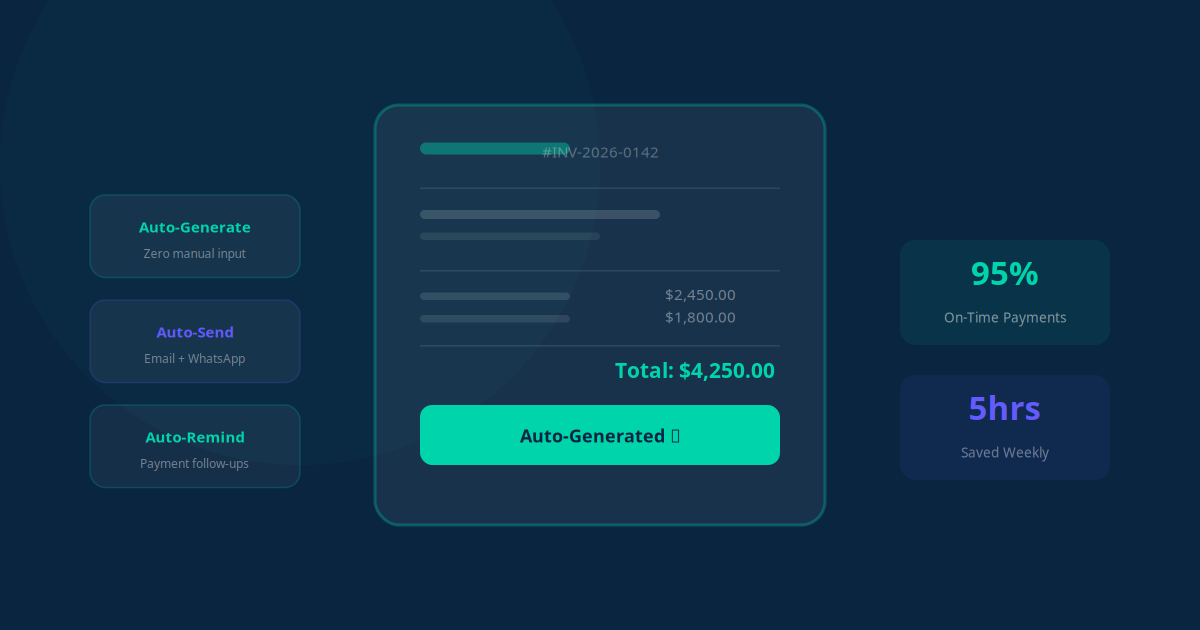
How many hours do you spend each month creating invoices, sending them out, checking if they have been paid, and then awkwardly chasing clients who are overdue? For most small business owners, the answer is 10 to 20 hours per month -- time that should be spent on revenue-generating work.
The entire invoicing cycle -- from generation to collection -- can be automated. This guide shows you exactly how to set up an invoicing system that runs itself, so you get paid faster without lifting a finger.
The Real Cost of Manual Invoicing
Before we dive into the how, let us quantify what manual invoicing actually costs your business:
- Time cost: Creating, sending, tracking, and following up on invoices takes 10-20 hours per month for a typical small business with 30-100 clients
- Late payments: Businesses that invoice manually have an average payment collection time of 38 days. Automated businesses average 24 days -- a 37% improvement
- Missed invoices: When invoicing depends on someone remembering to send them, 5-10% of billable work never gets invoiced at all
- Cash flow stress: Unpredictable payment timing makes budgeting, payroll, and growth planning unnecessarily stressful
- Relationship strain: Nobody enjoys asking clients for money. Automated reminders remove the personal awkwardness from payment collection
Add it all up, and manual invoicing can cost a small business $15,000 to $50,000+ per year in lost time, missed billings, and delayed cash flow.
Invoice Generation Triggers: When to Send, Automatically
The first step in automation is making sure invoices are created and sent without anyone having to remember. Here are the most common triggers you can set up:
Event-Based Triggers
- Project completion: When a project is marked as "complete" in your project management tool, an invoice is automatically generated with the agreed-upon amount and sent to the client
- Service delivery: After a service appointment (consulting session, repair visit, cleaning service), the invoice is generated based on the service type and duration
- Order fulfillment: When an order ships, the invoice is sent simultaneously with the shipping confirmation
- Milestone reached: For phased projects, invoices are triggered when specific milestones are completed and approved
Time-Based Triggers
- Recurring invoices: Monthly retainers, subscriptions, or ongoing services generate invoices on the same date each month automatically
- Hourly billing: Time tracking data is compiled weekly or monthly, and invoices are generated with detailed time breakdowns
- Deposit schedules: For large projects, deposit invoices are triggered at agreed-upon intervals
Key Takeaway
The best invoicing automation starts with clear triggers. Define exactly when an invoice should be created and sent, connect it to the event or schedule, and let the system handle it. Zero manual effort, zero forgotten invoices.
Payment Tracking: Real-Time Visibility
Once invoices are sent, you need to know their status at a glance -- without logging into multiple platforms or checking your bank account manually.
Automated Payment Matching
When a payment comes in (via bank transfer, credit card, or payment gateway), the system automatically matches it to the correct invoice and marks it as paid. No manual reconciliation needed. If a partial payment is received, the system updates the balance and adjusts the follow-up sequence accordingly.
Real-Time Dashboard
A centralized dashboard shows you everything at a glance:
- Total outstanding: How much money is owed to you right now
- Aging breakdown: Invoices categorized by how overdue they are (current, 1-30 days, 31-60 days, 60+ days)
- Payment velocity: Average time from invoice sent to payment received
- Client payment history: Which clients pay on time and which consistently pay late
Instant Payment Notifications
Get notified the moment a payment clears -- via email, SMS, or Slack. This is especially useful for service businesses that need to confirm payment before scheduling the next appointment or delivering the next phase of work.
The Automated Reminder Sequence
This is where automation truly shines. Instead of personally emailing or calling clients about overdue invoices, you set up a reminder sequence that handles it professionally and consistently:
| Timing | Action | Tone |
|---|---|---|
| Invoice sent | Invoice emailed with payment link and clear due date | Professional, friendly |
| 3 days before due | Gentle reminder: "Just a heads up, your invoice is due in 3 days" | Casual, helpful |
| Due date | Reminder: "Your invoice is due today. Here is the payment link" | Direct, friendly |
| 3 days overdue | Follow-up: "Your payment is 3 days past due. Please let us know if there are any issues" | Concerned, professional |
| 7 days overdue | Second follow-up: "Your invoice is now 7 days overdue. Please arrange payment at your earliest convenience" | Firm, professional |
| 14 days overdue | Escalation: "This is an important reminder about your overdue balance. Late fees may apply" | Serious, formal |
| 30 days overdue | Final notice: alert sent to you for personal follow-up or collections action | Final, formal |
The key is that this sequence runs automatically. If a client pays at any point, the reminders stop immediately. There is no risk of sending an awkward "where is my payment?" email to someone who already paid -- the system knows.
"I used to dread the end of each month because it meant hours of chasing invoices. Now the system handles everything. My average payment time dropped from 34 days to 19 days, and I have not personally sent a single payment reminder in six months." -- Marketing agency owner
Overdue Escalation: When Automation Needs a Human Touch
Automation handles 90% of payment collection, but some situations need human judgment. A well-designed system knows when to escalate:
Automatic Escalation Triggers
- High-value invoices: Invoices above a set amount (say $5,000) that are overdue get flagged to the business owner immediately, not just the standard reminder sequence
- Repeat offenders: If a client has been late on 3 or more invoices, the system flags them for a personal conversation about payment terms
- No response: If a client has not opened any of the reminder emails (tracked via email open rates), the system suggests a phone call
- Disputed invoices: If a client replies with a question or dispute, the system pauses the reminder sequence and alerts you to handle it personally
Late Fee Automation
If your contracts include late payment fees, the system can automatically calculate and add them to overdue invoices. The late fee is added, the updated invoice is sent, and the new total is reflected in all subsequent reminders. No manual calculations, no awkward conversations about fees -- it is all in the terms they agreed to.
Financial Reporting on Autopilot
Automated invoicing generates a wealth of data that turns into powerful financial insights. Here are the reports that run automatically:
Weekly Cash Flow Report
Every Monday morning, you receive a summary showing payments received last week, invoices sent, current outstanding balance, and projected cash flow for the next 30 days based on invoice due dates and historical payment patterns.
Monthly Revenue Report
At the end of each month, the system compiles total invoiced amount, total collected, collection rate, average days to payment, and a breakdown by client or service type.
Client Payment Analytics
Know exactly which clients are your most reliable payers and which ones consistently stretch payment terms. This data informs decisions about:
- Which clients to prioritize for new business
- Whether to require deposits or upfront payment for slow-paying clients
- When to adjust payment terms in contracts
- Which clients might be at risk of default
Key Takeaway
Automated financial reporting turns your invoicing data into strategic insights. Instead of spending hours in spreadsheets, you get actionable reports delivered to your inbox that help you make smarter business decisions about pricing, client selection, and cash flow management.
Tool Integrations: Building Your Invoicing Stack
The power of automated invoicing comes from connecting your tools. Here are the most common integrations:
| Tool Category | Popular Options | What It Does |
|---|---|---|
| Accounting | QuickBooks, Xero, FreshBooks | Invoice generation, payment recording, financial reporting |
| Payment gateways | Stripe, PayPal, Square | Online payment processing, automatic reconciliation |
| CRM | HubSpot, Salesforce, Zoho | Client data, deal values, invoice triggers from closed deals |
| Project management | Asana, Monday.com, ClickUp | Milestone triggers, time tracking data for invoices |
| Email/communication | Gmail, Outlook, Slack | Invoice delivery, reminder messages, payment notifications |
| Automation platforms | Make.com, Zapier, n8n | Connecting all tools together, building the automation workflows |
You do not need all of these. A basic automated invoicing system needs just three components: an accounting tool (to generate invoices), a payment gateway (to accept payments), and an automation platform (to connect them and build the reminder sequence).
Setting Up Your Automated Invoicing: Step by Step
Here is a practical roadmap to get your invoicing automation running:
- Week 1: Audit your current process. Document every step in your current invoicing workflow. Identify where time is wasted, where invoices get delayed, and where payments slip through the cracks.
- Week 2: Choose your tools. Select an accounting platform and payment gateway if you do not already have them. Set up your automation platform (Make.com, Zapier, or n8n).
- Week 3: Build the invoice generation triggers. Connect your CRM or project management tool to your accounting platform. Set up the triggers that automatically create and send invoices.
- Week 4: Create the reminder sequence. Write your reminder email templates (use the timing table above as a starting point). Build the automation workflow that sends them based on payment status.
- Week 5: Add reporting and notifications. Set up your weekly cash flow report, payment notifications, and escalation alerts.
- Week 6: Test and refine. Run the system alongside your manual process for one billing cycle. Compare results, fix any issues, and then go fully automated.
Common Mistakes to Avoid
We have helped dozens of businesses automate their invoicing. Here are the mistakes we see most often:
- Too many reminders too quickly: Sending daily reminders the moment an invoice is overdue feels aggressive and damages client relationships. Space them out and increase urgency gradually.
- No payment link in the invoice: Every invoice and every reminder should include a direct, one-click payment link. Remove all friction from the payment process.
- Ignoring partial payments: Make sure your system handles partial payments correctly -- updating the balance, adjusting reminders, and issuing receipts for the amount received.
- Generic email templates: Personalize your reminders with the client's name, invoice number, and specific amount. Generic "Dear Customer" messages get ignored.
- Not testing the client experience: Send yourself a test invoice and go through the entire process as a client would. Is it easy to pay? Are the reminders clear? Does the receipt look professional?
"The single biggest improvement was adding a one-click payment button to every email. Our payment time dropped by 11 days just from that one change. Make it effortless for clients to pay you." -- Consulting firm owner
What to Expect After Automation
Based on our experience with businesses that have automated their invoicing, here are the typical results after 90 days:
- Average days to payment: Drops from 30-40 days to 15-25 days
- Time spent on invoicing: Drops from 10-20 hours/month to 1-2 hours/month
- Missed invoices: Drops to virtually zero
- Collection rate: Improves from 85-90% to 95-98%
- Cash flow predictability: Significantly improved due to consistent payment timing
The real benefit goes beyond numbers. When invoicing runs itself, you stop worrying about cash flow, stop dreading payment conversations, and start focusing on the work that actually grows your business. That peace of mind is worth more than any time savings.