The Complete Guide to Autonomous Workflows for Real Estate Agencies (2026)




Reclaim 25+ hours/week with AI
Free AI Audit →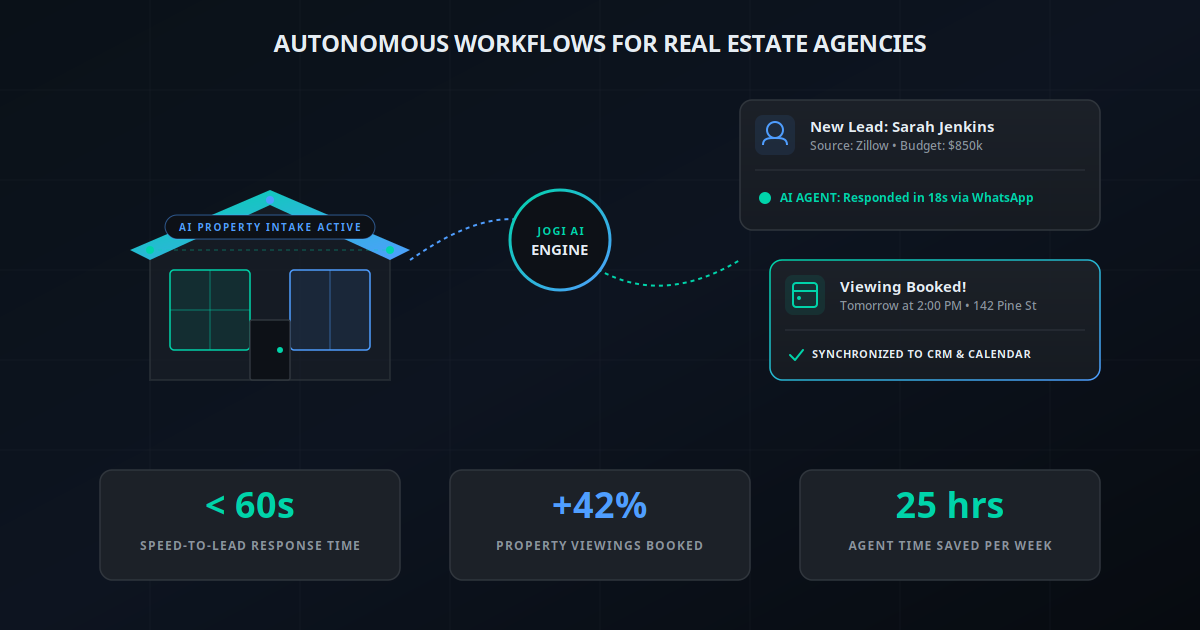
Let's face the brutal reality of the 2026 real estate market: 90% of your real estate leads are dead on arrival. It isn't because the leads are bad. It's because your response time is too slow. Modern property buyers and renters have the attention span of a goldfish. They are browsing Zillow, Realtor.com, or Instagram at 11:00 PM, inquiring on 5 different listings simultaneously. The agency that replies first almost always wins the client. The agency that replies tomorrow is practically invisible.
Yet, agents are human. They cannot respond to emails or WhatsApp messages in under 60 seconds while conducting home tours, negotiating contracts, or sleeping. This is why top-tier real estate brokerages are shifting away from traditional manual follow-ups and adopting autonomous workflows driven by AI.
In this comprehensive guide, we will break down what autonomous real estate workflows look like in 2026, exactly where your team is bleeding hours, and how to implement an end-to-end AI system that handles lead intake, qualification, and calendar booking on autopilot.
By automating lead response, qualification, and listing syndication, real estate agencies are recovering 25+ hours per week per agent, while booking up to 42% more property viewings with the exact same marketing spend.
The State of AI in Real Estate (2026)
For years, "real estate technology" meant basic MLS databases, email newsletters, and rigid, rule-based chatbots. You've probably interacted with those chatbots before: they ask you to click a button, fail to understand basic human queries, and end up frustrating the prospect.
In 2026, the technology has fundamentally evolved. Modern real estate agencies are deploying autonomous AI agents powered by advanced reasoning LLMs. Unlike simple chatbots, these AI agents can:
- Understand natural language, context, and typos.
- Carry out realistic, friendly conversations over WhatsApp, SMS, or Email.
- Retrieve real-time property details from the MLS or CRM.
- Make logical decisions based on client intent (e.g., qualifying a budget, verifying pre-approval status, and routing the lead appropriately).
The Lead-to-Close Journey: Where Time is Wasted
Consider the typical manual workflow of a real estate agent. How much time is spent on administrative tasks rather than actually negotiating deals and building relationships? The breakdown is alarming:
| Process Stage | Manual Method | Autonomous AI Workflow | Impact / Efficiency Gain |
|---|---|---|---|
| Lead Response | Manual email/text (2–4 hour delay) | Instant response via AI (< 60 seconds) | Eliminates lead leakage, captures instant interest |
| Lead Qualification | Hours of phone tag to ask standard questions | Automated qualifying dialogue via WhatsApp | Agents only speak to pre-screened, hot buyers |
| Viewing Scheduling | Back-and-forth calendar coordination | AI-driven direct calendar booking | Drastically reduces scheduling friction and drop-offs |
| Listing Promotion | Manual copywriting, social posting, newsletters | AI generates descriptions and schedules social blasts | Immediate market exposure for new properties |
| Nurturing Cold Leads | Rarely done consistently due to lack of time | Personalized automated email/WhatsApp alerts | Recovers up to 25% of dormant database leads |
Step-by-Step Breakdown of Autonomous Real Estate Workflows
1. Multi-Channel Lead Capture
Leads hit your agency from everywhere: portal syndicates (Zillow, Realtor.com, Magicbricks), paid Meta (Facebook & Instagram) ads, organic search traffic, physical yard signs with QR codes, and phone calls. An autonomous workflow consolidates all these channels. Using Webhooks or CRM integration nodes, every new contact is instantly routed into the centralized system, triggering the AI engine the millisecond it registers.
2. Instant Speed-to-Lead Response
A lead is 100x less likely to be contacted if you wait more than 30 minutes to reach out. By setting up an automated WhatsApp or SMS outreach, the prospect receives an enthusiastic, helpful response within seconds of inquiring: "Hi Sarah! Thanks for asking about 142 Pine Street. I'm the digital assistant for Jogi Real Estate. Are you looking to view this property, or did you have a few questions about the neighborhood?" This instantaneous contact hooks the buyer before they navigate to a competitor's listing.
3. Conversational AI Qualification
Once the prospect responds, the AI Agent doesn't just hand them off to a busy agent immediately. It carries out a quick qualification dialogue. It asks context-sensitive questions to gauge:
- Budget & Pricing: Is the property within their realistic range?
- Intent & Buying Status: Are they looking to buy immediately, rent, or are they just browsing?
- Pre-Approval/Financing: Have they secured a mortgage pre-approval letter, or are they cash buyers?
- Timeline: When do they need to move or close the deal?
All of this is logged directly in the CRM profile, saving the agent from conducting this screening manually.
"Automating our initial lead screening felt risky, but within two weeks, our agents stopped chasing dead numbers. Now they only show up to property viewings where the buyer has a verified budget and pre-approval letter. It completely transformed our office morale."
— Rajesh Mehta, Principal Broker, Prime Properties
4. Intelligent Viewing Scheduling
If the lead is qualified, the AI Agent sends a calendar booking link or coordinates directly: "Great news! Our showing agent, Mark, is available at 142 Pine Street this Tuesday at 2:00 PM or Thursday at 4:30 PM. Which of those fits your schedule?" Once chosen, the appointment is automatically booked on the agent's calendar, a WhatsApp confirmation is sent to the client, and a Calendar invite is sent to both parties. No phone tag required.
5. Automated Listing Marketing
When a listing agreement is signed, time is of the essence. A modern workflow enables an agent to upload the property details and images to the CRM. From there, the AI autonomously drafts multiple listing descriptions (tailored for the MLS, Zillow, and high-end brochures), generates social media graphics, publishes posts to Instagram, Facebook, and LinkedIn, and sends a "Just Listed" newsletter to matching buyers in your CRM database.
CRM Integration: Tying the Stack Together
An autonomous strategy is only as good as the CRM at its core. Popular platforms like Follow Up Boss, HubSpot, LionDesk, and Zoho CRM act as the single source of truth. The AI agents feed data back to these hubs continuously. For example, if a prospect updates their budget over WhatsApp, the AI parses the new figure and updates the prospect's lead score in the CRM automatically, triggering subsequent email alerts matching the new criteria.
Compliance and Data Security
Real estate operations are bound by strict legal guardrails: the Fair Housing Act, TCPA regulations for text messages, and GDPR/CCPA data privacy regulations. When setting up autonomous systems, agencies must ensure:
- Explicit Opt-ins: Leads must check a box permitting SMS or WhatsApp communications before the automation triggers.
- Consistent, Non-Discriminatory Screening: AI models must be programmed with hard parameters that enforce equal treatment, objectivity, and prevent any discriminatory suggestions.
- Data Encryption: Personal financial information, mortgage details, and contact data must be securely handled and stored in encrypted databases.
Roadmap to Implementing Real Estate Automation
If you want to automate your agency, don't try to build the entire system in a day. Take a phased approach to prevent system disruption and team overwhelm:
Phase 1: Quick Wins (Week 1–2)
Set up basic rules-based integrations. Ensure every lead from Zillow or your website form triggers an instant email auto-responder and imports directly into your CRM. Implement a booking tool like Calendly or HubSpot Meetings on your website to allow visitors to book tours directly.
Phase 2: Lead Triage & SMS Outreach (Week 3–5)
Connect your CRM to an SMS or WhatsApp API layer (such as WATI, Twilio, or Interakt) using Make.com or Zapier. Deploy a conversational AI agent to handle the initial intake when a lead is captured after-hours or during weekends, ensuring 24/7 responsiveness.
Phase 3: Deep CRM & Document Automation (Week 6–8)
Integrate your digital signature tools (like DocuSign or PandaDoc) with your CRM. Automate document templates so that when a viewing is successful and an offer is requested, drafts are auto-populated with client details and sent for review in a single click.
KPIs to Track: Measuring Your Success
To ensure your automation strategy is yielding a strong return on investment, measure these four vital metrics before and after deployment:
- Average Speed-to-Lead: Goal is to bring this down from hours to under 60 seconds.
- Lead-to-Viewing Conversion Rate: The percentage of raw inquiries that translate into scheduled property showings.
- Agent Administrative Hours: Total hours spent on scheduling, data entry, and manual follow-ups.
- Gross Commission Income (GCI): The ultimate growth indicator driven by having more time to spend on high-value client negotiations.
The real estate market favors the fast. By automating the repetitive front-end operations, you free your agents to do what they do best: walk properties, build relationships, and close deals. Don't let your valuable leads go cold in an unattended inbox. Join the ranks of automated agencies today.