AI Appointment Scheduling: Stop Playing Phone Tag and Book More Clients Automatically




Every business owner who takes bookings has been here: a client calls while you are with someone else. You cannot answer. They leave no voicemail. They book with your competitor instead — or they simply give up. You never know it happened.
Manual appointment booking is one of the most silently expensive habits in small business. And AI appointment scheduling is the fix that most business owners have not yet discovered.
This guide explains exactly what AI appointment scheduling is, what it does from the client's first message all the way through to the follow-up after the appointment, how to set it up in five steps, and which mistakes to avoid so you start seeing results quickly.
Why Manual Booking Is Costing You Clients Right Now
Think about how much time your team — or you personally — spends on booking-related work every week. A typical service business spends 5 to 8 hours a week just managing appointments. That includes answering calls, replying to WhatsApp messages, manually entering bookings into a calendar, confirming appointments, and chasing no-shows with reminder calls.
None of that time is billable. All of it can be automated.
The bigger problem is after-hours bookings. More than 40% of appointment bookings happen outside business hours — evenings, weekends, lunch breaks. If your booking system requires a phone call during working hours, you are invisible to nearly half your potential clients at the exact moment they are ready to commit.
A physiotherapy clinic in Pune that Jogi AI worked with was losing 12 to 15 appointment slots every month simply because their reception desk could not handle the volume of calls during peak hours. Within 30 days of implementing automated appointment booking, those missed slots dropped to near zero — and the front desk team gained back 6 hours a week to focus on in-clinic patient care.
Key Takeaway
If your booking process requires a human to be available, you are losing clients every time that human is busy, on leave, or simply asleep. AI appointment scheduling runs 24/7 — so no lead ever hits a dead end.
What AI Appointment Scheduling Actually Does
AI appointment scheduling is not just an online form. It is a complete booking system that handles every step of the process — from the first "I want to book" message to the follow-up after the visit.
Here is what a properly built automated booking system does:
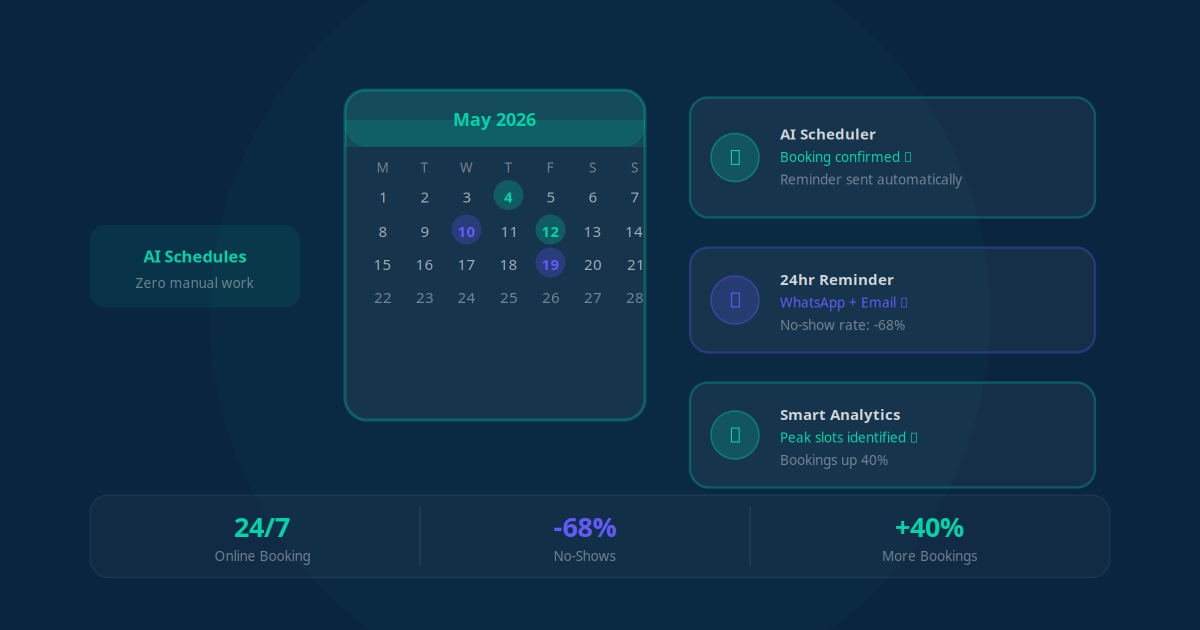
- Books around the clock: Clients can book via your website, a WhatsApp message, or a Facebook page at any time — without your staff needing to be available.
- Sends instant confirmation: The moment a booking is made, the client receives a confirmation by WhatsApp, SMS, or email with all the details they need — date, time, address, and what to bring.
- Sends smart reminders: Automated reminders go out 24 hours before the appointment and again 2 hours before. This single step reduces no-shows by 40 to 60% for most businesses.
- Syncs with your calendar: New bookings appear directly in Google Calendar or your existing system — no double entry, no manual updates, no risk of double-booking.
- Fills cancelled slots automatically: When a client cancels, the system can immediately offer that slot to the next person on a waitlist.
- Follows up after appointments: A message goes out the next day asking for a review, offering to book the next session, or sharing a relevant resource — keeping clients coming back without any manual effort.
The key distinction is this: you are not just replacing a phone call with a form. You are building a complete client journey that runs on its own, every hour of every day. Learn more about what workflow automation services like this can do across your entire business.
How to Set Up AI Appointment Scheduling in 5 Steps
-
Choose where clients will book
Decide where your clients will interact with the booking system. For most service businesses, this means a booking widget on your website plus a WhatsApp booking option. The website widget captures people who find you via Google. The WhatsApp option captures people who already know you and message you directly.
-
Connect your calendar
Link the system to your existing calendar — Google Calendar works for most small businesses. Set your available time slots, the buffer time you need between appointments, and any days you are not available. The AI will only ever show clients slots that are genuinely free.
-
Build your reminder sequence
Set up at least two reminders: one 24 hours before the appointment and one 2 hours before. Include the appointment time, your address or video call link, and a one-click cancellation option. Making it easy to cancel is not a risk — it is far better to get 24-hour notice than a no-show.
-
Add a post-appointment follow-up
Set up a message that goes out 24 hours after the appointment. For clinics and wellness businesses, this could be a check-in. For coaches, a summary of next steps. For salons, a "book your next visit" message with a direct link. This is where repeat bookings and referrals come from.
-
Review your numbers after 30 days
After 30 days, check three things: your no-show rate (it should have dropped significantly), your after-hours bookings (a number that likely did not exist before), and your staff's time spent on booking calls (which should have dropped noticeably). These three numbers tell you exactly what the system is delivering.
For a broader view of which business processes to automate first, see our guide on AI workflow automation for small business.
Common Mistakes That Slow Down Your Results
AI appointment scheduling is straightforward to set up, but a few common errors prevent businesses from seeing the full benefit:
- Sending reminders too early: A reminder sent four days before an appointment does almost nothing. The most effective windows are 24 hours before and 2 hours before. Both matter — use both.
- Making the booking form too long: Every extra field reduces completions. Ask only for what you genuinely need: name, contact number or email, service type, and preferred time. Collect anything else during the appointment itself.
- Not including a cancellation link: Business owners often resist this, worried it will increase cancellations. The opposite is true. When cancellation is easy, clients use it. When it is hard, they simply do not show up. A cancellation with 24 hours notice lets you fill that slot. A no-show does not.
- Skipping the post-appointment follow-up: Most businesses set up the booking and the reminders but forget the message after. This is where repeat bookings and five-star reviews come from. One automated message, sent the day after every appointment, is often the highest-return step in the entire system.
Which Businesses Benefit Most from Automated Booking?
AI appointment scheduling delivers the clearest results for businesses where appointments are the primary revenue driver. Clinics, dental practices, physiotherapy centres, and wellness studios benefit immediately because their no-show rate drops and their front desk team gets significant time back. Salons and beauty businesses benefit from the repeat-booking automation — clients who might have forgotten to rebook get a gentle, timely reminder that brings them back.
Coaches, consultants, and legal professionals benefit from the 24/7 availability angle. Potential clients often decide to book in the evening after researching their options. A system that lets them lock in a slot immediately — rather than sending an enquiry email and waiting — converts significantly more leads into actual appointments.
Even repair businesses and tradespeople benefit. A plumber in Surat that we worked with added a WhatsApp booking option to their business listing and captured 9 new bookings in the first two weeks purely from clients who had tried to call, found the line busy, and would previously have moved on to a competitor.
Key Takeaway
AI appointment scheduling does not replace how you run your business. It fills the gaps — the after-hours enquiries, the clients who hate phone calls, the no-shows that could have been prevented, and the repeat clients who needed one more gentle nudge to rebook.
Your Next Step
If your business runs on appointments — whether you are a clinic, a salon, a coaching practice, a legal firm, or any service business — automated appointment booking is one of the simplest and fastest automations you can implement. The setup takes a few days. The results — fewer no-shows, more after-hours bookings, and hours of staff time returned every week — start immediately.
The best place to start is understanding exactly where you are losing bookings right now. Jogi AI's free audit looks at your current booking process and shows you precisely what an automated system would look like for your specific business — including which tools to use and what your reminder sequence should say.
Over 200 businesses have already built appointment systems like this with Jogi AI. The question is whether your competitors set one up before you do.