WhatsApp Business Automation: Complete Guide for Businesses




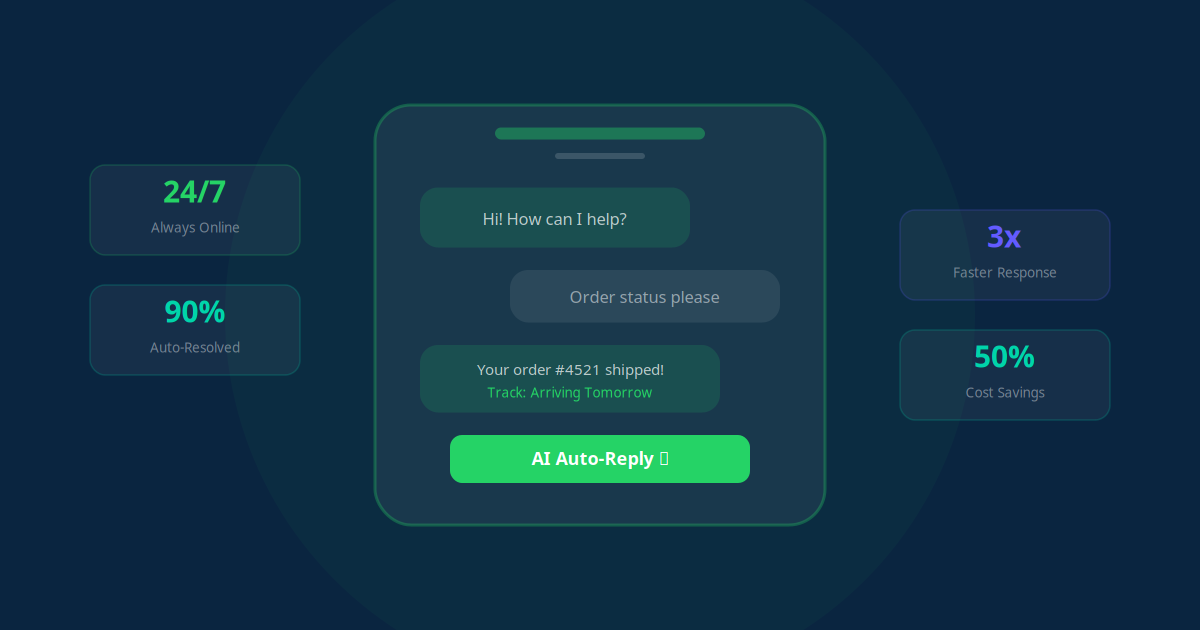
With over 2.7 billion monthly active users, WhatsApp is not just a personal messaging app anymore. It has become the single most important communication channel for businesses worldwide, especially in markets like India, Brazil, Southeast Asia, and the Middle East. If your customers are on WhatsApp (and they almost certainly are), automating your presence on the platform is no longer optional -- it is a competitive necessity.
In this guide, we walk through everything you need to know about WhatsApp Business automation: from understanding the API to setting up chatbots, configuring auto-replies, sending order updates, running marketing broadcasts, staying compliant, and integrating everything with your CRM.
Understanding WhatsApp Business vs. WhatsApp Business API
Before diving into automation, you need to understand the two distinct WhatsApp products available for businesses.
The WhatsApp Business App is a free, standalone mobile application designed for small businesses. It lets you create a business profile, set up basic quick replies, and use labels to organize conversations. However, it has significant limitations: it works on only one device at a time (with limited multi-device support), cannot be integrated with external software, and offers no programmatic messaging capabilities.
The WhatsApp Business API (now called WhatsApp Cloud API) is the enterprise-grade solution. It does not have its own user interface. Instead, it provides a programmable interface that connects to your existing business systems -- CRM, helpdesk, e-commerce platform, or custom applications. This is where the real automation happens.
Key Takeaway
If you want true automation -- chatbots, triggered messages, CRM sync, and broadcast campaigns -- you need the WhatsApp Business API. The free WhatsApp Business App is suitable only for micro-businesses handling fewer than 50 conversations per day.
Getting Started with the WhatsApp Business API
Setting up the WhatsApp Business API involves a few key steps. Here is the process simplified:
- Choose a Business Solution Provider (BSP): Meta allows businesses to access the API directly through their Cloud API, or through authorized partners like Twilio, MessageBird, Gupshup, or WATI. A BSP simplifies setup and provides dashboards, analytics, and support.
- Verify your business with Meta: You need a Facebook Business Manager account and must go through Meta's business verification process. This typically requires your business registration documents and takes 2-7 business days.
- Register your phone number: Dedicate a phone number for your WhatsApp Business account. This number cannot already be associated with a personal WhatsApp or WhatsApp Business App account.
- Create message templates: For outbound messages (messages you initiate), you must use pre-approved templates. These are reviewed by Meta to prevent spam.
- Connect your automation platform: Once the API is live, connect it to your automation tool (such as Make.com, n8n, or a custom integration) to start building workflows.
Setting Up WhatsApp Chatbots
A WhatsApp chatbot is an automated conversation flow that handles customer queries without human intervention. Unlike basic auto-replies, chatbots can understand context, ask follow-up questions, and route complex issues to human agents.
Types of WhatsApp Chatbots
- Rule-based chatbots: Follow a predefined decision tree. The customer selects options (like "Press 1 for order status, 2 for support"), and the bot responds accordingly. Simple to build, reliable, and perfect for FAQs.
- AI-powered chatbots: Use natural language processing (NLP) to understand free-text messages. These can handle open-ended questions, understand intent, and provide more natural responses. They require more setup but deliver a significantly better customer experience.
- Hybrid chatbots: Combine rule-based flows with AI understanding. The bot handles common queries automatically and escalates complex or emotional issues to a human agent. This is the approach we recommend for most businesses.
What Your Chatbot Should Handle
Focus your chatbot on the queries that consume the most staff time:
- Business hours, location, and contact information
- Product or service catalog browsing
- Order status tracking and delivery updates
- Appointment booking and rescheduling
- Payment confirmations and invoice requests
- Return and refund policy inquiries
- Lead qualification and initial consultations
"Businesses that implement WhatsApp chatbots typically see a 60-70% reduction in support ticket volume within the first month, freeing up staff to focus on high-value conversations that actually need a human touch."
Configuring Auto-Replies and Quick Responses
Even before building a full chatbot, you should set up auto-replies to ensure no customer message goes unanswered. Here are the essential auto-reply configurations:
- Welcome message: Triggered when a customer messages you for the first time or after 14 days of inactivity. Introduce your business and provide menu options.
- Away message: Sent outside business hours. Let customers know when you will be available and offer self-service options in the meantime.
- Instant acknowledgment: Confirm receipt of every message within seconds. Even a simple "We received your message and will respond within 5 minutes" dramatically improves customer satisfaction.
- Keyword triggers: Set up automatic responses for common keywords. When someone types "pricing," "hours," or "track order," the system responds with the relevant information instantly.
Automating Order Updates and Notifications
One of the highest-impact automations is sending transactional messages through WhatsApp. These messages have open rates of 95% or higher -- compared to 20-25% for email.
Here are the order-related automations every e-commerce or service business should implement:
- Order confirmation: Sent immediately after purchase. Include order number, items, total, and estimated delivery date.
- Payment received: Confirm successful payment processing with a receipt summary.
- Shipping notification: Share the tracking link and carrier information when the order ships.
- Out for delivery: Alert the customer on the day of delivery with an estimated time window.
- Delivery confirmation: Confirm delivery and ask for feedback or a review.
- Follow-up: Send a satisfaction check 3-5 days after delivery. This is also an opportunity to cross-sell related products.
Key Takeaway
Automated WhatsApp order updates reduce "Where is my order?" support queries by up to 80%. This single automation can save your support team hours every day.
Marketing Broadcasts: Reaching Customers at Scale
WhatsApp broadcast messages allow you to send a single message to multiple customers simultaneously. Unlike group messages, each recipient receives the message as an individual chat, making it feel personal.
Effective Broadcast Campaign Types
- Product launches: Announce new products or services with rich media (images, videos, product catalogs).
- Flash sales and promotions: Time-sensitive offers create urgency and drive immediate action.
- Abandoned cart recovery: Remind customers about items left in their cart with a direct link to complete the purchase.
- Re-engagement campaigns: Reach out to inactive customers with personalized offers based on their purchase history.
- Event invitations: Promote webinars, workshops, or in-store events with RSVP buttons.
- Feedback requests: Post-purchase surveys and NPS scores collected directly in WhatsApp.
Best Practices for Broadcasts
To maintain high engagement and avoid being flagged as spam:
- Only message customers who have explicitly opted in to receive marketing messages
- Segment your audience based on purchase history, interests, or engagement level
- Keep messages concise and include a clear call-to-action
- Send broadcasts during appropriate hours (typically 10 AM - 8 PM in the recipient's timezone)
- Monitor read rates and opt-out rates to adjust your frequency and content
- Limit broadcasts to 2-4 per month to avoid fatigue
Compliance and Privacy Considerations
WhatsApp automation comes with strict compliance requirements that you must follow to avoid account suspension:
- Opt-in requirement: You must obtain explicit consent before sending messages to customers. This opt-in must be active (not pre-checked boxes) and clearly state what types of messages the customer will receive.
- Template approval: All outbound messages (business-initiated) must use Meta-approved templates. Templates are reviewed for quality, relevance, and compliance with WhatsApp's commerce and business policies.
- 24-hour service window: When a customer messages you, you have a 24-hour window to respond with free-form messages. After 24 hours, you can only send approved template messages.
- Quality rating: WhatsApp monitors your account's quality rating based on customer feedback (blocks, reports, and message quality). A low rating can restrict your messaging limits or suspend your account.
- Data protection: Comply with applicable data protection regulations (GDPR, India's DPDPA, etc.). Store customer data securely and provide opt-out mechanisms in every marketing message.
Integrating WhatsApp with Your CRM
The true power of WhatsApp automation emerges when you integrate it with your CRM. This creates a unified view of every customer interaction across all channels.
What CRM Integration Enables
- Automatic contact creation: New WhatsApp conversations automatically create or update contacts in your CRM with all conversation history.
- Lead scoring: Track engagement levels (messages sent, responses, links clicked) and automatically score leads based on their WhatsApp activity.
- Pipeline management: Move deals through your sales pipeline based on WhatsApp interactions. A positive response to a quote triggers a pipeline stage change.
- Personalized messaging: Pull CRM data (name, purchase history, preferences) into WhatsApp messages for hyper-personalized communication.
- Team assignment: Route conversations to the right team member based on CRM data, such as account owner, language preference, or issue type.
- Unified analytics: Track conversion rates from WhatsApp alongside email, phone, and other channels in a single dashboard.
Popular CRM + WhatsApp Integrations
Most modern CRMs can be connected to the WhatsApp Business API through automation platforms like Make.com, n8n, or native integrations. Popular combinations include HubSpot + WhatsApp, Zoho CRM + WhatsApp, Salesforce + WhatsApp, and Pipedrive + WhatsApp.
Key Takeaway
WhatsApp Business automation is not a single feature -- it is an ecosystem. The businesses that see the highest ROI are those that integrate their WhatsApp channel deeply with their CRM, e-commerce platform, and support systems to create a seamless, automated customer journey.
Getting Started: Your WhatsApp Automation Roadmap
If you are ready to implement WhatsApp automation for your business, here is a practical roadmap:
- Week 1: Apply for WhatsApp Business API access through a BSP. Begin business verification with Meta.
- Week 2: Set up your business profile, create and submit message templates for approval, and configure basic auto-replies.
- Week 3: Build your first chatbot flow covering top 5 FAQs. Connect WhatsApp to your CRM.
- Week 4: Launch transactional message automations (order updates, appointment reminders). Start collecting opt-ins for marketing broadcasts.
- Month 2: Analyze conversation data, refine chatbot flows, launch your first broadcast campaign, and optimize based on results.
WhatsApp automation can reduce your customer support workload by 60-70%, increase sales conversions by 25-40%, and deliver customer satisfaction scores above 90%. The key is to start with the highest-impact automations first and expand from there.
Need help getting started? Get a free AI audit and we will map out the exact WhatsApp automation strategy for your business.