AI-Driven Customer Support Workflows: Bots That Actually Improve CX




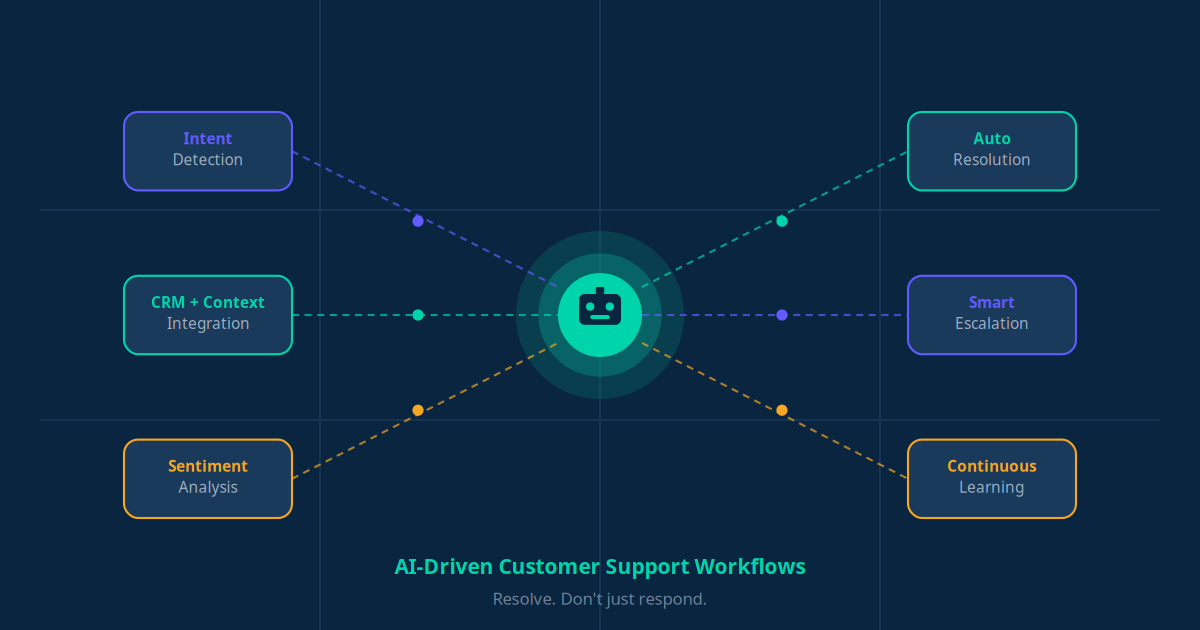
Customer support bots are everywhere. Great customer experience (CX) still isn't.
Most businesses don't fail at adding a chatbot — they fail at designing the workflow behind it. If your bot repeats scripted answers, can't understand real questions, fails to escalate properly, or frustrates customers — then it's not automation. It's a digital wall.
This guide shows you how to build AI-driven customer support workflows that actually improve CX, increase resolution speed, and reduce support costs — without annoying your customers.
The Problem: Why Most Support Bots Fail
Traditional automation follows rules:
"If user says 'refund' → show refund policy."
That's not intelligence. That's keyword routing. Modern customers expect context awareness, memory of past conversations, emotional understanding, and fast resolution. Bots fail when they're built as FAQ responders, not workflow orchestrators.
The real upgrade isn't just "AI chatbot." It's AI + structured workflow design.
What Is an AI-Driven Customer Support Workflow?
An AI-driven workflow combines five components that work together to resolve issues end-to-end — not just answer questions:
- Intent recognition — What does the customer really want?
- Context retrieval — Order history, account data, CRM info
- Decision logic — What should happen next?
- Automation execution — Refund, ticket creation, status update
- Smart escalation — When human intervention is needed
The CX Shift: From "Answering" to "Resolving"
Customers don't care whether a human or AI helped them. They care whether their issue is solved — quickly and correctly. That is the core philosophy of effective AI support. Stop designing bots that answer. Design systems that resolve.
The 6 Core Workflows That Actually Improve CX
1. Smart Triage & Intent Detection
Instead of rigid menus ("Press 1 for billing, Press 2 for technical support"), AI classifies intent in real time. Whether a customer says "I was charged twice," "My delivery hasn't arrived," or "App keeps crashing" — the bot detects urgency, sentiment, and intent, then routes intelligently.
Why this improves CX:
- No menu frustration
- Faster, more accurate routing
- Reduced wait times across the board
2. Context-Aware Responses (CRM + Order Data Integration)
A great support bot doesn't ask "What's your order number?" — it already knows. By integrating with your CRM, helpdesk, payment system, and order database, the bot can respond like:
"Hi Rahul, I see your order #45821 shipped yesterday and will arrive tomorrow by 6 PM."
That feels human — because it's personalized. No repetitive questions, faster resolution, and a brand perception that builds trust rather than eroding it.
3. Automated Resolution Workflows
The biggest CX improvement happens when the bot doesn't just answer — it acts. Examples of what a well-designed workflow can do autonomously:
- Issue a refund automatically (within policy rules)
- Generate a replacement order
- Reset a password
- Update a shipping address
- Escalate urgent cases instantly
Instead of "I've created a ticket. Someone will contact you," you deliver: "Your refund has been processed. You'll receive it within 3–5 business days." That's real automation.
4. Sentiment Detection & Emotional Intelligence
AI can detect tone shifts — frustration, anger, confusion, urgency. When sentiment turns negative, the system can prioritise the ticket, offer faster escalation, or switch to human support immediately.
Customers don't leave because of problems. They leave because they feel unheard. Sentiment-aware workflows prevent that.
5. Intelligent Escalation (Hybrid Support Model)
The best support systems are AI + human collaboration. Escalation should happen when:
- The customer requests it
- AI confidence is low
- A high-value client is detected
- A complex case is identified
And when escalation happens, the human agent should receive the full chat transcript, an intent summary, customer data, and a suggested solution. No repetition. No frustration.
6. Continuous Learning Loop
Support workflows should improve over time. Track escalation rates, first-contact resolution, customer satisfaction scores, and drop-off points. Use conversation logs to retrain and optimise. AI isn't "set and forget" — it's "deploy and evolve."
Designing a Bot That Actually Improves CX
Here is the strategic blueprint to go from idea to working system.
Step 1: Map Your Top 20 Support Issues
Look at your helpdesk logs, email tickets, and chat transcripts. Identify what's high frequency, high cost, and high frustration. Automate those first — they give you the fastest return on investment.
Step 2: Define Resolution Paths, Not Just Responses
For each issue, define the full resolution path:
Problem → Required Data → Action → Confirmation → Escalation Trigger
Design the workflow like a decision tree — powered by AI. Every branch should end in a resolved customer, not a dead end.
Step 3: Integrate Your Systems (The Hidden Game-Changer)
Without integration, your bot is just a talking interface. With integration, it becomes a problem-solving engine. Connect your CRM, payment gateway, order system, helpdesk, and knowledge base. That's where real value happens — and where your competitors fall short.
Step 4: Measure What Actually Matters
Track CX-focused KPIs, not just cost metrics:
- First Contact Resolution (FCR) — Was the issue solved in one interaction?
- Average Resolution Time — How fast are issues closed?
- CSAT Score — Are customers satisfied with the outcome?
- Escalation Rate — How often does AI fail to resolve?
- Cost Per Ticket — Is automation reducing support costs?
If those improve — your bot is working. If not — redesign the workflow, not the bot.
Real Business Impact
Well-designed AI support workflows deliver measurable results across the board:
But more importantly: they create frictionless experiences. And frictionless experiences create loyalty.
The Competitive Advantage
In the next few years, companies with reactive support will struggle. Companies with AI-driven proactive support will dominate.
Imagine detecting delivery delays before customers complain, proactively offering compensation, or predicting churn risk via sentiment patterns. That's not future tech — that's current capability available to any business willing to invest in proper workflow design.
How to Build a Customer Support Workflow in 5 Steps
Most businesses overthink implementation and never ship anything. Here is a practical five-step process that gets you from zero to a live AI support workflow in under three weeks — without wasting budget on the wrong tools.
-
Map your current support volume and ticket categories.
Pull three months of data from your helpdesk, email inbox, or WhatsApp logs. Categorize every ticket by type — returns, shipping, billing, account access, general enquiries — and count the volume per category. This tells you which problems are worth automating first. Most teams discover that five to eight issue types account for 65–80% of total tickets. Start there.
-
Choose your AI platform based on your existing stack.
You don't need to build from scratch. Platforms like Intercom Fin, Freshdesk Freddy, and Zendesk AI bolt on to your existing helpdesk and give you AI resolution within days. If you run e-commerce on Shopify, Gorgias integrates natively with your order data. If you need custom multi-channel support across WhatsApp, Instagram, and your website, a custom chatbot built on platforms like Voiceflow or Botpress gives you full control over the workflow logic. Match the platform to your data, not the other way around.
-
Train the bot on your top 20 FAQs and live product or service data.
Generic AI gives generic answers. Your AI needs to know your return policy, your pricing, your SKUs, your delivery timelines, and your escalation contacts. Feed it your existing knowledge base, your policy documents, and real conversation transcripts. The more specific the training data, the more accurate the responses. A bot trained on 200 real conversations outperforms one built purely from templates every time.
-
Set up escalation rules that define exactly when a human takes over.
The escalation logic is where most bots fail. Define clear triggers: if the customer repeats the same question twice, escalate. If sentiment turns negative, escalate. If the ticket value exceeds a certain threshold, escalate. If the bot's confidence score drops below 70%, escalate. When escalation happens, pass the full conversation transcript and a summary of detected intent to the human agent. Customers should never have to repeat themselves.
-
Monitor CSAT scores and resolution rates, then iterate weekly for the first month.
Your first deployment will not be perfect. Plan for it. Review escalation logs daily for the first two weeks to catch patterns — if the same question keeps getting escalated, that's a training gap, not a platform problem. Check your CSAT scores weekly. If resolution rate is below 60%, your workflow has gaps. If it's above 75%, you're in strong territory. Iterate based on real data, not gut feel.
AI Customer Support by Business Type: What Actually Works
AI support automation is not one-size-fits-all. The right use case depends on your industry, your customer expectations, and your existing data. The table below shows how different business types use AI support most effectively — based on real deployment patterns, not theory.
| Business Type | Top AI Use Case | Avg. Resolution Rate | Key Tool |
|---|---|---|---|
| E-commerce | Order tracking & returns | 78% | Gorgias + AI |
| SaaS / Tech | Bug triage & docs search | 65% | Intercom Fin |
| Healthcare Clinic | Appointment queries | 82% | Custom chatbot |
| Restaurant | Reservations & menu | 71% | WhatsApp bot |
| Real Estate | Lead qualification | 69% | CRM + chatbot |
Notice the pattern: resolution rates are highest where the data is structured and predictable — appointments, orders, reservations. They're lower where the support request requires interpretation — bug triage, sales qualification. That's not a failure of AI. It's a signal about where to focus your automation first and where to keep humans in the loop longest.
For every business type, the starting point is the same: identify your three highest-volume, lowest-complexity ticket categories and automate those completely before moving to more nuanced cases. That's how you build a 70%+ resolution rate in under 90 days.
The Real Cost of Bad Customer Support (and What AI Saves)
Most SMB owners think about AI support in terms of what it costs to implement. The better question is: what does it cost you every month not to have it?
The average cost of a human-handled support ticket — accounting for agent time, management overhead, and tooling — runs between $15 and $25 per ticket. AI handles the same ticket for $0.10 to $0.50 at scale. For a business receiving 500 support tickets per month, that gap translates directly to $7,000 to $12,000 in monthly savings — before you count the cost of hiring, training, and managing additional headcount as you grow.
The cost of slow support is even harder to ignore. According to Salesforce research, 67% of customers say a bad service experience is enough reason to switch to a competitor. That's not just a satisfaction number — it's a churn risk that compounds every month your support is understaffed or unresponsive.
First-response time is the single metric most correlated with customer satisfaction. The industry average for human-only support teams sits at over four hours per first response. AI-powered workflows respond in under one minute — at any hour, on any channel. That's not a marginal improvement. It's a fundamentally different customer experience.
Businesses using AI customer support see 40% lower support costs and 28% higher CSAT scores within 90 days of deployment.
The math is straightforward. The operational risk of not acting is real. Every month a business delays AI support automation is another month of preventable ticket volume, preventable churn, and preventable cost — all adding up on a spreadsheet that gets harder to justify the longer it runs.
Common Mistakes When Deploying AI Support (and How to Avoid Them)
Deploying AI customer support is not hard. Deploying it correctly is where most businesses stumble. These are the five mistakes we see most often — and the direct fixes for each.
Mistake 1: Deploying a bot with no fallback to a human agent
A bot that can't escalate is a dead end — and customers know it immediately. If your AI cannot hand off to a live agent when it hits its limits, you're not improving support, you're replacing bad human service with bad automated service. Every deployment needs a clear escalation path, a live chat handoff option, or at minimum a direct link to a support email or WhatsApp number.
Mistake 2: Not training the bot on your specific product and service data
Generic AI trained only on public knowledge gives generic answers. Your customers ask about your specific policies, your specific products, your specific timelines. If your bot can't answer "What's your return policy on custom orders?" with your actual policy, it will fail on the questions that matter most. Training must include your real documentation, real FAQs, and real conversation history from your business.
Mistake 3: Using the same tone as a corporate FAQ page
Customers don't want a bot that sounds like a legal disclaimer. Your AI should match your brand voice — whether that's warm and conversational, professional and precise, or casual and direct. A restaurant chatbot that responds like a law firm creates friction. A fintech chatbot that sounds like a teenager creates distrust. Define your brand tone explicitly before you train, and test the outputs against real customer conversations.
Mistake 4: Ignoring after-hours support coverage
After-hours is where AI provides the most immediate value — and where most businesses leave money on the table. If a customer messages you at 11 PM with a question about their order and gets silence until 9 AM, that's eight to ten hours of unresolved frustration. An AI support system running 24/7 resolves or acknowledges that query instantly, captures the issue, and either resolves it automatically or queues it with full context for your team in the morning. After-hours coverage alone can justify the cost of AI support for most SMBs.
Mistake 5: Measuring the wrong metrics
Ticket volume handled is a vanity metric. What matters is resolution rate — how many tickets were fully resolved without human escalation. Track that alongside CSAT scores, average escalation rate, and first-response time. If resolution rate is improving but CSAT is flat, your bot is closing tickets customers still consider unresolved. That's a workflow gap, not a win. Measure outcomes, not activity.
Key Takeaway
The competitive edge isn't in having a chatbot — it's in designing AI workflows that resolve issues before customers have to ask twice. Businesses that master this become the ones customers trust, return to, and recommend.
Final Thought: Automation Without Empathy Is Failure
The goal isn't to replace humans. The goal is to remove repetitive work, empower agents, respond faster, and solve smarter. The best AI support workflows don't feel robotic — they feel seamless.
When customers forget they're talking to AI, you've built something powerful.
"We don't build chatbots. We build AI support systems that resolve issues end-to-end." — That shift in positioning alone changes perception, pricing power, and client outcomes.