10 Hotel Autonomous Workflows to Set Up First: Stack Wins From Week One




Why Hotel Front Desks Are Overwhelmed (and Overpriced)
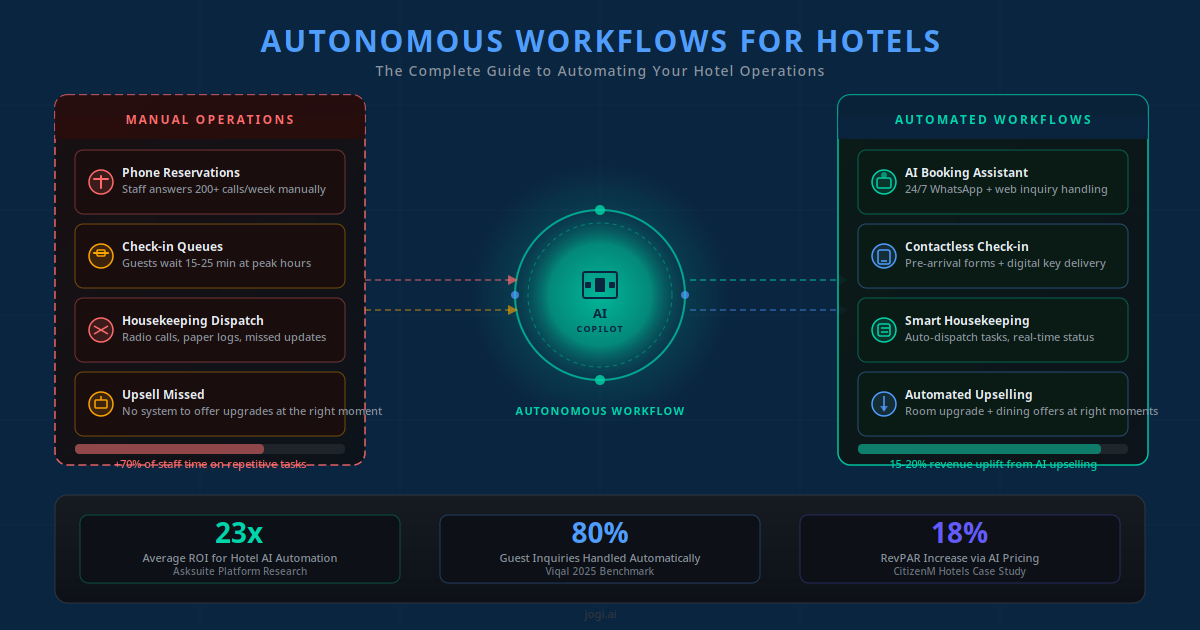
Your front desk handled the same twelve questions today that it handled yesterday. Booking inquiries after 10 PM that went to voicemail. Confirmation emails typed out one by one. Guests calling to ask what the check-in time is. Housekeeping notified by WhatsApp message from a personal phone. These are not hospitality tasks — they are data-routing tasks. And data routing is exactly what autonomous workflows do cheaply and reliably at scale.
The numbers tell the real story. Hotel labor costs per occupied room rose 12.8% in 2025, with labor now accounting for 51.7% of total hotel operating expenses. Meanwhile, no-shows cost the global hotel industry $2.1 billion per year in unrecovered room revenue — most of it preventable with a basic multi-touch reminder sequence. And hotel messaging volume has exploded: guest communications via WhatsApp and SMS grew 140% between 2021 and 2024, with 78% of European travellers now preferring messaging over email or phone.
The hotels that are winning on margins are not the ones that hired more staff. They are the ones that automated the repetitive and kept the human for what only humans do well — handling a difficult situation with empathy, turning a complaint into a loyal guest, making a family's anniversary stay feel genuinely special. Everything else? That can and should run on autopilot.
This article gives you the 10 workflows to start with — ranked by impact and ease — including what to set up in week one versus later, rough costs, and the actual results hotels are seeing. Read our complete guide to hotel AI automation for the full architectural picture; this article is your prioritised execution plan.
The Case for Stacking 10 Focused Wins
The biggest mistake hotels make when they decide to automate is treating it as an IT project. They scope a 6-month implementation, involve three vendors, and wait for a perfect system before going live. By the time anything ships, staff morale has tanked and the budget has doubled.
The better model is what I call stacking wins. Each autonomous workflow is a discrete unit: a trigger (something happens), an action (the system does something), and an outcome (a guest or staff member gets what they need without manual effort). You can build and deploy each workflow in isolation. You can measure its impact immediately. And you can stack them on top of each other over weeks rather than months.
Key Takeaway
An autonomous workflow is a trigger + action + outcome. You do not need to automate everything to see results — each workflow delivers value the week it goes live. Start with the five highest-ROI workflows, measure, then add the next five.
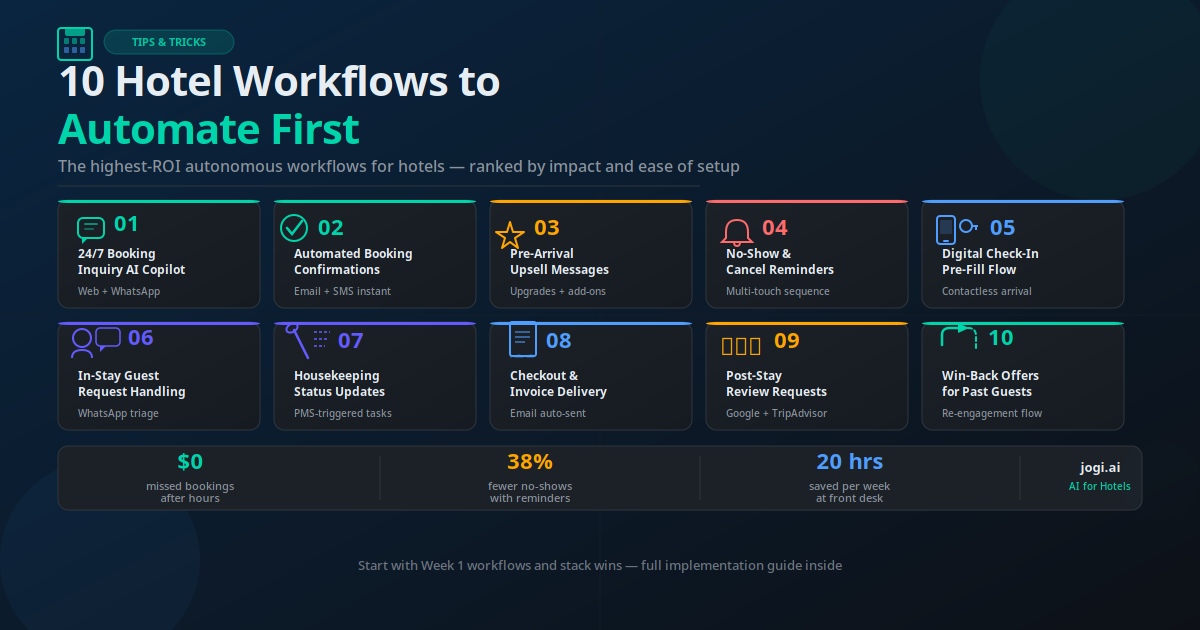
The 10 workflows below are ordered by the combination of impact (revenue recovered or protected) and setup ease (time to live). Workflows 1–5 are your Week 1 targets. Workflows 6–10 come next, once the foundation is stable. There is a bonus workflow (FAQ deflection) that any hotel with a WhatsApp channel should add — it is lightweight and cuts inquiry volume by 20–30% on its own.
Week 1 Workflows: The 5 to Start First
Workflow 1: 24/7 Booking Inquiry AI Copilot Week 1
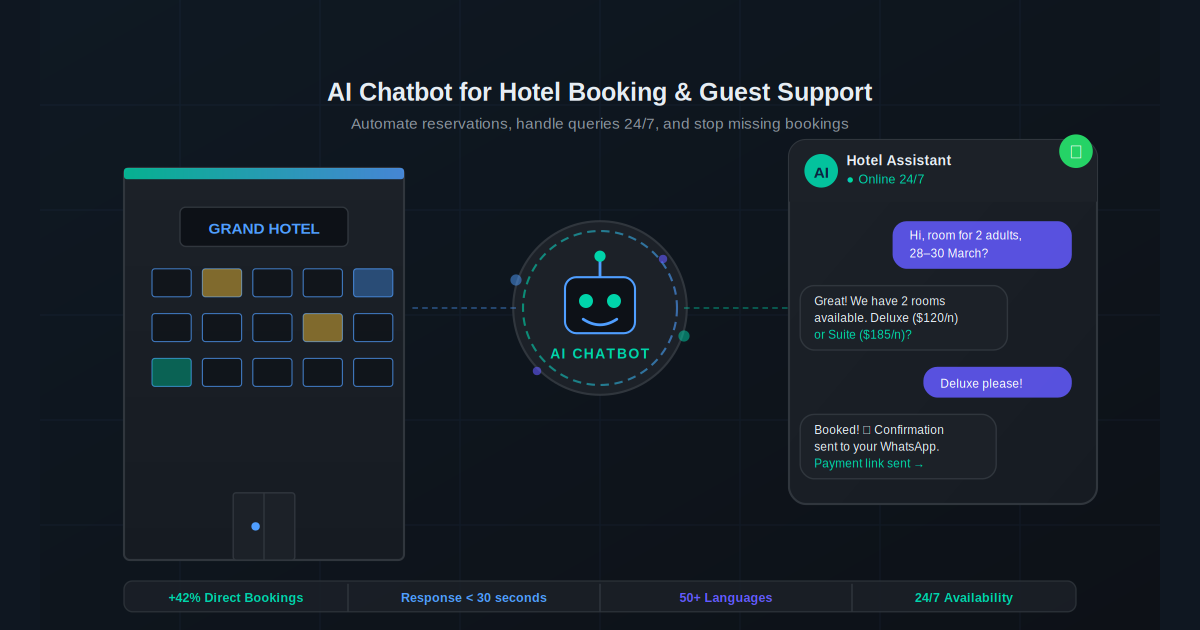
When a potential guest messages your hotel at 11 PM asking about availability for next weekend, two things happen in a manual hotel: nothing until morning, or a staff member on their personal phone. Both are bad. The AI Copilot answers instantly — it checks live availability from your PMS, provides accurate pricing, answers common questions from a trained knowledge base, and either completes the booking directly or sends a booking link. Research from Conduit AI shows hotels with voice or chat AI Copilots capture 40% more bookings and have 60% fewer missed inquiries.
Deploy this on your website chat, WhatsApp Business number, and any other channel where guests first reach out. Connect it to your CRM so every conversation creates a guest record automatically.
Workflow 2: Automated Booking Confirmations Week 1
Every confirmed booking should trigger an immediate email and WhatsApp confirmation with the booking reference, check-in time, check-out time, room type, and a link to add the dates to a calendar. This takes your front desk 3–5 minutes per booking to do manually. Automated, it is instantaneous and consistent. Your PMS likely has native email confirmation functionality — but pairing it with a WhatsApp confirmation through your WhatsApp Business automation layer dramatically increases the read rate. WhatsApp messages see 98% open rates versus 20% for email.
Workflow 3: Pre-Arrival Upsell Messages Week 1
Three to five days before check-in is the highest-converting window for room upgrades and add-on services. A guest who has just booked a standard room is genuinely interested in an upgrade offer — especially if it is priced at a 30–40% discount off the walk-in rate. We have seen hotels generate 15–23% of their total monthly revenue from pre-arrival upsell messages alone, with the automation running completely unsupervised. The message should be personalised (use the guest's name and their room type), specific (name the upgrade and show the price), and time-bound (available until 48 hours before arrival).
Workflow 4: No-Show and Cancellation Reminders Week 1
A no-show on a Friday night in peak season can cost a boutique hotel $400–$800 in unrecovered room revenue. A three-touch reminder sequence — sent 7 days, 3 days, and 24 hours before arrival — with a clear cancellation option and a prepayment nudge at the final touchpoint consistently reduces no-shows by 30–40%. In our implementations with hospitality clients, this single workflow often pays for the entire monthly automation cost within the first two weeks of operation. Connect it to your email automation stack for the first two reminders and WhatsApp for the final 24-hour message — WhatsApp delivers when email does not.
Workflow 5: Digital Check-In Pre-Fill Week 1
Send a pre-arrival link 24–48 hours before check-in that lets guests complete their registration card digitally — passport details, card authorisation, preferences, any special requests. When they arrive, check-in takes 90 seconds instead of 8 minutes. Guests who have pre-filled are also significantly less likely to cancel at the last minute (they have invested effort). This workflow also populates your PMS with complete data automatically, eliminating the manual data entry that is the single most common source of front desk errors.
Workflows 6–10: The Operational Layer
Workflow 6: In-Stay Guest Request Handling Week 2
When a guest WhatsApps asking for extra towels, a late checkout, or a dinner reservation, the message currently lands on someone's personal phone and may or may not get actioned. An AI support workflow can triage these requests automatically: simple requests (extra towels, wake-up call) get confirmed and routed to housekeeping; complex requests (dinner reservations, transport booking) get escalated to the relevant department with the conversation context. Hilton handled 10.5 million guest conversations this way across 3,618 properties, with 70% of those guests reporting improved stay satisfaction.
Workflow 7: Automated Housekeeping Status Updates Week 2
When a guest checks out, your PMS marks the room as dirty. That event should automatically notify the housekeeping team via WhatsApp or a task management app — with room number, priority (standard, deep clean, VIP turndown), and any guest notes from the digital check-in form. When housekeeping marks the room clean, the front desk is notified instantly and the room is marked available in the PMS. This eliminates the telephone chain that currently eats 20–30 minutes of supervisor time per shift and guarantees rooms are turned over as fast as possible during high-demand periods.
Workflow 8: Automated Checkout and Invoice Delivery Week 2
At checkout, or ideally via a pre-checkout message sent the evening before, the guest receives their itemised invoice by email and optionally WhatsApp. They can review charges, raise any queries digitally, and confirm everything is correct before reaching the desk. This removes the most friction-heavy part of checkout — guests standing at the desk while staff print invoices and explain line items. Queries raised digitally can be resolved before they become face-to-face complaints.
Workflow 9: Post-Stay Review Requests Week 3
A WhatsApp or email sent within 2 hours of checkout — while the stay experience is fresh — with a direct link to your Google Business Profile review page generates dramatically more reviews than a follow-up sent days later. The message should be short, warm, and direct. Personalise it with the guest's name and dates of stay. Do not ask for a "positive" review — just ask them to share their experience. Hotels using automated review request sequences consistently see their Google review score climb 0.3–0.6 points within 90 days and their review volume increase 200–400%. Read how similar follow-up automation works in high-touch service industries.
Workflow 10: Win-Back Offers for Past Guests Week 3
Guests who stayed 6 or 12 months ago and have not rebooked are your warmest untapped audience — they already trust you. A personalised win-back offer (a loyalty rate, a room upgrade, a complimentary late checkout) sent at a seasonally relevant moment converts at 3–5× the rate of a cold OTA inquiry. Pull this guest segment from your PMS every month, push them through your WhatsApp messaging workflow, and track direct bookings from the campaign separately to measure ROI. Hotels using automated win-back sequences typically recover 12–20% of lapsed guests per campaign.
The Bonus: Automated FAQ Deflection
Layer this on top of your booking inquiry AI Copilot or as a standalone WhatsApp responder. Train it on your 20 most common guest questions — check-in time, parking instructions, pet policy, nearest airport, breakfast timings, pool hours. Every FAQ answered by automation is a staff member freed from a 45-second interruption. Hotels with a trained FAQ deflection layer see 20–30% of all incoming inquiries resolved without any human involvement, across all channels simultaneously.
Before deploying any guest messaging automation, build your opt-in capture at the booking stage. Every WhatsApp message you send requires prior consent — build it right once and it protects all 10 workflows.
Setup Effort and Cost at a Glance
| Workflow | Setup Time | Est. Monthly Cost | Rollout Phase |
|---|---|---|---|
| 1. 24/7 Booking Inquiry AI Copilot | 1–2 days | $80–$150 | Week 1 |
| 2. Automated Booking Confirmations | 2–4 hours | $0–$20 | Week 1 |
| 3. Pre-Arrival Upsell Messages | 4–6 hours | $30–$60 | Week 1 |
| 4. No-Show & Cancellation Reminders | 4–6 hours | $20–$40 | Week 1 |
| 5. Digital Check-In Pre-Fill | 1–3 days | $50–$100 | Week 1 |
| 6. In-Stay Guest Request Handling | 1–2 days | $60–$100 | Week 2 |
| 7. Housekeeping Status Updates | 2–4 hours | $0–$20 | Week 2 |
| 8. Checkout & Invoice Delivery | 4–8 hours | $20–$40 | Week 2 |
| 9. Post-Stay Review Requests | 2–4 hours | $20–$40 | Week 3 |
| 10. Win-Back Offers for Past Guests | 4–8 hours | $30–$60 | Week 3 |
| Bonus: FAQ Deflection | 1 day | $40–$80 | Week 3+ |
Total estimated monthly cost for all 10 workflows plus the bonus: $350–$670 per month, depending on hotel size and message volume. Most hotels see that figure returned in no-show recovery alone within the first billing cycle.
Your 7-Step Rollout Plan
Audit your current manual touchpoints. List every repetitive guest interaction your team handles in a week. Map each one to the 10 workflows above. Identify which 3–5 apply immediately to your hotel type.
Choose your orchestration layer. Make, n8n, or a hospitality-specific platform (Cloudbeds Marketplace, Mews Marketplace) as the backbone. This is where triggers from your PMS connect to actions across WhatsApp, email, and internal tools.
Connect your PMS and WhatsApp Business API. This is the foundation every workflow builds on. Verify your PMS has a working API or webhook support. Get your WhatsApp Business API account approved (typically 24–48 hours).
Deploy Workflow 1: the 24/7 Booking Inquiry AI Copilot. Train it on your property knowledge base. Connect it to live availability from your PMS. Test with 20+ real inquiry types before going live.
Roll out Workflows 2–5 in the same week. Confirmations and reminders typically take a few hours each. Digital check-in may need 2–3 days if your PMS integration requires configuration. Run all five in parallel once the API connections are stable.
Add Workflows 6–10 across weeks 2 and 3. Focus on one operational workflow per day. Monitor the conversation logs from Workflow 6 (guest requests) closely for the first week to tune the routing logic.
Measure KPIs weekly for 30 days. Track: no-show rate (target: 30–40% reduction), average check-in time (target: under 2 minutes), review volume (target: 2× increase), and upsell revenue as a percentage of room revenue (target: 10–20%).
What Hotels Are Seeing in the Real World
Boutique Hotel, 42 Rooms — No-Show Rate Drops 38%
A boutique property in South India implemented a three-touch WhatsApp reminder sequence (7 days, 3 days, 24 hours) with a prepayment nudge on the final message. Within 90 days, no-shows dropped from 14% to under 9%. Revenue recovered per month exceeded the entire automation stack cost by 6×.
City Business Hotel, 120 Rooms — 20 Hours Saved per Week at Front Desk
After deploying the 24/7 Booking Inquiry AI Copilot and automated confirmation workflows, front desk staff reported recovering approximately 20 hours per week previously spent on repetitive inquiry handling and manual confirmation emails. That capacity was redirected to VIP guest management and upselling at check-in — activities that require genuine human judgment.
Beach Resort, 88 Rooms — 19% of Revenue from Pre-Arrival Upsell
A resort introduced automated pre-arrival upsell messages offering room upgrades, spa packages, and early check-in at a 35% discount versus walk-in pricing. Within three months, pre-arrival upsell revenue accounted for 19% of total room revenue — up from near zero. The entire workflow runs without staff involvement.
Heritage Hotel, 30 Rooms — Google Score Jumps from 4.1 to 4.7
An automated post-checkout WhatsApp message sent within 90 minutes of departure, personalised with the guest's name and a direct Google review link, increased monthly review volume from 8 to 37 reviews. The score improved from 4.1 to 4.7 over 90 days, directly affecting OTA ranking and organic search visibility.
Boutique Eco-Lodge — Win-Back Campaign Returns 17% of Past Guests
A WhatsApp win-back campaign targeting guests who had stayed 9–12 months prior, offering a returning-guest loyalty rate and a complimentary room upgrade, converted 17% of recipients into direct bookings. The cost of the campaign was effectively zero compared to the OTA commission that would have applied to those same bookings if they had rebooked through a third-party channel.
Mistakes Hotels Make When Starting Out
Starting with the most complex workflow instead of the most impactful
Digital check-in pre-fill is impressive — but it takes 1–3 days to configure and requires guest behaviour change. Automated booking confirmations take 2 hours and produce immediate results. Start with ease and impact combined; polish sophistication comes later.
Not connecting to your PMS from the start
Automations that do not talk to your PMS in real time require manual data entry to bridge the gap — which means the automation is not actually saving time, just moving where the time is spent. The PMS integration is not optional. If your PMS does not have an API, investigate whether a middleware connector exists for your platform before choosing an orchestration tool. See how workflow automation integrations work in practice.
Building without a human escalation path
Every AI-handled conversation must have a clear exit to a human. A guest who types "speak to someone" and gets routed into another automated loop will leave a one-star review about your AI. Define your escalation triggers — specific words, sentiment detection, three failed intents in a row — before you go live. Test the escalation path as rigorously as the automation itself.
Skipping the opt-in compliance step
WhatsApp Business Policy prohibits messaging guests who have not explicitly opted in. A single complaint can get your WhatsApp Business number restricted or permanently banned — ending all 10 workflows simultaneously. Build the opt-in checkbox into your booking form and digital check-in form on day one. Read the WhatsApp Business automation compliance guide before deploying any outbound messaging.
Not measuring before and after
Without a baseline, you cannot prove — to yourself, your team, or your ownership group — that the automation is working. Before you launch, record your current no-show rate, average check-in time, monthly review volume, and upsell revenue. Measure the same figures four weeks after go-live. The numbers will speak for themselves.
Every Hotel That Automates Earns a Structural Advantage
The 10 workflows in this article are not futuristic technology. They are available today, built on platforms that require no developers, and deployable over three weeks with a methodical approach. The hotels that implement them are not just saving staff time — they are recovering revenue that was previously being silently lost to missed inquiries, no-shows, and un-asked-for upsells.
More importantly, they are building a compounding advantage. A hotel with a 4.7 Google score, 40% fewer no-shows, 20% of revenue from pre-arrival upsells, and a working win-back programme operates at a fundamentally different margin to one that is still manually confirming bookings. That gap widens every month the automation runs.
The best time to start was six months ago. The second best time is this week — with Workflow 1. Use the AI Business Twin for a free personalised analysis of which workflows apply to your specific property, in under 10 minutes.
Frequently Asked Questions
How long does it take to set up hotel automation workflows?
The five Week 1 workflows can be live within 5 to 7 business days if your PMS has an API and you use a no-code orchestration tool like Make or n8n. The booking inquiry AI Copilot typically takes 1 to 2 days. Automated confirmations, reminders, and upsell messages can each be configured in 2 to 6 hours. Digital check-in pre-fill takes slightly longer at 1 to 3 days depending on your PMS provider.
Do hotel guests actually respond to automated WhatsApp messages?
Yes. Research from Skift shows 78% of European travelers prefer WhatsApp to email or phone for hotel communication. Hotels using WhatsApp automated messaging see 35 to 45% more total guest interactions than email-only properties. The key is message design — short, personalised, with clear value (a special offer, a useful piece of information, a time-sensitive reminder) outperforms generic broadcast messages significantly.
What does it cost to run these 10 hotel automation workflows?
Running all 10 workflows typically costs between $300 and $600 per month in platform and messaging fees, depending on your hotel size and message volume. This compares to the equivalent of 10 to 15 hours of staff time per week saved at front desk. Most hotels recoup the software cost within the first month through no-show reduction alone, before counting upsell revenue or the value of recovered after-hours bookings.
Which of the 10 hotel workflows should I automate first?
Start with the 24/7 booking inquiry AI Copilot and automated booking confirmations. These two workflows address the highest-volume daily tasks and generate immediate ROI by capturing after-hours bookings and eliminating manual confirmation emails. Once those are stable, add no-show reminders within the first two weeks. That combination alone typically reduces no-shows by 30 to 40% and recovers enough revenue to pay for the entire automation stack.
Do I need to replace my PMS to implement hotel automation?
No. The workflows described here integrate with your existing PMS through its API or webhook triggers. Major PMS platforms including Cloudbeds, Opera, Mews, Little Hotelier, and Apaleo all support external integrations. If your PMS does not have an API, you can use tools like Make or Zapier to connect via exported data files or email triggers, though real-time integrations are significantly more powerful.
How do I handle guests who prefer to speak with a human?
Every automated workflow should include a clear human escalation path. For WhatsApp flows, a guest typing 'human', 'agent', or 'help' should immediately route the conversation to a staff member. For the booking AI Copilot, complex queries that the AI cannot resolve should trigger an instant notification to a staff member with full conversation context. Automation handles the 80% of routine interactions; humans handle the 20% that need genuine empathy or judgment.
Are there compliance rules for automated hotel guest messaging?
Yes. WhatsApp Business Policy requires that hotels only message guests who have opted in to receive communications. Typically this is captured at booking via a checkbox or at check-in via a digital form. In the EU, GDPR applies to all guest data used for automated messaging. You must store opt-in records, include an easy unsubscribe option in every message, and retain data only as long as necessary. Building a compliant opt-in flow at booking is a one-time setup that protects all future messaging.