AI for Law Firms: Automate Client Intake, Document Review & Case Management




Your Best Lawyers Are Doing Work AI Can Finish in Minutes
A 2025 Thomson Reuters survey of US law firms found the average attorney bills only 2.5 hours per work day. The rest of the day — call it five to six hours — disappears into intake calls, drafting routine letters, summarising depositions, hunting through email, reviewing template-heavy contracts, and chasing unpaid invoices. None of it earns billable revenue. All of it is exactly the kind of work AI is now genuinely good at.
The shift in 2026 is that legal AI stopped being a research add-on and became a workflow layer. Harvey AI is inside thousands of M&A teams. Thomson Reuters CoCounsel is integrated directly into Westlaw. Spellbook drafts contract clauses inside Microsoft Word. Custom-built systems using retrieval-augmented generation are scanning a firm's own precedent library and producing first-pass drafts in seconds. The 2024 ABA TechReport put law-firm generative AI adoption at 30%; by early 2026, follow-up surveys peg it above 51% — the fastest technology adoption in legal history.
And yet most solo and small firms still run the same way they did in 2019. The intake form is a PDF. The draft engagement letter is a Word template that someone fills in by hand. New leads who call after 5 PM get voicemail. Document review for a 200-page deposition still eats a Saturday. This is the gap that's closing fast — and the firms that close it first capture the practice.
This guide covers what AI actually does for a law firm in 2026, which six workflows give the biggest return, which tools to consider, how to implement in 30 days, and the five mistakes to avoid. If you run a firm under 50 attorneys, this is for you.
What AI Actually Does for a Law Firm in 2026
Legal AI in 2026 is not a single product. It is four overlapping capabilities, and most firms benefit from deploying all four — usually in sequence, not at once.
- Conversational AI: 24/7 client intake chatbots, AI receptionists answering inbound phone calls, automated client follow-up over email and WhatsApp. The job is to capture leads, qualify them, and route them — without a human at the front desk.
- Document AI: Drafting routine letters, NDAs, engagement letters, and demand letters from templates. First-pass review of contracts with risky-clause flagging. Summarising depositions, discovery, and case files into structured digests.
- Research AI: Synthesising case law with proper citations, building first-draft memos, and answering specific legal questions grounded in primary sources. CoCounsel, Lexis+ AI, and Westlaw Precision AI now do this with citation-checked outputs, not hallucinated references.
- Workflow AI: Calendar and deadline tracking, time capture, invoice generation, conflict checks, matter status updates, and CRM hygiene. The unglamorous plumbing that keeps a firm running.
The 2026 leap is the combination of long context windows (Claude and GPT-class models now handle 200,000+ tokens, enough for an entire contract or deposition in one pass), retrieval-augmented generation over a firm's own document library, and proper agentic behaviour — AI that doesn't just answer a question but takes the next action. That shift from chatbot to autonomous task-completer is covered in detail in our agentic AI evolution guide.
Key Takeaway
Legal AI in 2026 is no longer a research toy. It is a workflow layer that handles intake, drafting, review, research, and admin — freeing attorneys to do the judgement-heavy work that actually bills.
Where Legal Hours Disappear — and Where AI Recovers Them
The economic case for AI in legal practice is not abstract. It is task-by-task, hour-by-hour, and the numbers are unambiguous. Here is what a typical workload looks like before and after AI deployment, based on case data from firms running AI for at least six months:
| Task | Manual Time | AI-Augmented Time | Hours Saved |
|---|---|---|---|
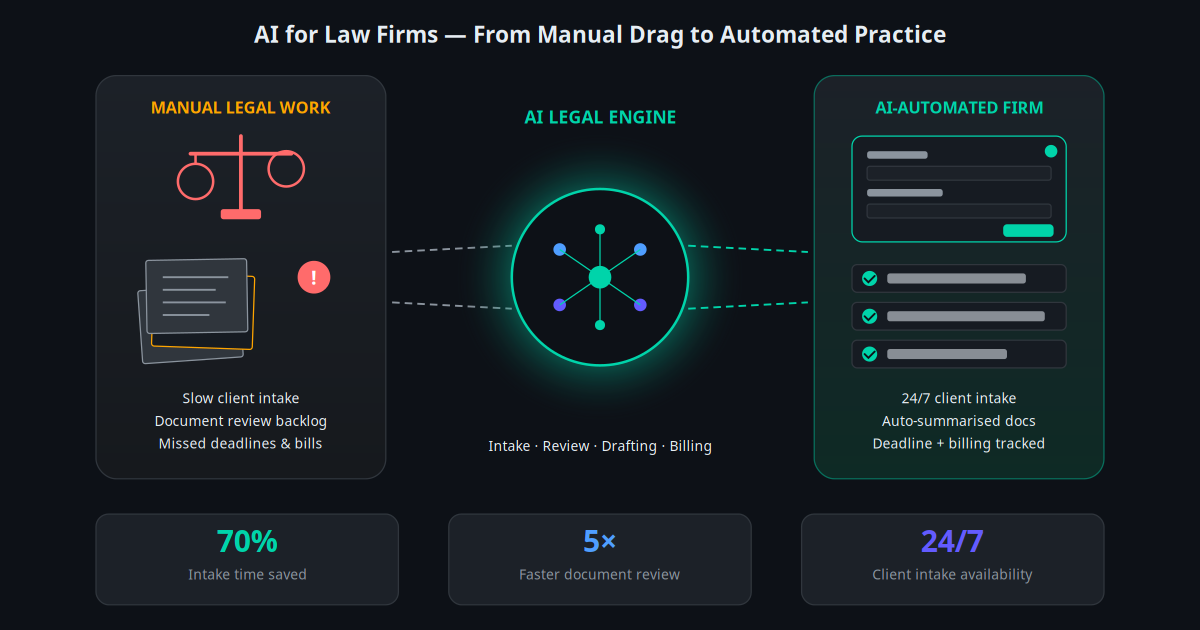
| Client intake conversation | 30–45 min | 5 min (AI-handled, human reviews) | 85–90% |
| Contract first-pass review (50 pages) | 4–6 hours | 30–45 min | 85–90% |
| Legal research memo (single issue) | 8–12 hours | 2–3 hours | 70–75% |
| Drafting engagement letter | 45–60 min | 5 min | 90% |
| Deposition summary (200 pages) | 6–8 hours | 60–90 min | 80–85% |
| Discovery document review (1,000 docs) | 50–80 hours | 10–15 hours | 75–85% |
| Routine client status email | 10–15 min | 1–2 min | 85% |
Stack these across a single attorney across a single week, and the saved hours start to compound. A firm with eight lawyers running AI well typically recovers 200+ attorney-hours per week. Even at conservative billable-hour rates, that is meaningful revenue that was previously walking out the door.
The other half of the math is the intake side. Industry data shows that 42% of legal leads receive no response within 24 hours, and the leads who call after 6 PM convert at less than half the rate of those who reach a human immediately. An always-on AI intake system flips both of these numbers — capturing and qualifying leads at the moment they raise their hand.
Six Core Use Cases for AI in Legal Practice
1. AI Client Intake and Qualification
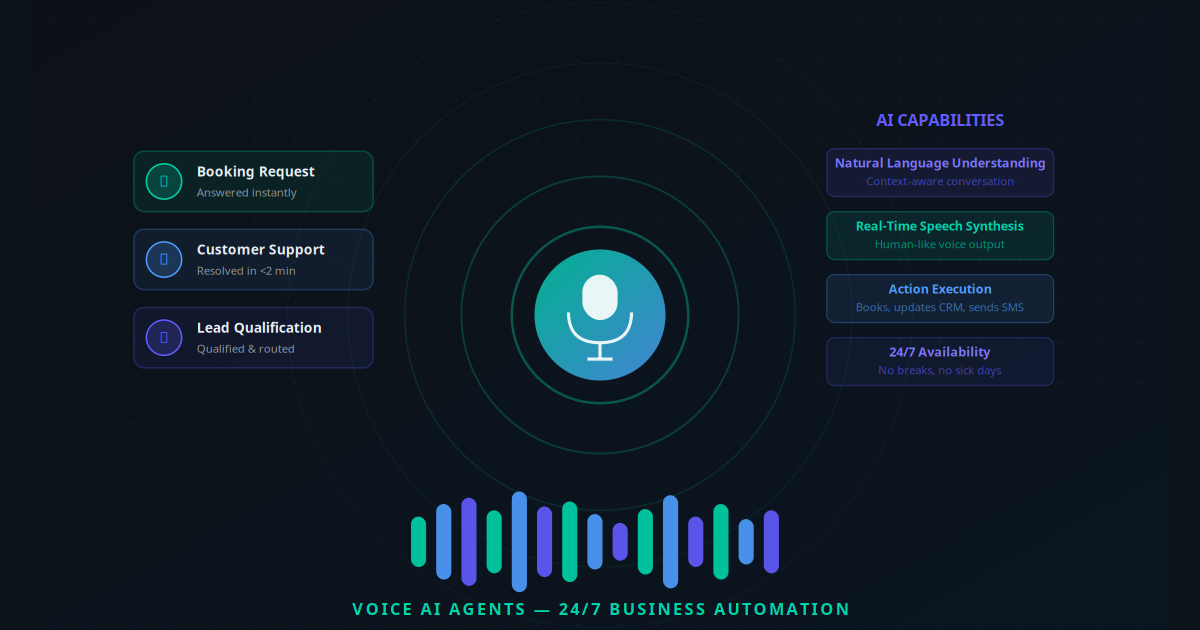
An AI intake bot answers every prospective client inquiry, gathers the facts (type of matter, jurisdiction, timeline, conflict-check info), assesses fit against your firm's practice areas, and books a consultation with the right attorney. It runs 24/7, in any language your clients speak, across web chat, WhatsApp, and even phone via voice AI agents. For firms that build the bot well, intake conversion rates rise 20–35% within the first quarter. The underlying pattern is the same one we covered in our piece on AI-driven customer support workflows — instant response plus structured qualification.
2. AI Document Review and Contract Analysis
Upload a contract, NDA, lease, or settlement agreement. Within minutes, the AI flags non-standard clauses, missing protections, dollar values, dates, named parties, governing law, and risk areas. A senior attorney's review time on a 50-page commercial agreement drops from four hours to under one. The first-pass review is not a final answer — it is a structured starting point that lets the attorney spend their hour on the things that genuinely require judgement.
3. AI Legal Research and Memo Drafting
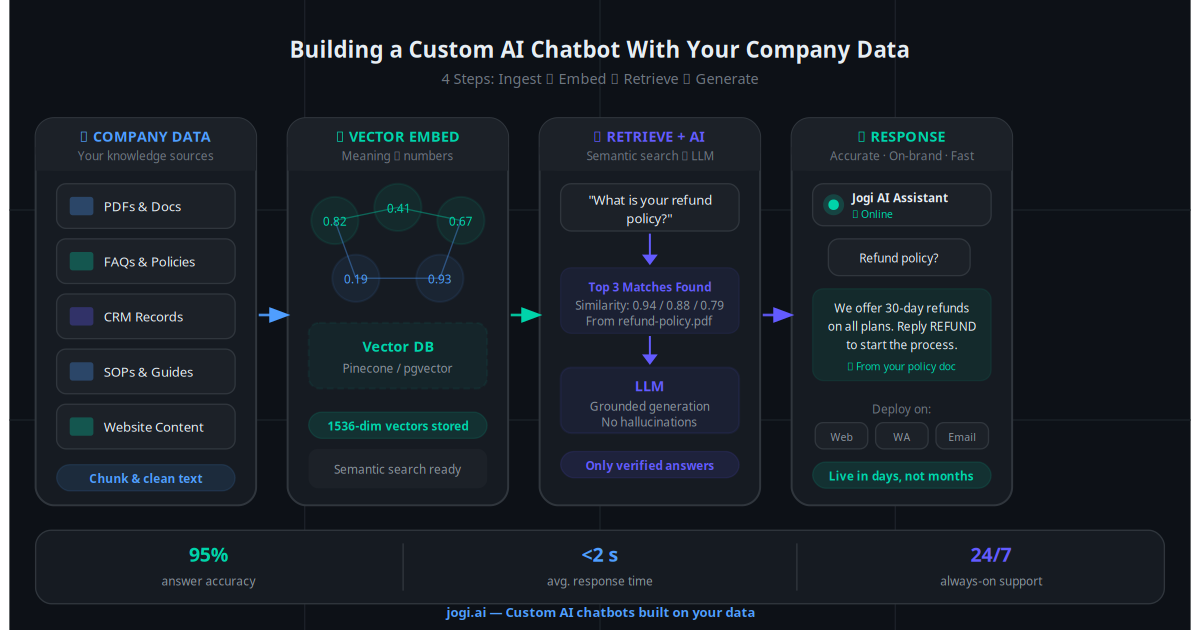
Modern legal research AI answers a specific question with proper citations, primary-source pulls, and a structured memo format. CoCounsel, Lexis+ AI, and Westlaw Precision AI have each closed the citation-hallucination gap that plagued early generative AI. The deeper play is custom retrieval-augmented generation over a firm's own precedent and brief library — so the AI gives back answers grounded in how your firm has argued similar matters before. We break down the architecture in our RAG for custom AI guide.
4. AI Document Drafting and Template Generation
Engagement letters, demand letters, retainer agreements, simple NDAs, cease-and-desist letters, basic litigation pleadings, will templates — all of these can be generated in seconds from a short conversational brief. The lawyer reviews, edits, and sends. A task that used to take 45 minutes per document collapses to under 10. The AI also enforces style and clause consistency across the firm, which is a quiet but real quality improvement.
5. AI Calendar, Deadline and Court-Date Tracking
Statute-of-limitations clocks, filing deadlines, court appearance dates, and discovery cut-offs are the highest-risk dates in any practice. AI workflow tools now pull these dates from incoming documents automatically, populate the calendar, send escalating reminders, and confirm with the client. Combine this with an AI appointment scheduler for consultations and you eliminate most of the scheduling overhead that consumes paralegal time.
6. AI Client Communication, Billing and Follow-Up
The least glamorous category and often the highest ROI. AI drafts status update emails for every active matter on a weekly cadence, sends invoice reminders, follows up on outstanding intake leads, and surfaces clients who have gone quiet. Tied into your firm's email automation and WhatsApp Business stack, it keeps the client experience tight without adding admin headcount.
AI in Action: Practice-Area Examples
Personal Injury — Intake at Scale, Conversion Up 40%
A three-attorney personal injury firm in Houston deployed an AI intake bot across web chat and phone. The bot captures incident details, injury type, treatment status, and timeline. Within 90 days, after-hours captured leads rose from 8 per month to 47 per month. Of those, qualified-lead conversion rose from 18% to 26% because attorneys were spending consultation time on already-vetted matters.
Family Law and Divorce — Sensitive, Structured, Routed
An eight-attorney family law practice uses AI intake that asks the basic questions (jurisdiction, marriage length, children, asset complexity, urgency, prior counsel) without the emotional weight of a phone call to a stranger. The AI flags high-conflict signals and immediately routes those matters to senior partners. New-client first-meeting time dropped from 90 minutes to 50 because the basics were already captured.
Corporate / M&A — Due Diligence in Hours, Not Weeks
A mid-market corporate boutique runs document AI across acquisition data rooms. The system extracts every material contract clause, flags change-of-control provisions, surfaces non-compete agreements, and produces a structured due diligence memo. A review that previously took a five-associate team two weeks now takes one senior associate four working days. Client deal velocity went up; firm margins went up further.
Immigration Law — Forms, Timelines and Multilingual Intake
Immigration practice is form-heavy and time-sensitive. An immigration firm built an AI assistant that handles initial inquiries in English, Spanish, Mandarin, and Arabic, pre-fills routine USCIS forms from client-supplied data, and tracks every case milestone with automated client status emails. Paralegal hours per case dropped by roughly 35%; clients reported notably higher transparency.
Real Estate and Conveyancing — Title and Contract Scanning
A small conveyancing practice scans every incoming title document and purchase contract through an AI extraction layer that pulls parties, property descriptions, prices, deposit amounts, completion dates, and any unusual clauses into a structured matter file. The fee-earner reviews a one-page summary instead of a 40-page contract from a blank slate. Matter throughput per fee-earner rose 60% within six months.
From Manual to Automated in 30 Days: A Practical Plan
The mistake firms make is buying enterprise legal AI at the start. The right move is to deploy one workflow, prove it, and expand. Here is the 30-day plan that works for solo practitioners and firms under 50 attorneys:
Week 1 — Map where the hours actually go. Have every fee-earner log their week in 30-minute blocks. You are looking for the top three time sinks across the firm. For most practices these are: client intake, document drafting, and document review.
Week 1 — Pick one workflow to automate first. The winning candidate is almost always client intake. It is high-volume, the data is structured, and the ROI is measurable in days. Resist the urge to start with research or document review.
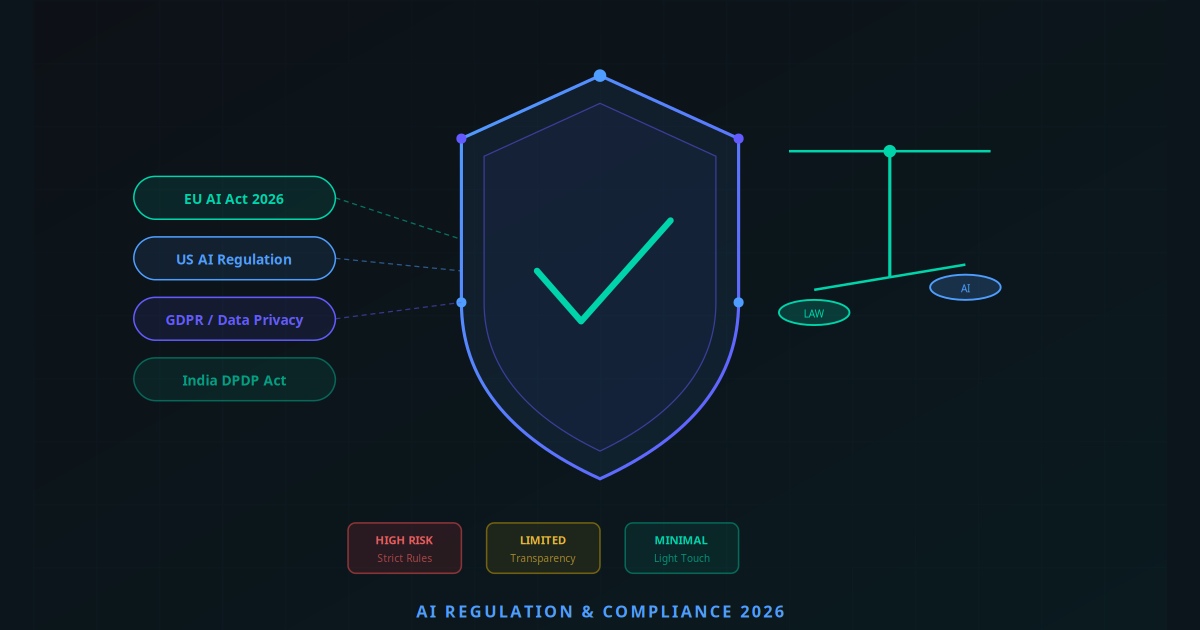
Week 2 — Vet vendors for confidentiality and zero-retention terms. Confirm the AI vendor offers a signed DPA, zero-retention mode, EU or US data residency, and SOC 2 Type II compliance. This is the single most important step. See our AI regulation and compliance guide for the checklist.
Week 2 — Deploy AI client intake. Stand up the chatbot on your firm's website, hook it into your phone line with a voice AI overlay for after-hours calls, and route qualified leads directly to the right attorney's calendar.
Week 3 — Roll out document AI for drafting and review. Train the system on your firm's existing engagement letters, NDAs, and standard contracts. Start with the three documents you generate most often. Track time saved per document.
Week 4 — Integrate with practice management, CRM, and billing. Connect the AI stack to Clio, MyCase, PracticePanther, or whichever system holds your matter data. Done well, this is where the time savings compound. The principles are the same as any CRM automation rollout.
Week 4 and beyond — Train the team and iterate. Hold weekly 30-minute reviews. Listen to ten AI intake conversations. Read ten AI-drafted documents. Tune the prompts and templates based on what the AI gets slightly wrong. Quality climbs week over week.
By day 30, a typical firm has measurable wins on intake conversion, draft turnaround time, and after-hours lead capture. Day 60–90 is where research AI and discovery AI get layered in.
Legal AI Tools Worth Knowing in 2026
| Tool | Best For | Pricing (approx.) | Strength |
|---|---|---|---|
| Harvey AI | Mid-to-large firms, M&A, litigation | Enterprise, custom | Top-tier legal reasoning |
| Thomson Reuters CoCounsel | Research, drafting, summarisation | ~$225/user/month | Westlaw integration |
| Lexis+ AI | Research and brief analysis | From ~$200/user/month | Lexis citation depth |
| Spellbook | Contract drafting in Word | From $89/user/month | Solo and small-firm friendly |
| LawDroid / Smith.ai | AI intake and answering | $140–$400/month | Intake + appointment booking |
| Jogi AI custom build | Tailored intake, RAG over firm docs, CRM/email integration | From $179/month | Fits your existing stack |
The dividing line in 2026 is between platform tools (Harvey, CoCounsel, Lexis+) that work well for research and review but live inside their own walled garden, and custom builds that integrate intake, drafting, CRM, and billing into a single firm-specific flow. Most firms end up running one or two platform tools alongside a custom intake-and-automation layer. The economics improve sharply when the AI talks to the systems you already use.
What Law Firms Are Actually Reporting
"We doubled our intake conversion in 90 days, and our paralegal team picked up two extra matters per week each without working a longer day. The AI didn't replace anyone — it gave us back the hours we used to lose."
— Managing partner, six-attorney personal injury firm, US MidwestAcross firms running AI in production for at least six months in 2026, the consistent results are:
- Intake conversion rate: 20–40% improvement, driven mostly by after-hours capture and faster response time.
- Document drafting time: 70–90% reduction on templated documents (letters, NDAs, engagement letters, simple pleadings).
- Contract first-pass review: 4–8x faster, with consistent quality and clearer audit trails.
- Paralegal capacity: 25–40% effective increase in matters per paralegal per week, without burnout.
- Billable hour recovery: Most firms recover 3–8 billable hours per attorney per week, freed from admin and drafting.
- Payback period: 60–90 days for a focused, three-workflow deployment.
The compounding effect kicks in around month four. By then, intake is automated, the most-used documents are AI-drafted, and the firm starts taking on more matters without hiring. Marketing spend also gets more efficient: every lead from your lead generation funnel now lands in an instantly responsive intake system, so a higher percentage converts to a signed retainer.
Five Mistakes Law Firms Make Adopting AI
Mistake 1: Treating AI as a Research Replacement Instead of an Accelerator
AI is best understood as a senior associate's first draft, not a partner's final answer. Firms that hand a research memo to a client without a human-attorney review are setting themselves up for malpractice exposure. The discipline that matters is: AI drafts, attorney verifies, attorney signs.
Mistake 2: Skipping the Vendor-Confidentiality Review
Pasting client information into a consumer chatbot with default retention settings is the single most preventable AI ethics violation. Every vendor that touches client data needs a signed DPA, a zero-retention mode, defined data residency, and SOC 2 Type II evidence. If they can't provide it, walk.
Mistake 3: Letting the Intake Bot Drift Into Legal Advice
An AI intake bot's job is to collect facts and qualify — not to opine. The system prompt must explicitly forbid the bot from giving legal advice, must require it to identify as AI, and must route any actual legal question to a human attorney. State bar opinions and SRA guidance permit AI intake with these constraints; without them, you have a problem.
Mistake 4: Buying Enterprise AI When an Integration Would Solve the Problem
Many firms sign $50,000/year platform contracts when the actual bottleneck is that their existing systems don't talk to each other. Before you buy, ask: would a custom integration layer between intake, practice management, and email solve 80% of this? Often the answer is yes, at a fraction of the cost.
Mistake 5: Forgetting to Update Engagement Letters and Disclosures
If AI tools touch client matters, your engagement letter should say so. The right standard in 2026 is: disclose the AI tools you use, confirm they are confidentiality-compliant, and clarify that an attorney reviews all AI output before it leaves the firm. This is straightforward to add — and forgetting it is an avoidable risk.
The Practice You Build Next
The firms that adopt AI well in 2026 are not the ones with the biggest tech budgets. They are the ones that pick one workflow, prove the ROI in 30 days, and expand methodically from there. The leverage compounds fast: intake automation funds document automation, which funds research integration, which funds the firm-wide rollout. Eighteen months in, the practice looks unrecognisable — same attorneys, double the matters, half the after-hours work.
The competitive ground is also shifting. Clients in 2026 are asking — sometimes in RFPs — whether their firm uses AI to keep fees down and turnaround fast. Firms that can answer "yes, with these tools, with these safeguards, with these outcomes" are winning work that previously went to the largest practices by default.
The bar for getting started is low. The cost of waiting another year is high. The legal AI tools are real, they are safe when implemented correctly, and they are reshaping the economics of running a firm.
To see exactly which AI workflows would have the biggest impact on your practice — and what the implementation cost and timeline would look like — use the AI Business Twin for a free, personalised analysis in under 10 minutes.
Frequently Asked Questions
What can AI realistically do for a small law firm in 2026?
Modern AI handles the high-volume, low-judgement legal tasks that consume the most hours: client intake conversations and qualification, first-pass contract review and clause extraction, deposition and discovery summarisation, legal research synthesis with citations, drafting templated documents like letters and NDAs, and follow-up client communications. It does not replace lawyer judgement, but it removes 20 to 40 hours per week of administrative drag from a typical small firm.
Is AI safe to use for legal work given client confidentiality and privilege?
Yes, when implemented correctly. The key is using AI tools that offer zero-retention modes, signed data processing agreements, EU or US data residency options, and on-premises or private-cloud deployment where required. Avoid pasting client data into consumer chatbots. Vendor diligence is non-negotiable, but the technology itself is compatible with confidentiality, privilege, and bar association ethics rules in 2026.
How much does it cost a small law firm to implement AI?
A solo or small firm can deploy useful AI for $200 to $800 per month all in. This typically covers a legal AI assistant, an AI intake chatbot, document automation, and email and calendar AI. Custom integrations into practice-management systems like Clio, MyCase, or PracticePanther add $1,500 to $5,000 in one-time setup. Most firms see ROI within 60 to 90 days through billable hour recovery and intake conversion gains.
Can AI replace paralegals at a law firm?
Not entirely. AI replaces specific paralegal tasks like first-pass document review, deposition summarisation, citation checks, template drafting, and scheduling, but the paralegal role evolves rather than disappears. Firms that deploy AI well typically keep their paralegals and either grow caseload at the same headcount or shift paralegal time toward higher-value client-facing work. Pure replacement is rare, force multiplication is the norm.
What AI tools are most useful for solo and small law firms specifically?
For solo practitioners and firms under 10 attorneys, the highest-ROI tools in 2026 are an AI intake chatbot for 24/7 client qualification, an AI document drafter for templated letters and contracts, a legal research assistant such as CoCounsel, Lexis+ AI, or Westlaw Precision AI, and an AI meeting or email summariser. These four together replace roughly 25 hours of weekly administrative work for a firm with a steady inbound pipeline.
Does using AI for client intake create any compliance or ethics risks?
Properly designed AI intake systems avoid the common risks: they identify themselves as AI at the start of the conversation, do not provide legal advice (only collect facts and qualify), do not establish attorney-client relationships, and route any actual legal questions to a human attorney. Bar association ethics opinions in most US states and UK SRA guidance permit AI intake with appropriate disclosures. The risk is in poorly designed bots that drift into giving legal opinions — that is what to avoid.
How long does it take to implement AI in a small law firm?
A focused first deployment, typically AI intake plus document drafting plus email automation, takes 2 to 4 weeks for a firm under 10 attorneys. Add another 2 to 3 weeks for integration with your practice management system. Full firm-wide AI adoption where every team member uses AI daily across research, drafting, and admin usually takes 60 to 90 days because the bottleneck is training and habit, not technology setup.