AI Prompt Writing Tips for Business: Get Professional-Quality Output Every Time




Why Your Prompt Quality Determines Everything
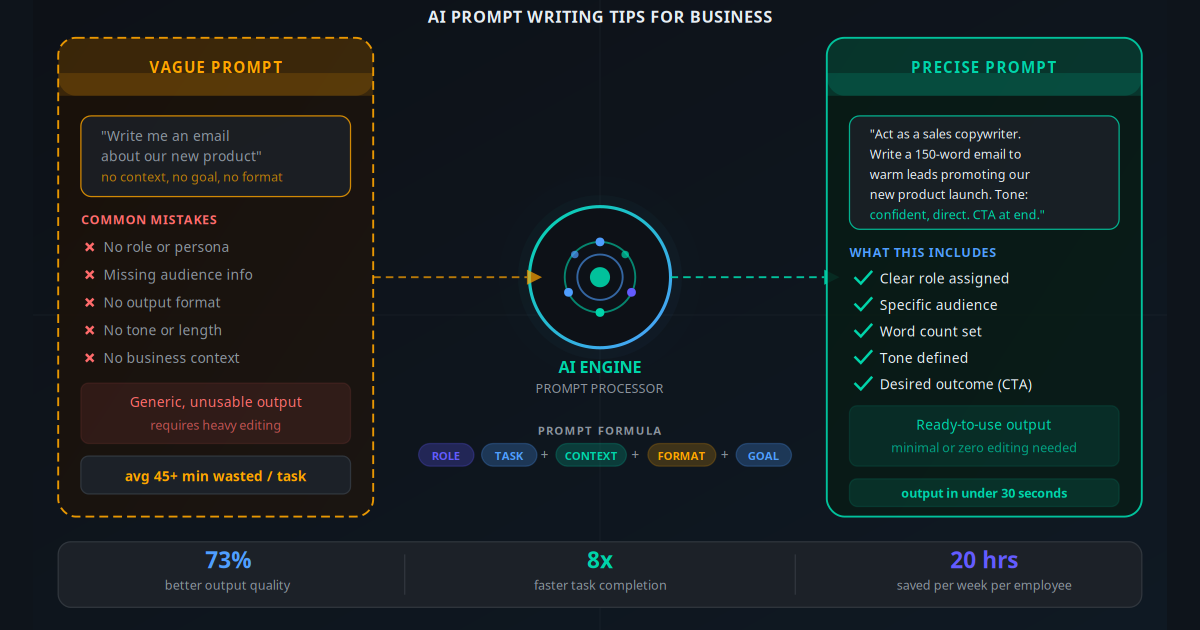
You sit down with ChatGPT, type "write me a proposal for a new client," and get back a wall of generic corporate text that sounds like it was written for nobody in particular. You paste it into a doc, spend 45 minutes rewriting it, and wonder why everyone is raving about how AI saves time.
The problem is not the AI. The problem is the prompt.
AI language models — ChatGPT, Claude, Gemini — are extraordinarily capable, but they are not mind-readers. They produce the best output they can from the instructions you give them. Vague instructions produce vague output. Precise, well-structured instructions produce output you can use immediately. This is not a minor difference. Research from MIT found that workers who used AI with structured prompts completed tasks 73% faster than those using vague prompts — with significantly higher quality scores.
This guide gives you a practical, repeatable framework for writing prompts that work. No technical background needed. By the end, you will have a 5-part formula, real before-and-after examples, and a starting prompt library for your most common business tasks.
Key Takeaway
AI output quality is 80% a function of prompt quality. The same model that produces generic garbage for a vague prompt will produce publication-ready content from a well-structured one. Learning to write good prompts is the single highest-leverage AI skill for any business owner or team member.
The 5-Part Prompt Formula for Business
Every effective business prompt contains five components. You do not need all five for every task, but the more you include, the better the output. The formula is: Role + Task + Context + Format + Goal.
1. Role — Tell the AI Who to Be
Start by assigning a persona. "Act as a senior B2B copywriter with 10 years of SaaS experience" produces fundamentally different output than no role at all. The AI uses the role to calibrate vocabulary, tone, expertise level, and audience assumptions. For business tasks, common roles include: sales copywriter, customer service specialist, HR manager, financial analyst, marketing strategist, legal document drafter, project manager.
2. Task — State Exactly What You Want
Be specific about the deliverable. Not "write an email" but "write a 150-word follow-up email to a warm lead who attended our webinar last Tuesday." The task statement should answer: what type of content, what length, what action is it meant to drive?
3. Context — Give the Background That Changes Everything
Context is the part most people skip, and it is the part that matters most. Include: who your audience is (their job title, pain points, industry), what your product or service does, any relevant history (prior conversations, objections raised), and the situation you are addressing. The more specific your context, the more specific the output.
4. Format — Specify How the Output Should Look
Tell the AI exactly how to structure the response. "Respond with a subject line, opening paragraph, three bullet points, and a closing CTA sentence." Or: "Produce a table with three columns: Task, Tool, Estimated Time Saved." Explicit format instructions eliminate 80% of post-editing work.
5. Goal — State What Success Looks Like
The goal tells the AI what the output is supposed to achieve. "The goal is to get the recipient to book a 15-minute discovery call." Or: "The tone should make the reader feel understood, not sold to." Goal statements guide the AI's tone, emphasis, and persuasive approach.
The 5-part formula is not about making prompts longer. It is about making them more specific. A 60-word precise prompt consistently outperforms a 200-word vague one.
Before and After: Real Business Prompt Comparisons
These side-by-side examples show exactly how much difference prompt structure makes across common business tasks.
| Task | Weak Prompt | Strong Prompt (5-Part) |
|---|---|---|
| Follow-up email | "Write a follow-up email for a lead" | "Act as a B2B sales rep. Write a 120-word follow-up email to [Name], a clinic owner who requested a demo of our appointment automation software but has not replied in 5 days. Tone: warm, confident. Goal: re-engage and book a 20-min call. Include one specific benefit relevant to reducing no-shows." |
| Social media post | "Write a LinkedIn post about our service" | "Act as a B2B content marketer. Write a 200-word LinkedIn post for a workflow automation company targeting retail business owners. Lead with a relatable pain point about manual stock management. Include one specific stat. End with a question to drive comments. No hashtags." |
| Proposal section | "Write a proposal introduction" | "Act as a senior business consultant. Write a 200-word executive summary for a proposal to [Company], a 3-location physiotherapy group. They want to reduce admin time. Our solution: AI-powered booking and reminder automation. Tone: confident, results-focused. Mention a 40% no-show reduction benchmark." |
| Customer reply | "Write a reply to an angry customer" | "Act as a customer success manager at a SaaS company. Write a 100-word reply to a customer upset about a billing error. Acknowledge the mistake clearly, explain what happened in one sentence, state the exact fix and timeline, and end with a goodwill gesture (one month credit). Tone: sincere, not corporate." |
| Job description | "Write a job description for a sales rep" | "Act as an HR manager for a tech startup. Write a job description for a B2B Sales Development Representative. Company sells AI automation to SMBs. Audience: 2-4 years experience, enjoys outbound sales. Format: role overview (50 words), responsibilities (6 bullets), requirements (5 bullets), what makes this role exciting (40 words). Avoid generic filler." |
Best Prompt Approaches by Business Task
Customer-Facing Emails and Replies
These tasks benefit most from a defined role ("senior customer success manager"), specific audience detail (their name, issue, history), and a clear tone directive ("empathetic but concise"). Always include the desired CTA and a word count cap to avoid AI padding. Result: replies that feel human-written and require minimal edits.
Sales and Marketing Content
Sales content needs a pain-point hook, a specific ICP (ideal customer profile) description, and a goal framed as the desired emotional response ("make them feel their current process is costing them money"). Include brand voice notes: "We do not use jargon. We use plain English. Short sentences." Productivity gain: a skilled copywriter takes 2 hours to produce a landing page draft; a well-prompted AI takes 3 minutes.
Internal Documents and SOPs
When drafting standard operating procedures, meeting summaries, or onboarding documents, provide the raw notes or transcript as context. Instruct the AI to structure them in a specific format: "Convert these meeting notes into a numbered SOP. Each step should be one actionable sentence. Use plain English. Maximum 12 steps." Output is immediately usable and consistent.
Data Analysis and Summaries
Paste your raw data (sales figures, customer feedback, survey results) directly into the prompt. Instruct the AI: "Act as a business analyst. Summarise the key trends in this data. Identify the top 3 opportunities and top 2 risks. Present findings as an executive summary with a table of key figures." This turns 30 minutes of analysis into 60 seconds.
Proposals and Quotes
For proposal drafting, structure works best with labelled sections. "Act as a senior business consultant. Write section 2: Problem Statement for the following proposal [CONTEXT]. Make it 150 words. Focus on the client's operational pain, not our solution. Use their own words from the intake form I have pasted below: [INTAKE NOTES]." Using the client's own language signals genuine understanding.
How to Build a Prompt From Scratch (8 Steps)
Use this process every time you need to write a new prompt for a business task you have not automated before.
Name the output type: Identify exactly what you need — email, social post, proposal section, SOP, table, analysis, job description. Be precise.
Assign a role: Choose a persona whose expertise matches the task. The more specific, the better: "senior B2B copywriter" beats "copywriter" which beats "writer."
Describe the audience: Who will read or receive this output? Their job title, industry, pain point, and knowledge level all shape what the AI writes.
Add business context: What does your company do? What product or service is relevant here? What situation prompted this task? Paste in any relevant raw data or notes.
Specify tone and style: How should this sound? Professional, conversational, warm, direct, formal, urgent? What should it NOT sound like — no corporate jargon, no hyperbole?
Define the format: Word count, sections, bullet points vs paragraphs, headers, table columns. The more specific your format instruction, the less post-editing required.
State the goal: What should the output achieve? A booking, a reply, an internal approval, a feeling of trust? This guides emphasis and persuasive structure.
Add constraints: What should the AI avoid? "Do not mention competitors," "do not use the phrase 'cutting-edge,'" "do not invent statistics." Constraints prevent the most common AI errors.
ChatGPT vs Claude vs Gemini: Prompt Behaviour Differences
The 5-part formula works across all three major AI tools, but each has different strengths worth knowing.
| Model | Best Strength | Prompt Style That Works Best | Business Tasks It Excels At |
|---|---|---|---|
| ChatGPT (GPT-4o) | Structured content, lists, versatility | Clear format instructions with labelled sections | Proposals, reports, SOPs, formatted summaries |
| Claude (3.5/3.7) | Nuanced tone, long documents, safety | Detailed context with tone examples; handles 100k+ token docs | Customer communication, long-form writing, document analysis |
| Gemini (1.5 Pro/2.0) | Real-time data, Google Workspace integration | Factual prompts with source references; works well with data | Market research summaries, email drafting, data analysis |
Practically, most business owners should pick one tool as their primary and master prompting it well — rather than switching between all three. The productivity gain comes from learning how a specific model responds to your phrasing and building a prompt library tailored to it.
Advanced Techniques: Chaining, Roles and Constraints
Prompt Chaining for Complex Outputs
For any task where one prompt would produce output too long or complex to control, break it into a chain. A sales proposal: Prompt 1 produces an outline. You review and approve. Prompt 2 writes each section individually. Prompt 3 rewrites the executive summary based on the completed sections. Each step is manageable and reviewable, producing a far superior final document than asking for everything in one shot.
The "Critic" Prompt
After getting an initial output, add a second prompt: "Now act as a sceptical prospect who has been contacted by 50 salespeople this month. What objections or weaknesses do you see in this email? List three." Then: "Revise the email to address those objections." This self-critique loop reliably improves persuasive writing quality by 40–60% without any human copywriter input.
Consistency Constraints for Brand Voice
If your brand has a specific voice, teach it in the prompt rather than hoping the AI guesses. Include 3 example sentences that represent your tone and 3 that do not. "Our voice sounds like this: [examples]. It does NOT sound like this: [counter-examples]. Match the first style." This produces brand-consistent output far more reliably than adjective descriptions alone.
"I used to spend 2 hours every Monday writing social media posts for the week. Now I spend 8 minutes. The prompts I have built know our audience, our tone, and our product better than some of our junior staff."
— Operations manager, 12-person B2B services firm8 Common Prompt Mistakes That Kill Output Quality
1. No Role Assigned
Without a role, the AI defaults to a generic "helpful assistant" mode and produces average-quality output for an average audience. Assigning a specific expert role immediately shifts output quality upward.
2. Ambiguous Audience
"Our customers" is not an audience description. "SMB retail owners in the UK with 3–20 staff, aged 35–55, who manage stock manually in spreadsheets" is. The more specific your audience, the more targeted the language.
3. No Format Specification
If you do not tell the AI how to structure the output, it will pick a format that feels natural to it — which may not match what you need. Always state: word count, use of headers, bullet or prose, table or list.
4. Asking for Everything at Once
"Write a full proposal including executive summary, problem statement, solution overview, pricing, and case studies" produces a diluted, formulaic document. Break it into section-by-section prompts and review each before proceeding.
5. No Constraints on What to Avoid
AI models have certain defaults — they tend to pad, use passive voice, add unnecessary qualifiers ("it's important to note that..."), and sometimes invent statistics. Explicitly forbid these: "No filler sentences. Active voice only. Do not invent statistics."
6. Pasting Irrelevant Context
More context is better — but only relevant context. Pasting your entire company website into a prompt asking for a single email subject line dilutes the signal. Keep context tight and specific to the task.
7. Accepting the First Draft
The first AI output is a draft, not a final. The best use of AI for business writing is iterative: get the first draft in 30 seconds, refine with follow-up prompts targeting specific issues ("make the opening more direct," "cut 30 words from the third paragraph," "rewrite the CTA to be more urgent"). Three iterations beats one attempt every time.
8. Not Saving What Works
Every time you write a prompt that produces excellent output, save it. A business prompt library is a compounding asset — it gets more valuable every week as you add and refine templates. Teams that build shared prompt libraries report 3–5x faster task completion within 60 days of consistent use.
Building Your Business Prompt Library
A prompt library is a shared document (Google Docs, Notion, or Confluence) containing your team's best-performing prompt templates, organised by task type. Building one is the highest-leverage single step most businesses can take after learning the formula.
Start with these eight templates — one for each common business task category:
- Cold outreach email: Role (sales rep) + target ICP + your product + pain point to address + CTA + 120-word max
- Follow-up email (warm lead): Role + lead history + specific trigger for follow-up + tone (warm, non-pushy) + single CTA
- LinkedIn post: Role (industry expert) + topic + audience + pain-point hook + 1 stat + engagement question at end
- Customer complaint reply: Role (customer success) + complaint summary + resolution already decided + tone (empathetic, direct) + no-blame language
- Meeting summary: Role (executive assistant) + paste meeting notes + output: action items table (owner, task, deadline) + decisions made + parking lot items
- Proposal section: Role (senior consultant) + section name + client context + word count + what this section must achieve + no fluff instruction
- Job description: Role (HR manager) + job title + company context + audience seniority + format (overview, responsibilities, requirements, why join) + avoid-list
- SOP draft: Role (operations manager) + process name + raw notes or current steps + output: numbered steps in plain English, max 15 steps
Review and update your library monthly. Prompts that consistently produce high-quality output with minimal editing are your most valuable business assets — more valuable, in many cases, than the AI subscription itself. The prompts are the IP; the model is just the engine.
How Prompt Writing Connects to AI Automation
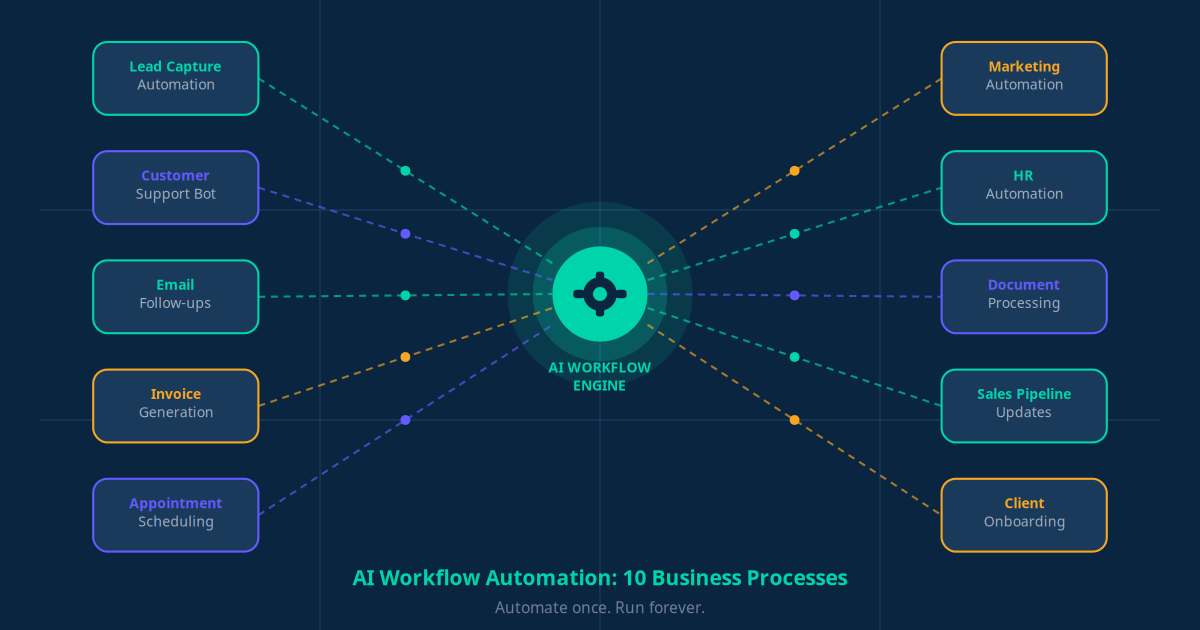
Good prompt writing is the foundation of AI workflow automation. When you move from using AI manually to automating recurring tasks — generating follow-up emails from CRM data, drafting invoice summaries, auto-replying to common support enquiries — the quality of the embedded prompt is what determines whether your automation produces excellent output or garbage at scale.
A well-structured prompt runs reliably in a Make or n8n automation workflow every time a trigger fires. The same prompt you use manually in ChatGPT can be embedded in an automated sequence that fires when a lead fills out a form, when a support ticket is created, or when an invoice is generated. The skill transfers directly.
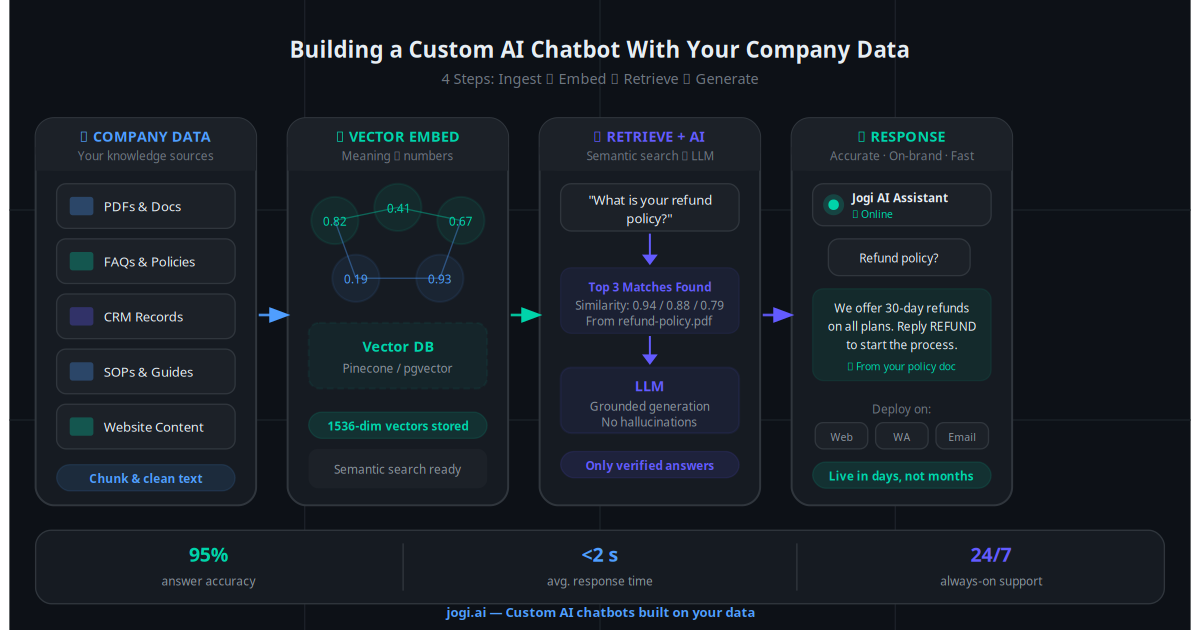
If you use a custom AI chatbot built on your business data, the system prompt — the hidden instruction that governs how the chatbot behaves — is the most important prompt in your business. A poorly written system prompt produces an inconsistent, unreliable chatbot. A well-structured one using the 5-part formula produces a chatbot that handles 80%+ of queries accurately without human intervention.
Similarly, AI customer support workflows rely entirely on well-crafted prompts to triage, classify, and respond to enquiries. The prompt is not just the input — it is the operating manual for the AI doing the work.
If you are using email automation or WhatsApp Business automation, the AI-generated messages in those sequences are only as good as the prompts that generate them. Investing in prompt quality before you scale automation means every automated interaction is high quality — not just the first one.
For AI-powered lead generation, prompts that qualify leads, score intent signals, and draft personalised outreach need to be precise and tested against dozens of real inputs before they go live at scale. The 8-step process above applies directly to building these production prompts.
The Gap Between Good and Great AI Use Is a Prompt Away
Most businesses using AI tools are getting 20% of the potential value — because they are using 20% of the prompting craft available to them. The 5-part formula, the before-and-after examples, and the common mistake list in this guide are your fast track to the other 80%.
Start with three tasks you do every week that involve writing or analysis. Build a 5-part prompt for each. Test, iterate, and save the versions that work. Within two weeks, you will have a small library that permanently reduces the time those three tasks take. Then expand from there.
When you are ready to go beyond manual prompting into full automation — where AI handles recurring tasks without you touching it — use the AI Business Twin for a free personalised analysis of which tasks in your specific business are best suited for AI automation, and what results you can expect.
Frequently Asked Questions
What is the most common AI prompt mistake business owners make?
The most common mistake is writing vague prompts with no context — for example, "write me a sales email" without specifying the audience, product, tone, word count, or desired action. AI models produce generic output when given generic input. Adding a role, specific context, a target audience, a desired format, and a clear goal transforms the output from unusable to ready-to-send.
How long should a good business AI prompt be?
A good business prompt is typically 40 to 120 words. Long enough to include role, task, context, format, and goal — but short enough that the AI does not get confused by conflicting instructions. For complex tasks like writing a proposal or analysing data, a structured prompt with clearly labelled sections (using caps or dashes) often produces better results than a single long paragraph.
Should I use the same prompt template for ChatGPT, Claude and Gemini?
The 5-part formula (Role, Task, Context, Format, Goal) works across all three models. Minor stylistic differences exist: Claude tends to follow format instructions very precisely and handles nuanced tone well; ChatGPT-4o excels at structured content and lists; Gemini is strongest when given factual business context to draw on. The same prompt will produce good results across all three, though you may find one model consistently outperforms others for specific task types.
What is prompt chaining and when should I use it?
Prompt chaining means breaking a complex task into a sequence of prompts, where each output feeds into the next prompt as input. Use it when one prompt would produce output too long or complex to control well. For example: first prompt generates a rough structure for a proposal, second prompt writes each section in detail, third prompt rewrites the executive summary in a specific tone. This produces far better results than asking for everything in one shot.
How do I stop AI from hallucinating in business prompts?
To reduce hallucination, provide the factual information yourself within the prompt rather than asking the AI to recall it. Include your product details, pricing, customer name, or data directly in the prompt. Add an instruction like "Use only the information I have provided — do not invent facts or figures." For tasks that require accuracy, such as legal summaries or financial reports, always ask the AI to flag any uncertain statements rather than guess.
Can I save and reuse prompts for my business?
Yes, and you should. Building a prompt library is one of the highest-leverage things a business can do with AI. Save your best prompts as templates in a shared document or note-taking tool with placeholders for variable details like customer name, product name, or date. Over time, a library of 20 to 30 well-tested prompts can handle the majority of your team's repetitive writing and analysis tasks, cutting hours from the weekly workload.
How does good prompt writing connect to AI automation?
Good prompts are the foundation of reliable AI automation. When you automate a workflow — such as generating follow-up emails from CRM data, summarising support tickets, or drafting proposals from intake forms — the quality of the embedded prompt directly determines the quality of every automated output. A well-structured, tested prompt built on the 5-part formula produces consistent, high-quality results at scale; a vague prompt produces garbage at scale.
What business tasks benefit most from AI prompting?
The highest-ROI business tasks for AI prompting are: writing and editing emails, proposals, and reports; summarising long documents or meeting notes; drafting social media posts from bullet points; generating first drafts of job descriptions; creating customer FAQ responses; analysing data and summarising findings; and producing first drafts of standard operating procedures. Any task that involves turning structured input into formatted written output is an ideal candidate.
How is prompt engineering different for automation versus one-off tasks?
One-off prompts can be iterative — you refine the output by adding follow-up messages. Automation prompts must be self-contained and produce correct output the first time, every time, because there is no human in the loop to catch errors. This means automation prompts need tighter constraints: explicit format instructions, clear fallback rules for missing data, and instructions to flag ambiguous inputs rather than guess. Test automation prompts against at least 20 varied real-world inputs before deploying them at scale.