Automated Listing Marketing: How AI Publishes Your Property Everywhere in Seconds




A new listing hits your MLS at 9 AM. You spend the morning on viewings and client calls. By the time you sit down to write the Facebook post, pull the photos into a Canva template, draft the buyer email, and schedule the LinkedIn update — it's 3 PM. Six hours have passed. The buyers who were scrolling social at 9:15 AM never saw it. The active buyer in your CRM whose saved search matches perfectly got nothing.
That six-hour gap is not a minor inconvenience. Homes that receive early, coordinated marketing exposure consistently attract more offers, move faster, and close closer to asking price. Every agent knows this intuitively. But when you're juggling 6–12 active listings alongside viewings, negotiations, and paperwork, the marketing almost always becomes the thing that slips.
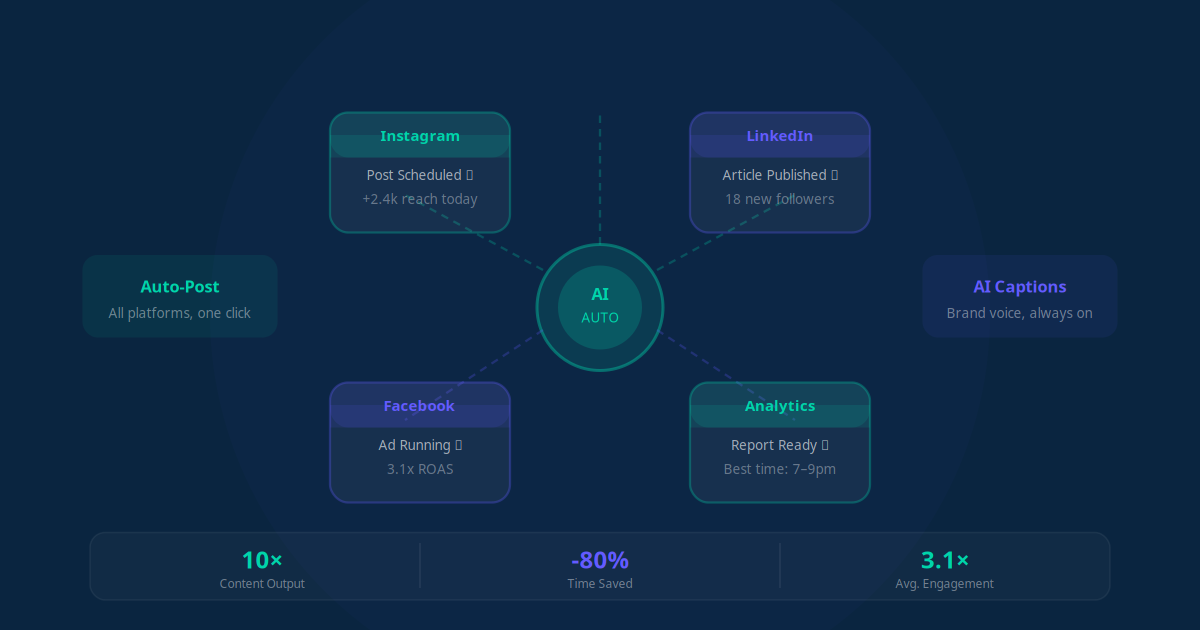
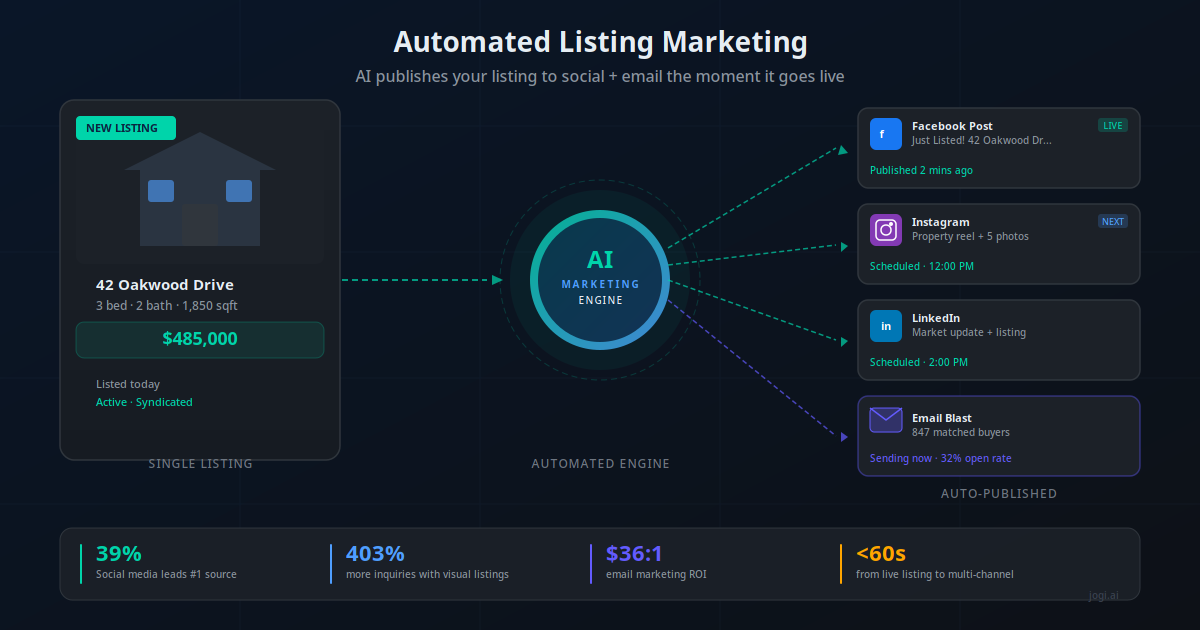
AI-powered listing marketing closes that gap completely. When a listing goes live, an automated workflow fires within seconds — generating platform-specific social copy, creating branded visual assets, publishing to Facebook, Instagram, and LinkedIn, and sending a personalised email to every buyer in your CRM whose criteria match. No manual action required. I've watched agents go from spending three hours per listing on marketing to spending zero, with better reach and faster responses.
This article breaks down exactly how it works, what tools to use, and the concrete numbers behind it.
The First 24 Hours Are Everything
The real estate market's interest curve is steep and fast. Buyer attention peaks in the first 24–48 hours after a listing goes live. This is when you get the most saves, the most inquiries, and the highest open-house attendance. After day three, interest drops sharply for most property types — and after day 30, you're negotiating from a weaker position.
The data on days-on-market is unambiguous: homes that sit past 51 days routinely receive offers 2–10% below asking price. Buyers start treating DOM as a negotiating lever — if a property has been sitting, there must be a reason. Early, visible marketing is your best defence against this spiral. Getting in front of buyers on day one, on every channel they use, is how you generate the competitive-offer environment that protects your seller's price.
The problem is the manual marketing process creates a built-in delay. The average agent spends 3–5 hours per listing on marketing tasks: writing descriptions for multiple platforms, resizing photos, building email templates, pulling the right buyer list. If you have two listings go live the same week, that's a full day of marketing admin. The natural human response is to batch it, which means some listings get promoted the next morning instead of within the hour.
Key Takeaway
Buyer attention peaks in the first 24 hours. AI listing marketing fires the moment your listing goes live — eliminating the human delay that costs you early exposure and negotiating position.
Why Manual Listing Marketing Always Falls Short
I've spoken to hundreds of agents about their marketing process. Almost universally, the gap between what they intend to do and what they actually do for each listing is significant. It's not a discipline problem — it's a capacity problem. Manual listing marketing has structural weaknesses that no amount of effort fully solves.
| What agents intend to do | What actually happens | The cost |
|---|---|---|
| Post to social within 1 hour of going live | Post goes up 4–12 hours later, often next day | Misses peak morning scroll traffic |
| Customise copy per platform | Same caption copied across all channels | Lower engagement, algorithm penalty |
| Email matched buyers immediately | Buyer list export done weekly at best | Buyers find the listing elsewhere first |
| Create branded visual assets per listing | Stock template with minimal customisation | Low visual differentiation, poor recall |
| Post consistently across active listing period | One launch post, then silence | No sustained top-of-feed presence |
| Track which channel drove which inquiries | No attribution tracking set up | No data to improve next listing's marketing |
The consistency problem is the worst part. When marketing is manual, it varies by how busy you are that week. Your busiest weeks — when you have the most listings — are precisely when you have the least time to market them well. AI solves this by making the quality of your listing marketing completely independent of how much other work you have on.
75% of Realtors actively use social media for business, and social media is the single #1 lead-generating technology — responsible for 39% of agent leads. Yet only 30% of agents run any form of automated follow-up or marketing. The gap between adoption and actual implementation is where deals are lost. — NAR Technology Survey
How AI Listing Marketing Actually Works
The architecture is simpler than most agents expect. You do not need a developer. The core components are a workflow automation platform (Make.com or n8n), an AI model for copy generation, and connections to your social and email tools. Here's the flow at a system level.
When a listing is created or updated to "active" status in your CRM or MLS integration, the automation is triggered. The workflow pulls all listing data — address, price, bedrooms, bathrooms, square footage, key features, photos — and sends it to an AI model with your brand voice prompt. The AI returns platform-specific posts for Facebook, Instagram, and LinkedIn, each written differently to suit that platform's audience and format. Simultaneously, the workflow queries your CRM for buyers whose saved criteria match the property. It generates personalised emails for each match and dispatches them through your email platform.
The whole sequence — from MLS live to social posts published and buyer emails sent — takes under 90 seconds. No human action needed until you want to review results.
For AI workflow automation to work well at this level, the trigger needs to be reliable. Most agents connect via their CRM (Follow Up Boss, kvCORE, HubSpot) using a webhook that fires when a listing status changes. If your CRM doesn't support webhooks natively, Make.com's polling module can check for new listings every 5–15 minutes — still fast enough to be well within the first-hour window.
Social Media Publishing on Autopilot
Social media is where listing marketing lives or dies for most agents today. The NAR data is clear: social media drives 39% of agent leads and outperforms MLS-sourced leads in quality — 52% of social leads are rated high quality versus 26% for MLS leads. The challenge is that effective social marketing requires platform-specific thinking, and most agents either don't have time for it or don't know the differences.
AI handles the differentiation automatically. The same listing gets four completely different pieces of content:
- Facebook: Longer-form description with key selling points, neighbourhood context, and a direct CTA. Facebook's algorithm favours posts that generate comments and shares, so the AI writes copy designed to prompt engagement ("Tag someone who would love this neighbourhood").
- Instagram: Visual-first, shorter caption with strategic hashtags. The AI selects the hero image automatically and writes a caption that works with or without the image visible in feed preview. Instagram Stories content can be generated separately.
- LinkedIn: Professional framing — ideal for investment properties, relocation buyers, or anything in a market where buyers are coming from professional networks. The AI frames the listing in terms of investment yield, location fundamentals, or market positioning.
- Google Business: An update to your GBP profile signals fresh activity and improves local search visibility. This is often missed entirely in manual workflows.
The visual component matters enormously. Listings with video receive 403% more inquiries than static photo posts. Even without a custom video, AI tools like Canva's API or Bannerbear can dynamically generate branded listing cards — your logo, brand colours, key property stats overlaid on the hero photo — at the moment the listing goes live. This takes what used to be 45 minutes of Canva work and makes it instantaneous.
For ongoing listing visibility, the workflow can schedule follow-up posts at intervals — a "price improvement" post if the price changes, an "open house this weekend" post 48 hours before, and a "just sold" post at close. The full listing lifecycle gets marketed consistently without you lifting a finger after the initial setup.
Key Takeaway
AI generates platform-specific content for each channel — not a copy-paste. Facebook gets engagement-optimised prose, Instagram gets visual-first captions with hashtags, LinkedIn gets investor-framed positioning. One listing, four distinct posts, zero extra time.
Email Blast to Matched Buyers
Email is the underrated engine of real estate marketing. Real estate email returns $36 for every $1 spent — one of the highest ROI channels in any industry. Open rates run 20–40% for well-segmented lists, and click-through rates average 2.5–3.6%. The reason most agents don't fully exploit email is that building the right list and sending at the right moment requires manual effort most agents don't have time for. AI removes both barriers.
When a new listing triggers the workflow, the automation queries your CRM for buyer leads whose profile matches the property. Matching criteria typically includes:
- Price range (within 10–15% of listing price)
- Bedroom and bathroom count
- Location (suburb, school zone, or radius from a desired area)
- Property type (house, apartment, townhouse)
- Move timeline (active buyers searching now vs longer-term)
The AI generates a personalised email for each matched buyer that references their specific criteria: "Hi Sarah, a new 3-bedroom property just listed in Willowdale — the neighbourhood you flagged as a priority. It's priced at $485,000, which fits your budget. Photos and full details here." This is dramatically more effective than a generic newsletter blast because it demonstrates you know what the buyer wants.
For property managers, the same logic applies to rental vacancies. When a unit becomes available, the workflow emails everyone on your tenant inquiry list whose requirements match — number of bedrooms, rental budget, target suburb. We've seen property managers fill vacancies 40–60% faster simply by eliminating the 24–48 hour lag between vacancy and first outreach. The concepts overlap significantly with AI lead generation workflows that run similar matching logic for sales leads.
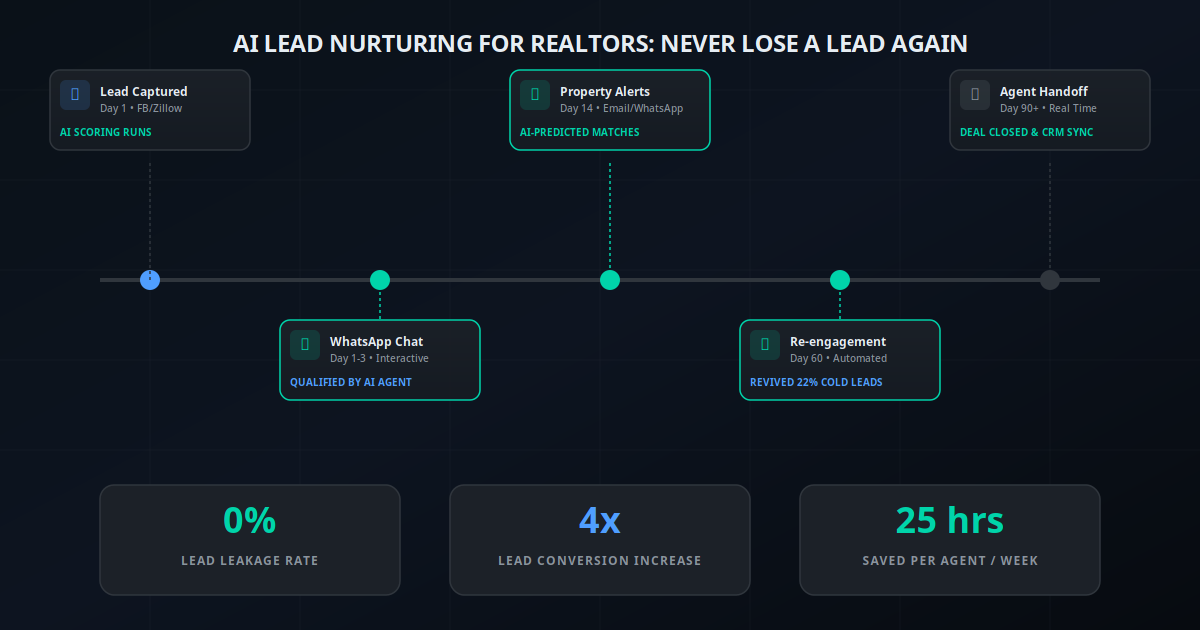
The buyer-match email also feeds your CRM automation layer. If a buyer opens the email but doesn't click, the workflow triggers a follow-up SMS 24 hours later. If they click through to the listing page but don't call, it triggers a personalised follow-up from you. The listing marketing and lead nurturing systems connect seamlessly when they're built on the same automation platform.
Real Scenarios: AI Listing Marketing in Practice
Solo Agent: From 3 Hours to Zero Per Listing
A solo residential agent managing 8–12 active listings was spending Sunday evenings doing the week's listing marketing. After building an AI workflow connected to her kvCORE CRM, every new listing auto-publishes to three social channels within 60 seconds of going live, and matched buyers receive personalised emails within 90 seconds. She recovered 10–12 hours per month and saw average days-on-market drop from 19 to 11 across her listings.
Team of 5: Consistent Brand Across Every Agent's Listings
A five-agent team had a brand consistency problem — each agent was posting with different tone, different image quality, and different hashtag strategy. After centralising listing marketing through an AI workflow with brand-enforced prompt templates, every listing looks and sounds like it came from the same professional team. The team lead reviews a weekly digest of AI-generated posts; intervention is rarely needed. Social following grew 340% in six months simply from the volume and consistency of content.
Property Manager: Filling Vacancies Without Portals
A property management firm managing 180 units built an AI workflow triggered by their PMS when a lease end date was within 90 days. The system automatically markets the upcoming vacancy to their existing tenant inquiry list and posts to Facebook Marketplace and Google Business. Average vacancy period dropped from 22 days to 9 days. The cost saving on portal listing fees alone — which they could now avoid for most units — exceeded the cost of the automation stack within two months.
Luxury Brokerage: High-Touch Marketing at Scale
A luxury brokerage was spending $800–$1,200 per listing on marketing production: copywriter, graphic designer, email template build. After implementing AI marketing automation with premium prompt templates trained on their top-performing listing copy, they replicated the quality at near-zero marginal cost. The AI produces the first draft; their marketing coordinator does a 10-minute quality review and publishes. Production cost per listing dropped by 80% while volume doubled.
Commercial Broker: Investor-Targeted Email Campaigns
A commercial real estate broker struggled to efficiently market listings to the right investors — her database of 1,200 investors had highly varied criteria (yield threshold, asset class, geography). An AI matching workflow now queries the database by property type, yield, and location when a commercial listing goes live, and sends tailored emails to relevant investors within minutes. Response rates on these targeted emails run 3–4x higher than her previous broadcast approach.
Rental Agency: Just-Listed Alerts to Tenant Pipeline
A rental agency built a 900-person tenant inquiry database over two years but had no systematic way to alert them to new listings. An AI workflow now fires a personalised just-listed email to matched tenants within 60 seconds of a new rental going live in their PMS. 35% of their rentals are now filled from this database before the listing is posted on any external portal, eliminating portal fees entirely for those properties.
Your 8-Step AI Listing Launch Workflow
Here is the sequence I recommend for agents and teams building their first AI listing marketing workflow. Each step maps to a specific tool or action.
Set the trigger: Connect your CRM or MLS integration to Make.com or n8n via webhook. The trigger fires when a listing status changes to "Active" or when a new property record is created. If your CRM doesn't support webhooks, use a polling module set to 5-minute intervals.
Extract listing data: The workflow pulls all property fields — address, price, bedrooms, bathrooms, square footage, key features, listing URL, and photo URLs. Map these to variables your AI prompt will reference. Include any agent-specific notes in a "selling points" field you can populate in your CRM.
Generate social copy: Send the listing data to Claude or GPT-4o with separate prompts for each platform. Facebook prompt generates 120–150 words with engagement hook. Instagram prompt generates a visual caption with 10–15 hashtags. LinkedIn prompt generates a professional investment framing. Store each output as a separate variable.
Create branded visual assets: Send the hero photo URL and key property stats to Canva API or Bannerbear to generate a branded listing card. Your template — with logo, brand colours, and stat overlays — is set once. The API fills in the dynamic content per listing. Output a ready-to-post image URL.
Publish to social channels: Use Buffer, Hootsuite, or direct social API connections to publish the Facebook and LinkedIn posts immediately and queue the Instagram post for your optimal posting time (typically 11 AM–1 PM or 7–9 PM in your market). Include the branded listing card image with each post.
Query CRM for matched buyers: Run a CRM filter or API query for contacts whose buyer preferences match the listing. Export matched buyer records with name, email, and the criteria they've indicated. This is where good CRM hygiene pays off — the more complete your buyer profiles, the better the matching.
Send personalised buyer emails: Generate and dispatch a personalised email to each matched buyer via your email platform (HubSpot, Mailchimp, or ActiveCampaign). The email references their specific criteria, includes the key listing details and photos, and links to the full listing. Tag each recipient in your CRM so you can track opens and clicks.
Log and schedule follow-ups: Log the listing launch in your CRM with a timestamp and links to the published posts. Schedule automated follow-up posts for key milestones: open house reminder (48 hours before), price change announcement (if applicable), and sold post (on close). Set a CRM task to review engagement metrics after 48 hours.
The initial build takes 4–8 hours for someone with moderate Make.com experience, or 1–2 sessions with a specialist. Once built, it runs without maintenance unless you change CRMs or social platforms. For teams, the multi-agent AI systems framework applies well here — one orchestrator workflow managing multiple sub-tasks (copy generation, image creation, email dispatch) running in parallel.
Tools and Platforms to Build Your Stack
You do not need enterprise software or a developer. Here are the components and specific tools that work well for real estate listing marketing automation.
| Function | Recommended Tools | Monthly Cost (est.) | Notes |
|---|---|---|---|
| Workflow orchestration | Make.com, n8n (self-hosted) | $15–$50 | Make.com easiest for non-developers |
| AI copy generation | Claude API, OpenAI GPT-4o | $10–$30 | Claude performs better on brand voice adherence |
| Image creation | Canva API, Bannerbear, Placid | $15–$50 | Bannerbear most flexible for dynamic templates |
| Social scheduling | Buffer, Hootsuite, direct API | $15–$30 | Buffer's API is easiest to connect via Make |
| Email dispatch | HubSpot, ActiveCampaign, Mailchimp | $20–$80 | HubSpot integrates CRM + email natively |
| CRM trigger source | Follow Up Boss, kvCORE, HubSpot | Already paying | All three have webhook support |
Total additional spend for an individual agent: roughly $75–$160/month. For a team sharing the stack, the per-agent cost drops substantially. See also our comparison of Make vs Zapier vs n8n for workflow automation and our guide to email automations every business should use for the email layer setup.
For agents who want social-specific AI tooling, platforms like Predis.ai and Rechat are purpose-built for real estate social content and include branded templates, MLS sync, and AI copy generation in one package. These are simpler to set up than a custom Make.com workflow but offer less flexibility. They're a good starting point before building a fully custom stack.
The ROI Numbers: What the Data Says
I want to be specific here rather than vague. Let me give you the concrete numbers from both the research and from implementations I've seen firsthand.
"AI-driven marketing campaigns in real estate report up to 40% higher conversion rates compared to manual campaigns. Social media leads — at 52% high-quality rating — outperform MLS leads at 26%. And agents who actively use social media earn roughly 4x more than those who do not."
— ReSimpli Real Estate Marketing Research / Morgan Stanley AI in Real EstateBreaking down the ROI calculation for a typical agent:
- Time saved: 3–5 hours per listing × 20 listings/year = 60–100 hours recovered annually. At an agent's effective hourly rate of $150–$300, that's $9,000–$30,000 in recovered time capacity.
- Faster sales: Agents who implement systematic early marketing consistently report average DOM reductions of 5–10 days. At a median home price of $400K, every day off market reduces carrying cost risk for sellers and keeps your reputation strong.
- More inquiries: The 403% inquiry lift from visual social content — even accounting for the fact that not all agents see the full effect — means meaningfully more buyer interactions per listing. More inquiries create more competitive offer situations.
- Better lead conversion: Personalised matched-buyer emails convert 30–40% better than broadcast emails (per campaign data from ActiveCampaign and HubSpot real estate benchmarks). If you normally get 2 buyer responses per listing email, automated matching can get you 3–4.
- Stack cost: $75–$160/month, or $900–$1,920/year. Even if the automation only recovers 3 hours per listing across 15 listings, the time ROI is immediate. If it contributes to closing even one extra deal per year, the financial ROI is 50–100x the software cost.
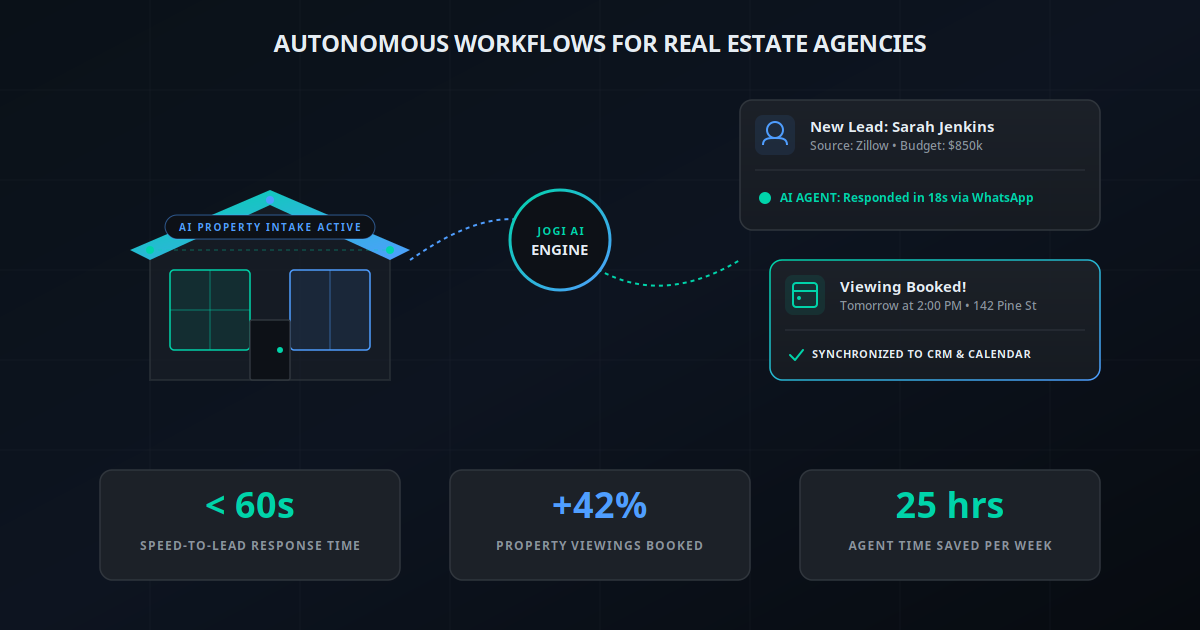
The gap that the research keeps pointing to — 97% AI adoption but only 17% reporting significant business impact — comes down to implementation quality. Agents using AI as a one-off tool (asking ChatGPT to write a listing description occasionally) see almost no measurable impact. Agents who build systematic workflows see transformative results. This is the same pattern we've documented in our work on AI lead nurturing for realtors and the broader complete guide to autonomous workflows for real estate agencies.
5 Mistakes to Avoid When Automating Listing Marketing
Mistake 1: Using the Same Prompt for Every Platform
The agents who get disappointing results from AI-generated social content almost always made this mistake. A 150-word Facebook post copy-pasted to Instagram performs poorly — Instagram's algorithm penalises text-heavy posts, and the tone doesn't fit. Write separate prompts for each platform and enforce different word counts, tone guidelines, and format requirements in each. The additional 30 minutes of prompt engineering at setup pays back on every listing.
Mistake 2: Ignoring Fair Housing Compliance
AI models will generate compliant copy if you instruct them to, but they won't add compliance guardrails by default. Your prompts must explicitly prohibit any language referencing protected characteristics (race, colour, national origin, religion, sex, familial status, disability), neighbourhood demographics, or school quality in ways that could be construed as steering. Add a fair housing disclaimer to every email and post template. Review AI outputs in the first month before letting the workflow run fully unsupervised.
Mistake 3: Poor CRM Data Quality
The buyer matching workflow is only as good as the buyer data in your CRM. If most of your leads don't have complete profiles — no price range, no preferred location, no property type — the matching query returns almost nobody, and you miss the whole email-blast benefit. Before building the automation, spend a day cleaning up your CRM buyer records. Going forward, make profile completion a requirement when a new buyer lead enters your system. This also feeds your AI social media automation and customer support workflows with better data.
Mistake 4: Setting and Forgetting Without Review
Autonomous workflows need periodic review, not daily babysitting but not zero oversight either. Set a weekly 10-minute review of the previous week's automated outputs. Look at which posts performed best, what open rates the buyer emails got, and whether the AI copy is drifting from your brand voice. Refine your prompts based on what you see. The agents who iterate their prompts quarterly consistently outperform those who set them once and never touch them again.
Mistake 5: Automating Before Your Photography Is Sorted
AI copy can be excellent. But if your listing photos are poor — badly lit, poorly composed, or low resolution — no amount of smart copy or automation will overcome them. The visual quality of your listing photos is the single biggest variable in social media performance. Automate the distribution; invest in the photography. A listing with 10 great photos distributed automatically across social will dramatically outperform a listing with 10 mediocre photos distributed the same way.
Stop Marketing Listings Manually
The average agent will spend somewhere between 60 and 100 hours this year on manual listing marketing tasks — writing captions, exporting photos, building email lists, scheduling posts. That time could be spent on viewings, relationships, and negotiation. The marketing would actually be better if it were automated: faster, more consistent, platform-appropriate, and perfectly timed to the listing's live moment.
The technology to do all of this is available today, costs less than a tank of petrol per week, and can be built without a developer. The agents seeing the biggest gains are not the ones with the biggest marketing budgets — they're the ones who built a systematic workflow and let it run. Their listings get early exposure, their buyers get matched automatically, and they never spend a Sunday evening doing Canva work for listings that went live three days ago.
If you want to see how an automated listing marketing system would work specifically for your business — what channels to prioritise, what your buyer match rate would likely be, and what the setup would involve — the AI Business Twin generates a personalised analysis in under 10 minutes.
Frequently Asked Questions
How quickly can AI publish a new listing after it goes live on MLS?
With a properly configured AI marketing workflow, your listing can be published to Facebook, Instagram, LinkedIn, and your matched-buyer email list within 60 seconds of going live on MLS or your CRM. The trigger is automatic — no manual action needed. The AI pulls property details, generates platform-specific copy, selects images, and queues or publishes posts immediately. This eliminates the typical 4–12 hour delay between MLS live and first social post.
What content does AI generate for a real estate listing?
AI generates multiple content formats from a single listing: a Facebook post with a compelling description and key stats, an Instagram caption optimised for reach with relevant hashtags, a LinkedIn post framed for investor or professional audiences, and an email with personalised subject line and property details for matched buyers. Each piece is written in your brand voice and tailored to the platform's format and audience expectations.
Can AI match listings to the right buyers in my CRM?
Yes. When a listing is triggered, the AI queries your CRM for buyers whose saved searches, budget range, location preferences, and property type match the new listing's attributes. It then sends a personalised email to each matched buyer referencing their specific criteria. This is far more effective than a generic newsletter blast — buyers receive listings that actually match what they told you they want, which is why real estate email lists see 20–40% open rates when segmented properly.
Does AI listing marketing work for rentals as well as sales?
Yes, and this is an underserved use case. Rental vacancy marketing has even tighter time pressure than sales listings — every vacant day costs a property manager money. AI can trigger multi-channel listing publication the moment a unit becomes available, post to Facebook Marketplace and Instagram, and email your existing tenant inquiry list. The workflow is nearly identical to sales listing marketing, with different copy templates and channel selection.
How does AI maintain brand consistency across platforms?
Brand consistency is controlled through your prompt templates, which define tone of voice, formatting rules, required disclaimers, and style guidelines. You set these once and every piece of AI-generated content follows them. For visual content, branded Canva templates or custom image overlays ensure every post uses your logo, colour palette, and fonts. Most teams review the first 5–10 outputs to refine the templates, then let the system run with minimal oversight.
What real estate marketing platforms integrate with AI automation?
The most commonly used stack components are Make.com or n8n for workflow orchestration, Claude or GPT-4o for copy generation, Canva API or Bannerbear for branded image creation, Buffer or Hootsuite for social scheduling, and your existing CRM (HubSpot, Follow Up Boss, kvCORE) for buyer matching and email dispatch. Most of these connect via API without requiring developer resources when using a platform like Make.com.
What are the fair housing compliance considerations for AI-generated listing copy?
AI-generated real estate copy must comply with the Fair Housing Act, which prohibits language indicating preference or limitation based on race, colour, national origin, religion, sex, familial status, or disability. Your prompt templates should explicitly instruct the AI to describe property features only, avoid neighbourhood demographic descriptors, and always include your fair housing disclaimer. Review your AI outputs periodically and use a compliance checklist for the first few weeks of any new template.
How much does it cost to automate real estate listing marketing?
A typical AI listing marketing stack costs $150–$350 per month for an individual agent or small team. This covers a workflow automation platform ($15–$50/month), AI copy generation API costs (typically under $30/month for moderate listing volume), a social scheduling tool ($15–$30/month), and image creation tools ($15–$50/month). For teams processing 15–30 listings per month, this replaces 10–20 hours of manual marketing work, making the ROI straightforward.