Property Management Automation ROI: What Autonomous Workflows Really Save




Every property manager I talk to can quote their management fee to the decimal — 6 to 12 percent of collected rent — but almost none of them can tell me what a single late-rent chase or a slow maintenance ticket actually costs their business. That gap is exactly where the money leaks out.
Property management runs on hundreds of small, repetitive tasks: rent reminders, maintenance intake, tenant questions, applicant screening, lease renewals, owner reports. None of them are hard. But at scale, they consume staff hours, delay decisions, and quietly cost you occupancy and retention. The question is not whether automation works — it demonstrably does — but whether the savings are big enough to justify the cost for your portfolio.
This article gives you the real numbers. Not "AI saves time," but a concrete cost breakdown, a worked ROI example across three portfolio sizes, the payback math, and an honest section on when automating your property management operation is not worth it.
Key Takeaway
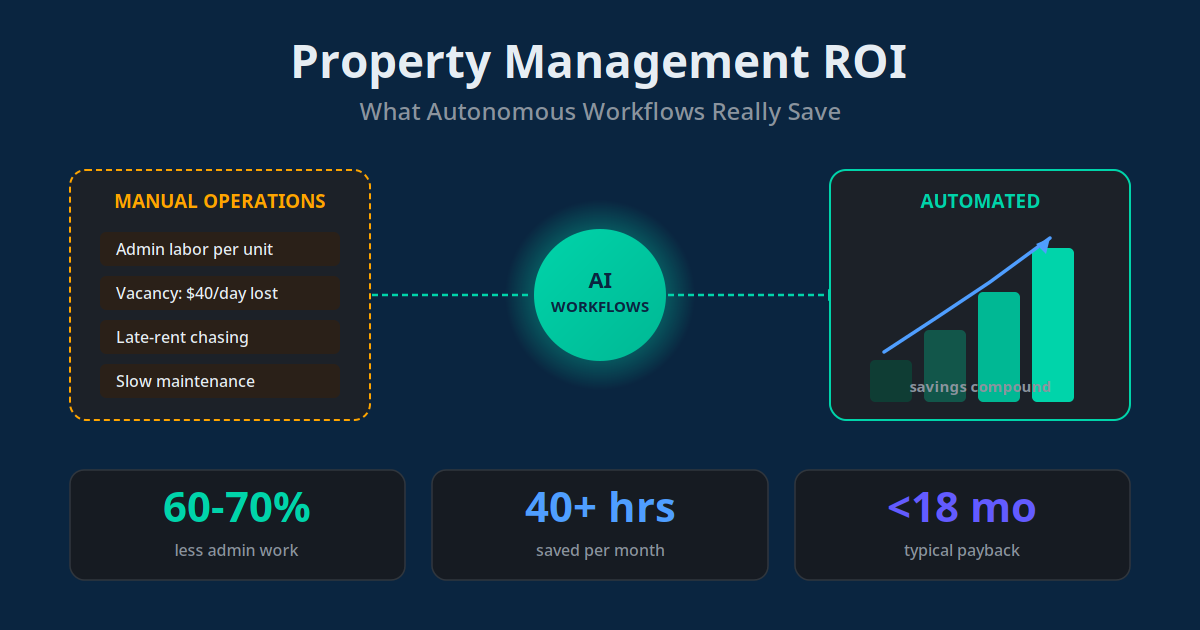
Property managers typically cut 60–70% of repetitive admin work and recover their investment within 12–18 months — but the ROI comes from a specific set of high-frequency, high-cost tasks. Automate those first, measure them, and the payback math takes care of itself.
The Hidden Costs of Running Property Management Manually
The management fee you charge owners is your revenue. The costs that erode your margin are almost all operational, and most of them are invisible on a P&L because they show up as staff salary, "just part of the job," or lost opportunity. Break them apart and the picture changes.
There are four cost centres that dominate almost every portfolio I've looked at:
| Hidden cost | Where it hides | Rough impact |
|---|---|---|
| Admin labor per unit | Staff hours on reminders, data entry, follow-up | Automation can cut 60–70% of it |
| Vacancy days | Slow leasing response, drawn-out turnovers | ~$40/day in lost rent per vacant unit |
| Late-rent losses | Chasing payments, disrupted cash flow | Staff time + compounding collection costs |
| Maintenance delay | Slow triage, small issues becoming big claims | A $50 inspection can prevent a $5,000 claim |
Notice that only one of those — admin labor — is a pure "time" cost. The other three are revenue and risk costs. That matters, because the ROI story for property management automation is not just "save hours." It's "save hours and protect income you're currently losing." When people underestimate automation ROI, it's usually because they only count the labor line.
How to Calculate Your True Baseline Cost
You cannot measure ROI without a baseline, and most managers skip this step because it feels tedious. It takes about an hour and it's the single most valuable thing you'll do before investing in any tool. Here's the calculation I walk clients through.
1. Admin labor. Estimate the weekly hours your team spends on repetitive, rules-based tasks — rent reminders, communication, screening coordination, report generation. Multiply by loaded hourly cost. If two staff spend a combined 15 hours a week at $20/hour, that's $300/week, or roughly $15,600 a year.
2. Vacancy drag. Take your average vacancy days per turnover, multiply by daily rent, multiply by turnovers per year. At $40/day of lost rent, shaving even five days off each of 30 turnovers recovers $6,000 a year.
3. Late-rent cost. Count the hours spent chasing payments plus the cash-flow cost of money arriving late. This is portfolio-specific, but it is rarely zero.
4. Maintenance inefficiency. Estimate how often slow response turns a cheap fix into an expensive one, or costs you a tenant. Even one avoided turnover a year is worth a month of lost rent plus a placement fee of 50–100% of one month's rent.
Add those four and you have your annual "cost of manual." For a mid-sized portfolio it routinely lands in the tens of thousands of dollars per year — the number your automation investment gets measured against. A structured CRM automation foundation is usually where this baseline math starts paying off, because it centralizes the data every other workflow depends on.
Where Autonomous Workflows Save the Most Money
Not every task is worth automating. The highest ROI comes from workflows that are high-frequency, rules-based, and tied directly to revenue or risk. In our implementations across residential portfolios, these four consistently deliver the fastest, most measurable returns.
Automated Rent Reminders & Collection
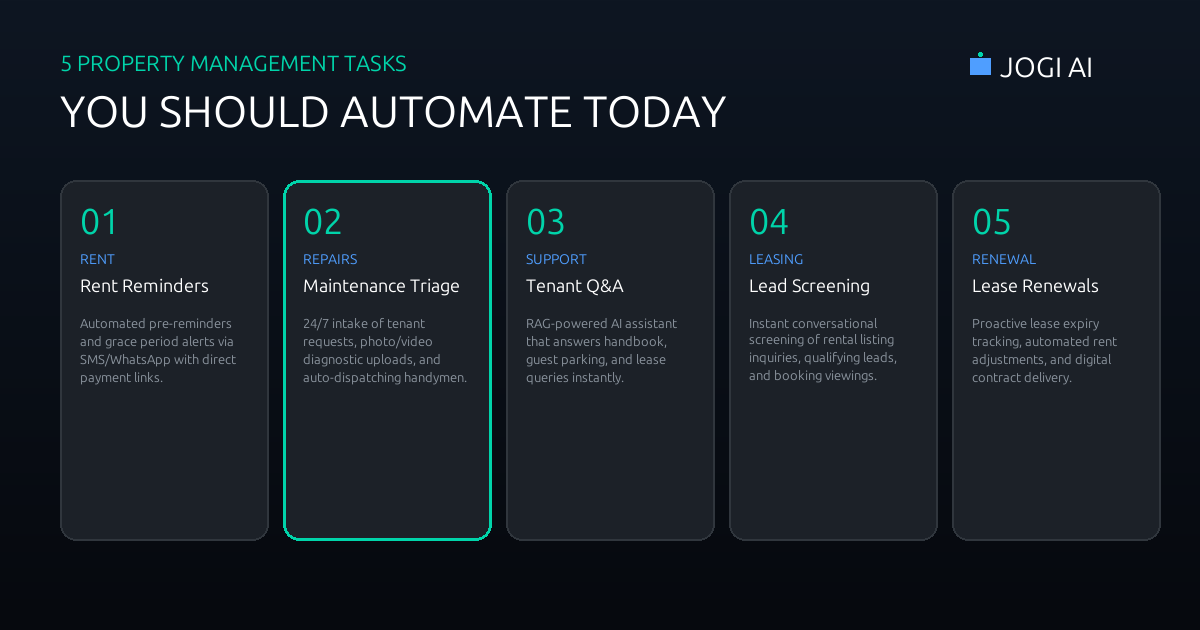
Multi-touch reminders over email, SMS and WhatsApp go out before and on the due date, with escalating follow-ups for late payers. This reclaims hours of chasing every month and measurably reduces the days rent arrives late — a direct cash-flow improvement, not just a time saving.
Maintenance Intake & Vendor Dispatch
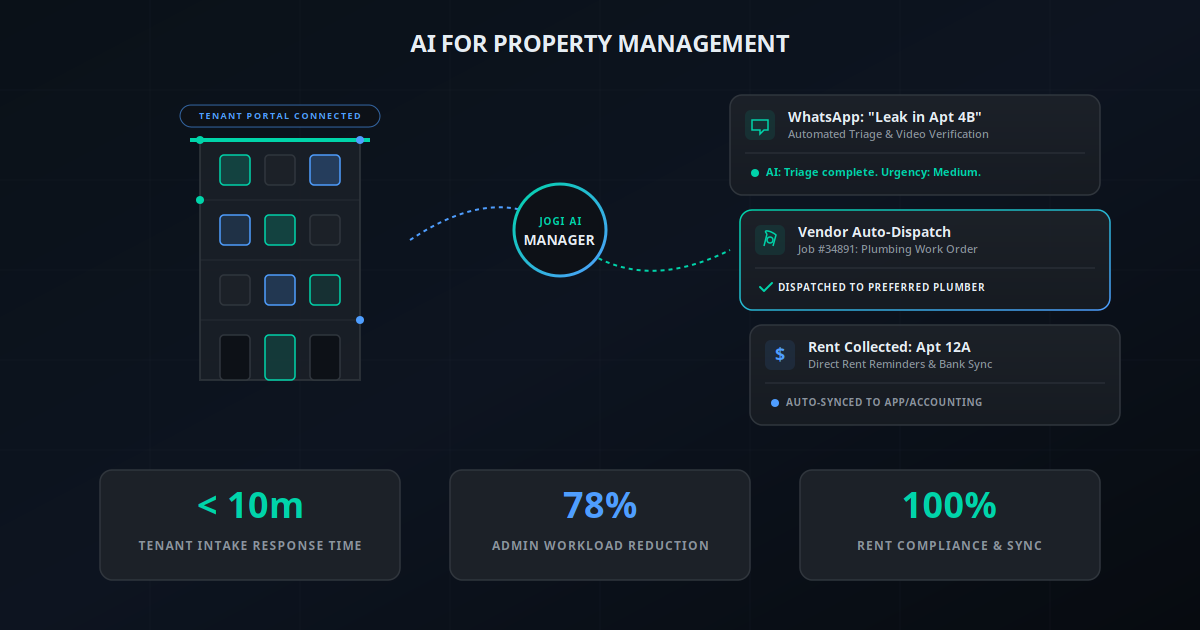
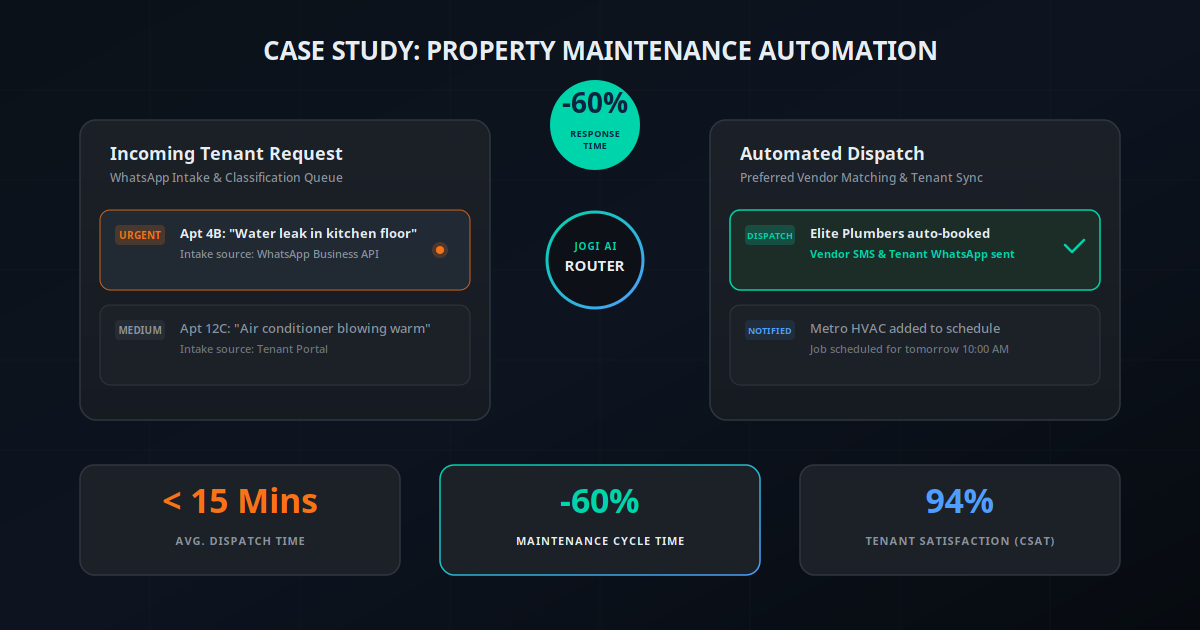
Tenants report issues through a single channel; AI categorizes urgency, routes to the right vendor, and keeps the tenant updated automatically. One property manager we worked with cut maintenance response time by 60%, which we detailed in a full case study. Faster response means fewer small problems becoming expensive ones.
Tenant Inquiry & Leasing Response
Every leasing inquiry gets an instant, qualified response and a scheduled viewing — even after hours. Because vacancy costs roughly $40 per day per unit, compressing the time from inquiry to signed lease is one of the largest single ROI levers in the whole operation.
Applicant Screening & Renewals
Automated screening collects documents, runs checks, and surfaces a decision-ready summary, while renewal nudges fire automatically before leases expire. Every renewal you save avoids a full turnover cost — often the difference between a marginal and a profitable unit.
A Worked ROI Example: 50, 150 and 400 Units
ROI in property management scales almost linearly with unit count, because most costs are per-unit while software is either per-unit-cheap or a flat fee. Here is an illustrative model showing why bigger portfolios pay back faster. These are rounded planning figures, not a guarantee — plug in your own baseline.
| Portfolio size | Est. annual "cost of manual" | Automation cost / yr | Net annual benefit |
|---|---|---|---|
| 50 units | ~$18,000 | ~$3,600 | ~$14,400 |
| 150 units | ~$52,000 | ~$7,200 | ~$44,800 |
| 400 units | ~$130,000 | ~$14,000 | ~$116,000 |
The pattern is the point: software cost grows slowly, but avoided labor, vacancy and late-rent losses grow with every unit. This is why the reported figures cluster around a 15–25% reduction in operating costs and, for portfolios where automation displaces real headcount, first-year ROI of 300–400%. The larger you are, the harder it is for automation not to pay off.
Management companies that deliver consistent, automated owner reporting retain clients an average of 4.8 years, versus 2.1 years for those with inconsistent reporting — a 2.3x improvement in client lifetime.
The Payback Math: A 6-Step Calculation
Payback period is the number that gets a decision approved. Here's the exact six-step calculation to run for your own portfolio before you spend anything.
Sum your annual cost of manual. Add the four baseline numbers: admin labor, vacancy drag, late-rent cost, maintenance inefficiency.
Apply a realistic capture rate. Automation won't eliminate 100% of each cost. Use 50–70% for admin labor and a conservative estimate for the revenue costs.
Total your annual savings. That capture rate applied across all four cost centres is your expected yearly benefit.
Add up the full cost. One-time setup and integration, plus 12 months of software fees. Don't forget internal time to configure and test.
Divide cost by monthly savings. Total investment ÷ (annual savings ÷ 12) = payback period in months.
Sanity-check against 12–18 months. If your math lands well outside that band, your baseline or capture assumptions are probably off — revisit them.
When you run this honestly, individual workflows like rent reminders and maintenance triage often show payback inside 60–90 days, while the full rollout lands in the typical 12–18 month range. That split is useful: it tells you exactly which workflow to launch first. Building on a shared workflow automation foundation lets you stage the rollout instead of paying for everything at once.
Software Cost and the Build-vs-Buy Decision
The cost side of ROI is more predictable than most people expect. Per-unit platforms cluster around $1–$5 per unit per month, with a minimum monthly fee of roughly $100–$300 for smaller portfolios. A custom automation layer that connects your existing tools carries a higher upfront cost but no per-unit fee, which flips the economics in favour of building once you're past a few hundred units.
| Approach | Best for | Cost shape |
|---|---|---|
| Off-the-shelf platform | Standard tasks, faster deployment | $1–5/unit/mo, low setup |
| Custom automation layer | Unique processes, deep integration | Higher upfront, no per-unit fee |
| Hybrid (recommended) | Most managers under 500 units | Platform + light custom glue |
My honest guidance: buy first, build only where you're genuinely different. Off-the-shelf tools handle rent reminders, screening and communication perfectly well and get you to ROI fastest. Reserve custom work for the integration gaps no single platform covers — usually stitching your accounting, PMS and messaging together. If you're weighing platforms for that glue layer, the trade-offs I cover in Make vs Zapier vs n8n apply directly.
Occupancy, Retention and the Benefits That Compound
The hard-dollar savings are only half the return. The soft benefits are harder to put on a spreadsheet but often larger over time, and they compound in a way one-off labor savings do not.
- Higher occupancy: Instant leasing response and faster turnovers keep more units earning more of the time — the single biggest driver of portfolio profitability.
- Tenant retention: Fast maintenance response and responsive communication are the top reasons tenants renew. Every renewal avoids a full turnover cost.
- Owner retention: Consistent automated reporting more than doubles average client lifetime — a compounding revenue effect that dwarfs the software fee.
- Staff focus: When your team stops chasing rent and copying data, they spend time on relationships and growth — the work that actually wins new doors.
"We didn't add a single staff member as we grew from 120 to 210 units. The automation absorbed the extra admin, and our people now handle owners and leasing instead of reminders."
— Operations lead, residential property management firmMistakes That Kill Your ROI — and When Not to Automate
Automating a broken process
The most expensive mistake is automating a workflow that's chaotic to begin with. Automation makes a good process faster and a bad process fail faster. Document and standardize first, then automate. I've seen more ROI lost to this than to any software cost.
Trying to automate everything at once
Big-bang rollouts stall, blow budgets, and make ROI impossible to attribute. Start with one or two high-volume workflows — usually rent reminders and maintenance intake — prove the payback, then expand from a position of evidence.
Ignoring the tenant experience
Over-automating communication until it feels robotic costs you retention, which quietly erases your savings. Keep a human escalation path and a warm tone. Automation should feel like faster service, not a wall.
When automation genuinely doesn't pay off
Be honest about scale. Under roughly 20–30 units, the software and setup cost can exceed the labor you'd save, and a good spreadsheet plus discipline may serve you better for now. Automation ROI is real, but it is a function of volume — the more units each task touches, the more compelling the math becomes.
The Case for Automating Is a Numbers Case
Property management automation is not a leap of faith — it's a calculation. The costs of running manually are knowable, the savings are measurable, and the payback for most portfolios lands inside 12–18 months, with the best individual workflows returning their cost in weeks. The managers who win are the ones who do the baseline math, automate the highest-value tasks first, and let the evidence fund the next step.
The risk is no longer in adopting automation. It's in staying manual while competitors compress their vacancy days, protect their cash flow, and grow their portfolios without growing their overhead. If your portfolio is above roughly 50 units, the question isn't whether the numbers work — it's how much you're losing each month you wait to run them.
To see the specific workflows, savings and payback period for your portfolio, use the AI Business Twin for a free personalised analysis in under 10 minutes.
Frequently Asked Questions
What ROI can property managers expect from AI automation?
Most property managers see a 15 to 25 percent reduction in operational costs and a return on investment within 12 to 18 months, with some portfolios reporting 300 to 400 percent first-year ROI when the automation replaces significant manual admin. The biggest gains come from cutting 60 to 70 percent of repetitive administrative work, recovering vacancy days faster, and reducing late-rent losses. Returns scale with portfolio size — the more units a task touches, the faster automation pays back.
How much does property management automation software cost?
Per-unit automation software typically costs between 1 and 5 dollars per unit per month, with minimum monthly fees of 100 to 300 dollars for smaller portfolios. A custom-built workflow layer connecting your existing tools may cost more upfront but has no per-unit fee. For most managers under 500 units, an off-the-shelf platform plus light custom integration lands between 200 and 800 dollars a month all-in.
What is the typical payback period for automating property management?
The typical payback period is 12 to 18 months for a full automation rollout, but individual high-value workflows pay back much faster. Automated rent reminders and maintenance triage often recover their cost within the first 60 to 90 days because they directly reduce late payments and vacancy days. Payback is fastest for portfolios above 100 units where labor and vacancy costs are large enough to swamp the software fee.
Which property management tasks give the fastest ROI when automated?
The fastest-ROI tasks are automated rent reminders and collection, maintenance request intake and vendor dispatch, tenant inquiry and leasing response, and applicant screening. These are high-frequency, high-cost activities where every hour saved and every vacancy day recovered has an immediate dollar value. Rent reminders and maintenance triage usually deliver the quickest, most measurable returns.
Is it better to build or buy property management automation?
Buy first for standard workflows like rent reminders, screening, and communication — off-the-shelf tools are cheaper and faster to deploy. Build custom only where your process is genuinely unique or where you need deep integration between systems that no single platform connects. Most successful property managers use a hybrid: a core platform for the common tasks plus a lightweight custom automation layer to glue their specific stack together.
When does automating property management not pay off?
Automation does not pay off when the portfolio is very small — under roughly 20 to 30 units the software and setup cost can exceed the labor you save. It also underperforms when processes are chaotic and undocumented, because automating a broken workflow just makes mistakes faster. Fix and standardize the process first, start with one or two high-volume tasks, and expand only once the ROI on those is proven.