Automating Your Restaurant: A Practical Guide for Owners




Running a restaurant is the closest thing to managing five businesses at once — you are the head of logistics, customer service, marketing, HR, and finance, often before the lunchtime rush even starts. The kitchen needs to know what the front of house sold. The front of house needs to know what tables are free. Your phone is ringing with reservation requests while you are dealing with a staffing gap. And by the time a guest has a terrible experience, you find out three days later in a scathing Google review.
While building AI systems for hospitality clients over the past few years, I have found one pattern repeating itself across almost every independent restaurant I talk to: the operations are held together by a combination of personal memory, handwritten notes, and WhatsApp group chats. It works — until it doesn't. And it doesn't exactly scale.
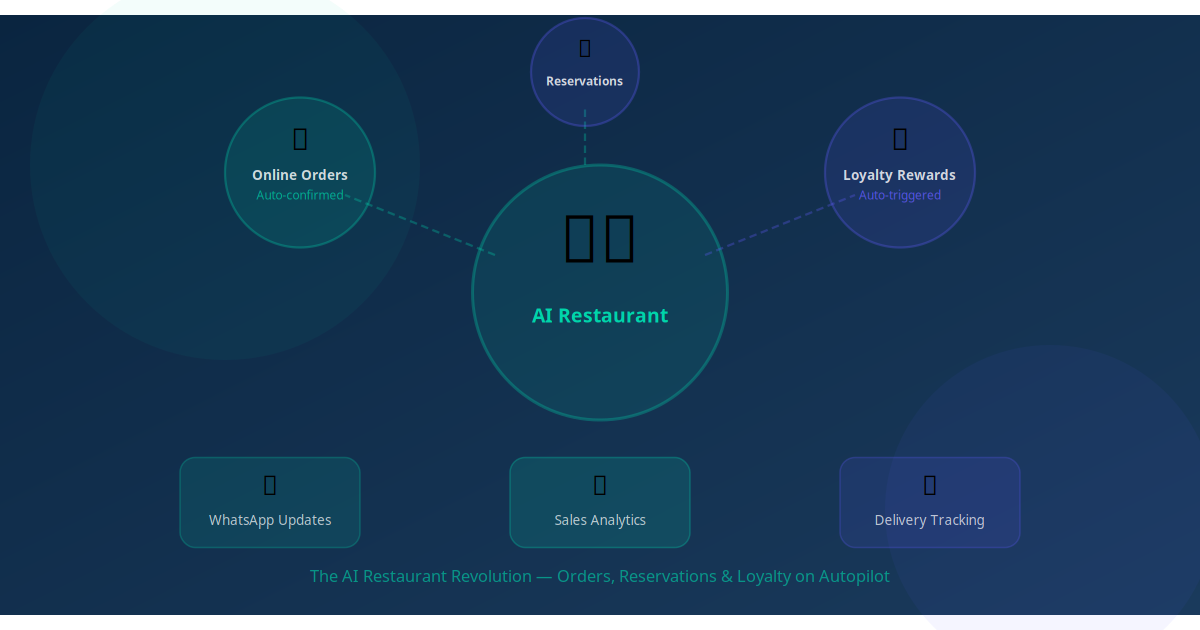
The good news is that restaurant automation has reached a point where an independent owner can deploy a connected system covering reservations, ordering, kitchen coordination, review collection, and loyalty campaigns — all without a developer, and without replacing the human touch that makes a great restaurant experience. The foodservice industry loses an estimated $162 billion annually to operational inefficiency. Much of that is recoverable with the right autonomous workflows.
This guide covers how to automate your restaurant end to end, in a sequence that prioritises the highest-revenue impact first.
Key Takeaway
Restaurant automation is not about replacing your team — it is about removing the repetitive coordination layer so your team can focus on the parts of hospitality that machines cannot do: warmth, judgment, and genuine service.
Where Restaurants Actually Lose Time and Money
Before choosing what to automate, it pays to be honest about where the losses are. In the restaurants we have worked with, the biggest drains fall into four areas that look like "just how it is" until you measure them.
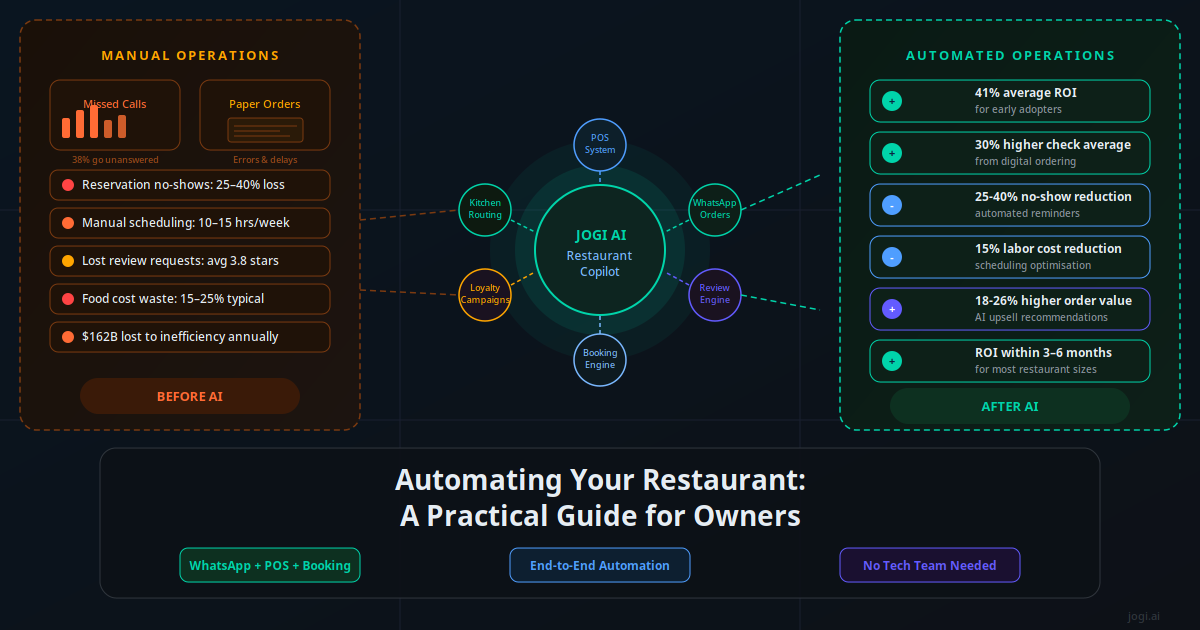
No-shows and last-minute cancellations. A table of four that does not turn up costs you the cover revenue, the food you prepped, and a table you could have given to a walk-in. AI cuts no-shows by 25–40% through automated reminder sequences — a WhatsApp message the evening before, a final nudge two hours prior. On a restaurant turning 30 covers a night, recovering even 5% of that loss pays for a year of automation software in the first month.
Missed reservation enquiries. Most independents manage bookings through a phone, a shared email, or an Instagram DM — all channels that require a human on the other end. Calls go unanswered during service. DMs go cold overnight. A guest who cannot book within minutes will book your competitor. Speed to response matters: enquiries responded to within 5 minutes are nine times more likely to convert than those that wait an hour.
Scheduling and staffing overhead. Restaurant managers spend an average of 10–15 hours per week on scheduling-related tasks — building rotas, handling shift swaps, managing last-minute sick calls. For a 100-employee operation, scheduling inefficiency alone costs an estimated $314,000 to $325,000 a year in overtime leakage and management burden. Even a 20% reduction in that overhead is significant margin recovery.
Missed review requests. The best time to ask for a Google or TripAdvisor review is 30–60 minutes after a guest leaves, while the experience is still fresh. Almost no restaurant sends that message. The ones that automate it consistently see their average star rating climb 0.3–0.5 stars within 90 days, which directly impacts walk-in rates and OTA ranking.
The Restaurant Automation Stack
A connected restaurant automation system has four layers that talk to each other. You do not need to build all four at once — but understanding the full picture helps you sequence implementation sensibly.
| Layer | What It Covers | Key Integrations | Weekly Time Saved |
|---|---|---|---|
| Reservations & Enquiries | Booking capture, confirmations, reminders, cancellations | WhatsApp, website widget, Google Business, POS | 5–8 hrs |
| Ordering & Kitchen | Online/WhatsApp orders routed to kitchen display or printer | Square, Toast, Lightspeed, custom webhook | 3–5 hrs |
| Reviews & Reputation | Post-visit review requests, response templates | WhatsApp, Email, Google My Business API | 2–3 hrs |
| Loyalty & Win-Back | Repeat visit nudges, birthday offers, slow-night fills | WhatsApp, Email, CRM, SMS | 2–4 hrs |
The orchestration layer — the tool that connects all of this — is typically a no-code automation platform like Make, n8n, or a purpose-built hospitality stack. Your POS is the source of truth for order data. Your CRM or contact database holds guest history. WhatsApp is the primary communication channel. The automation platform routes data and triggers actions between them.
AI Reservation and Table Management
The reservation workflow is where most restaurants start, because it has the clearest before-and-after ROI. When a guest sends a WhatsApp message asking "Do you have a table for 4 on Saturday at 7?" the current reality is that someone has to be available to check availability and reply. If that is not possible — during service, after hours, on a Sunday morning — the booking goes to someone else.
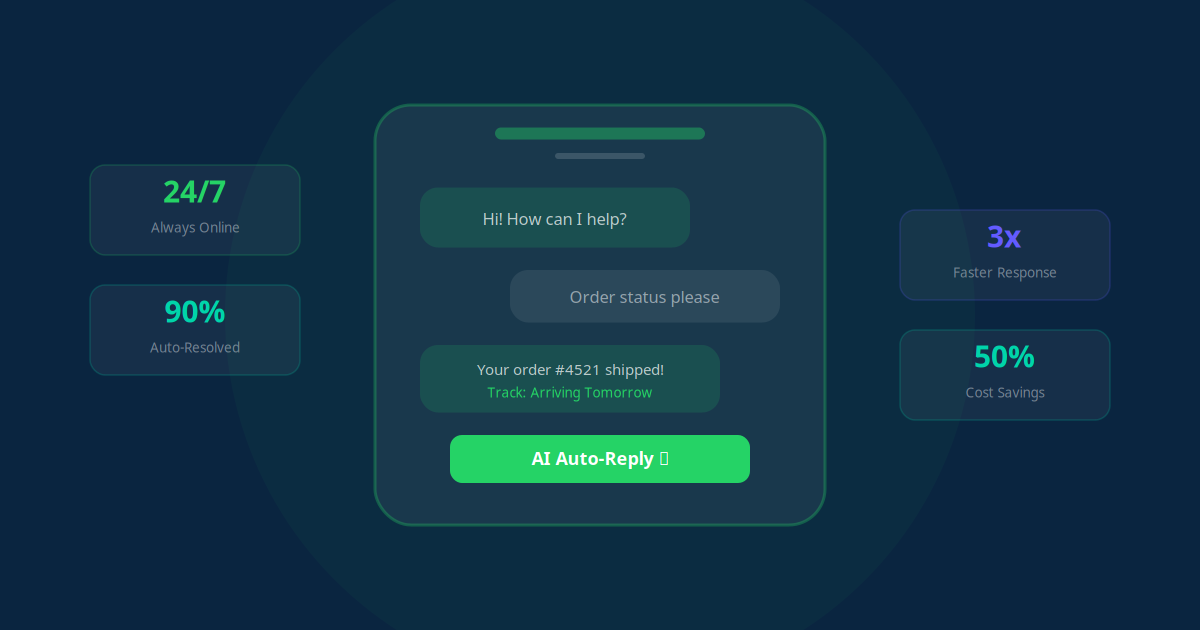
An automated reservation assistant changes this entirely. The AI Copilot receives the enquiry on WhatsApp, checks live table availability in your booking system, confirms the slot, captures party size and any dietary requirements, and sends a confirmation with a reference number — all within 60 seconds, at any hour. Guests do not know or care whether a human or an AI responded; they care that they got an answer immediately.
81% of restaurant operators plan to expand AI usage in reservations and orders — National Restaurant Association, 2026 State of the Industry.
The reminder sequence that follows is equally important. A well-designed flow for a Saturday dinner booking looks like this: a confirmation message immediately after booking, a "we are looking forward to seeing you" message on Thursday, a reminder with the time and address on Saturday morning, and a final nudge two hours before the reservation with a cancel/modify option. Each of these reduces the likelihood of a no-show. The cancel/modify option in the final message actually increases cancellations slightly — but that is a good thing, because it frees the table in time to offer it to someone else.
You can read more about automated restaurant booking workflows and the specific tools used to connect WhatsApp to common reservation platforms.
Automated WhatsApp and Web Ordering
WhatsApp ordering is the fastest-growing channel for independent restaurants that serve a local market. It requires no app download, no third-party marketplace fee, and no percentage taken from every order. Guests already have WhatsApp open. Adding an ordering flow on top of your existing WhatsApp Business number is often a one-to-two week project.
The ordering conversation follows a structured path: the guest sends a message (or clicks a link that pre-populates a WhatsApp conversation), the AI Copilot presents the menu or takes a freeform order, captures any modifications and special requests, confirms the order total, and sends it directly to your kitchen display or POS system. A confirmation is sent to the guest with an estimated ready time.
This matters for two reasons. First, digital orders convert at 30% higher check averages than phone orders because guests have more time to browse and add items. Second, the AI Copilot can be configured to suggest add-ons and upsells at the right moment — "Would you like garlic bread with that?" or "Our dessert of the day is tiramisu" — increasing average order value by 18–26% according to restaurant AI adoption data.
For a broader look at WhatsApp as a business channel, the WhatsApp Business Automation guide covers the full capability set including broadcast campaigns, opt-in flows, and compliance requirements. The restaurant AI overview also covers alternative ordering channels including voice and web widgets.
Order-to-Kitchen Routing Without the Paper Trail
The handoff between front of house and kitchen is where errors, delays, and arguments happen. A paper ticket system depends entirely on handwriting legibility and physical proximity to the pass. A verbal handoff depends on memory and noise levels. Neither scales, and neither produces a data trail you can analyse later.
Automated order-to-kitchen routing replaces the paper ticket with a digital flow. When an order is placed — whether from a WhatsApp message, a table-side tablet, or your online ordering page — it is instantly logged in your POS and fired to a kitchen display system (KDS) or a connected printer. The kitchen sees the order in real time. Modifications and dietary notes are highlighted automatically. When a table's order is complete, the KDS marks it done and the front-of-house system is updated.
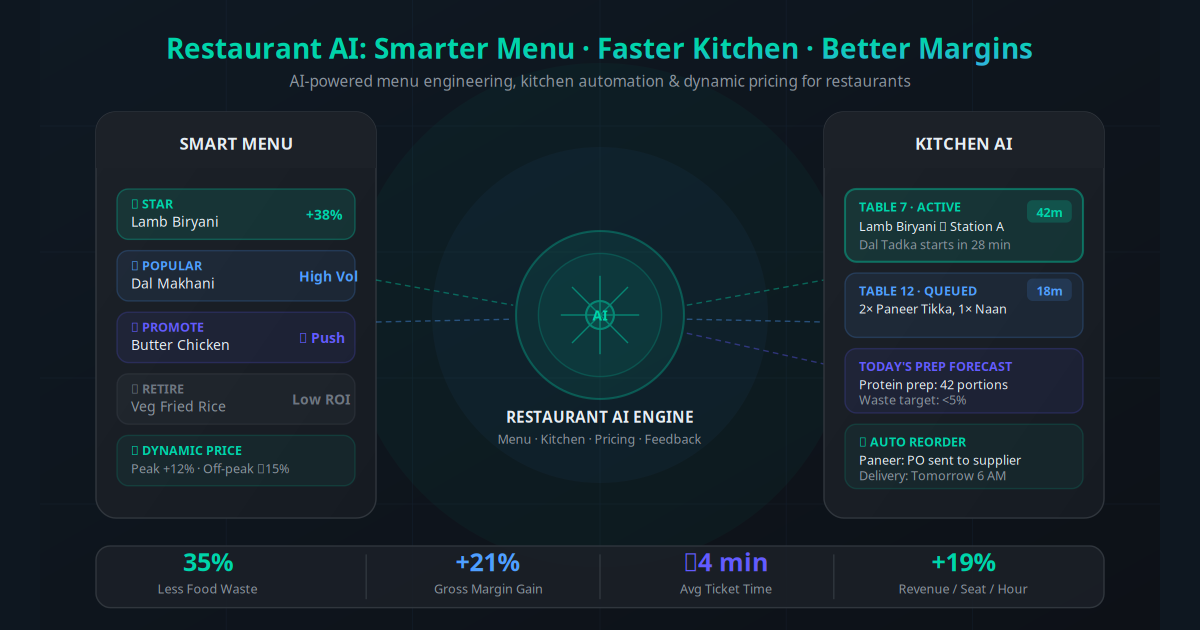
This reduces ordering errors by 25% according to Toast's operational data, and it produces something equally valuable: a complete record of every order, every table, every item, every modification, and every timing point. That data feeds your inventory reorder alerts and your staff scheduling analysis. See the AI for restaurant menus and kitchens guide for a deeper dive on KDS integration and menu engineering with AI.
Inventory automation builds on top of this. By tracking what leaves the kitchen in real time and comparing it against your par levels, the system can trigger automatic supplier reorder alerts when stock drops below threshold — before you discover on a Friday night that you are out of your most popular cut.
What This Looks Like in Real Restaurants
Independent Bistro (35 covers) — No-Show Problem Solved
A neighbourhood bistro running 80% capacity at weekends was losing roughly £400 per week to no-shows. After deploying a three-touch WhatsApp reminder sequence, no-shows dropped 34% in the first month. The owner kept the booking phone line but no longer needed to staff it after 6 PM — the AI Copilot handled all evening enquiries and routed urgent requests to her mobile.
Fast Casual Group (3 locations) — WhatsApp Orders Scale
A fast casual group introduced WhatsApp ordering across three sites simultaneously. Within six weeks, 28% of takeaway orders were coming through WhatsApp — up from zero. Average order value on WhatsApp was 22% higher than phone orders. The AI upsell prompt ("Add a side for $2.50?") triggered on 67% of orders and was accepted 31% of the time, adding $0.77 per order on average.
Fine Dining (18 covers) — Reputation Recovery
A fine dining venue with an inconsistent Google rating (3.8 stars) started sending automated post-visit review requests via SMS 45 minutes after the last table's bill was processed. In 90 days, 84 new reviews were collected — almost triple their previous annual review rate. The rating climbed to 4.5 stars. The owner notes that organic walk-ins have visibly increased since the rating change appeared in Google Maps.
Pizza Delivery (1 location, high volume) — Order Routing Accuracy
A high-volume pizza delivery operation was manually transferring phone orders to their POS. Transcription errors were causing wrong items to be made and redelivered, costing an average of $180 per week in wasted food and redelivery costs. After connecting their WhatsApp ordering directly to the POS via a webhook, errors dropped to near zero and kitchen throughput increased by 15% because ticket sequencing improved.
Neighbourhood Cafe (Loyalty Focus) — Slow Nights Filled
A cafe owner was frustrated by quiet Tuesday and Wednesday evenings. Using their existing guest opt-in list, they deployed a Monday afternoon WhatsApp broadcast to past customers with a midweek offer. The first campaign reached 340 opted-in guests, generated 28 bookings within 24 hours, and added $1,400 in incremental revenue to a Tuesday evening that would otherwise have done $600. The campaign now runs automatically every Monday morning.
Automated Reviews and Repeat-Visit Campaigns
Most restaurants have no systematic way to stay in touch with a guest after they leave. The meal ends, the bill is paid, and the relationship is effectively over until the guest decides on their own to return. Automation changes this by giving you an ongoing channel to your past customers — and that channel is worth far more than most owners realise.
The review request is the highest-ROI single automation for most restaurants. Configure it to trigger 30–45 minutes after a guest's last order or after a manual "table closed" event in your POS. The message is short, warm, and specific: "Thank you for dining with us tonight, Sarah. If you enjoyed your evening, we'd really appreciate a Google review — it helps more than you might think." Include a direct link to your Google review page. The response rate on personalised post-visit messages is typically 8–15%, compared to 1–3% for generic bulk requests.
"We went from 22 Google reviews in three years to 84 reviews in 90 days. Our rating went from 3.8 to 4.5. The bookings changed within weeks."
— Owner, fine dining restaurant, 18 coversFor repeat visits, the most effective automation is a lapsed-guest win-back campaign. Flag any contact who visited more than 60 days ago and has not returned. Send a personalised message: "We miss you, James. It has been a while since your last visit — here is 15% off your next booking, valid this month." The win-back rate on lapsed-guest campaigns runs 12–18%, which is significantly higher than the conversion rate on cold marketing.
Slow-night broadcasts are the other high-impact campaign type. A Monday afternoon message to opted-in guests with a Tuesday or Wednesday offer consistently moves the needle on covers. The email automation guide covers how to layer email into your loyalty cadence for guests who prefer that channel over WhatsApp. And AI customer support workflows can handle negative review responses and guest complaint escalations automatically, ensuring nothing falls through the cracks.
Your 7-Step Restaurant Automation Rollout Plan
The biggest mistake restaurant owners make is trying to automate everything at once. You end up with a half-connected system, frustrated staff, and no clear measurement of what is working. The sequence below is designed for an independent restaurant with zero existing automation, rolling out over four to six weeks.
Audit your current state (Week 1, 2 hours): List every repetitive task that happens weekly — reservation confirmation calls, order-taking, reminder messages, review requests, loyalty follow-ups, supplier orders. Estimate the hours spent on each. This becomes your ROI baseline and your prioritisation list.
Set up WhatsApp Business API and your booking system (Week 1–2): Your WhatsApp number must be on the Business API (not the free Business app) to support automation. If you do not have a digital booking system, set one up — even a free Google Calendar integration works for small venues. These two tools are the foundation everything else connects to.
Deploy the reservation AI Copilot (Week 2): Connect your WhatsApp Business API to your booking system via a no-code platform (Make or n8n are the most common choices). Configure the AI to answer booking enquiries, check availability, and confirm reservations 24/7. Test it thoroughly before going live — call your own number, send WhatsApp messages, try edge cases like party sizes you cannot accommodate and alternative dates.
Launch the no-show reminder sequence (Week 2–3): Configure three triggered messages per booking: confirmation (immediate), reminder (48 hours prior), and final nudge (2 hours prior with a cancel/modify option). Measure your no-show rate for the first two weeks against your pre-automation baseline. This is typically your fastest and clearest ROI signal.
Connect ordering to your POS or KDS (Week 3–4): Whether you enable WhatsApp ordering, a website ordering widget, or both, connect the output directly to your kitchen display or printer via a POS webhook. This removes the manual transcription step entirely. Train your kitchen team on the new flow before going live — the process change is small but the handoff expectation changes.
Automate review requests (Week 4): Connect a post-visit trigger (from your POS "table closed" event or a manual end-of-service trigger) to a WhatsApp or SMS message to the guest. Keep the message short and include a direct link to your Google review page. Track your review count and average rating week over week.
Launch loyalty and win-back campaigns (Week 5–6): Build your opt-in guest list from booking history and start a monthly lapsed-guest campaign. Add a slow-night broadcast to your Monday morning routine. These two campaigns together typically generate 10–20% incremental covers per month once the list reaches 200+ opted-in contacts.
The business workflow automation guide covers the technical integration patterns in more depth if you want to understand how these connections work under the hood — particularly useful if your POS system is less common or has limited API access.
KPIs Every Automated Restaurant Should Track
Automation without measurement is just complexity. These are the metrics that tell you whether your system is working and where to optimise next.
| KPI | What It Measures | Target After Automation | Check Frequency |
|---|---|---|---|
| No-show rate | Bookings that did not turn up / total bookings | < 8% (down from 15–25%) | Weekly |
| Reservation response time | Avg. time from enquiry to confirmation | < 90 seconds (24/7) | Monthly |
| Average order value | Revenue per cover or per order | +15–25% vs. phone baseline | Weekly |
| Google review count & rating | New reviews per month, star average | 3–5× pre-automation monthly count | Weekly |
| Repeat-visit rate | % of guests who return within 90 days | > 25% (vs. 10–15% average) | Monthly |
| Win-back conversion rate | Lapsed guests who rebook after campaign | 12–18% | Per campaign |
| Kitchen order error rate | Wrong or modified orders remade / total orders | < 1% (down from 3–5%) | Weekly |
Early adopters of restaurant AI report a 41% average ROI, with most businesses recovering their full implementation cost within 3–6 months. The ROI compounds over time as your review rating climbs, your repeat-visit rate improves, and your team becomes faster because they are not managing manual coordination tasks.
For a deeper look at how to structure a multi-channel support experience for guests — including complaint handling, allergy queries, and dietary accommodation workflows — the AI customer support workflows guide is directly applicable to restaurants. And if you are thinking about how CRM data can power smarter loyalty campaigns, CRM automation fundamentals covers the basics of contact segmentation and campaign logic.
The Restaurant That Runs Itself When You Step Away
The goal of restaurant automation is not a restaurant that has no staff or no human decisions. It is a restaurant where the predictable, repetitive work — booking confirmations, order routing, review requests, slow-night campaigns — happens without anyone thinking about it, so your team can direct their attention to the work that actually creates a great guest experience.
Every workflow in this guide already exists in production at restaurants similar to yours. None of it requires a developer, a large budget, or months of implementation. The operators who move first build a compounding advantage: better reviews bring more guests, better data enables smarter marketing, and lower administrative overhead creates more bandwidth for quality.
Start with the highest-impact item for your specific situation — usually no-show reduction or reservation automation — and build from there. Use the AI Business Twin for a free, personalised analysis of which workflows will generate the fastest ROI for your restaurant, based on your current covers, booking method, and average spend.
Frequently Asked Questions
What does a restaurant autonomous workflow actually do?
A restaurant autonomous workflow is a connected system that handles repetitive operational tasks without human input. This includes taking reservation requests via WhatsApp or your website, sending booking confirmations and reminders, routing orders to the kitchen, requesting reviews after dining, and sending loyalty offers to repeat customers. Each workflow runs on a trigger — a new enquiry, a confirmed booking, a completed meal — and executes a predefined sequence of actions across your POS, messaging platform, and CRM.
Do I need a developer to set up restaurant automation?
No. Most restaurant automation runs on no-code platforms like Make (formerly Integromat), n8n, or Zapier, which use visual drag-and-drop builders. Your POS system (Square, Toast, Lightspeed) and WhatsApp Business API both have pre-built connectors. A Jogi AI implementation typically goes live within 2 to 4 weeks with no coding required on your side. The most common barrier is not technical — it is deciding which workflows to automate first.
How much does restaurant automation cost?
The ongoing software cost for a typical independent restaurant is between $150 and $400 per month, covering a WhatsApp Business API subscription, a workflow automation platform, and any SMS or email sending costs. Setup and configuration by a specialist like Jogi AI is a one-time investment. Most restaurants recover their full annual automation cost within the first 60 to 90 days through reduced no-shows, saved staff time, and higher repeat-visit rates.
Will automation make my restaurant feel impersonal?
Only if it is designed poorly. The best restaurant automation handles the transactional layer — confirmations, reminders, order routing, review requests — so your team has more time for the personal layer: greeting guests, handling special requests, delivering the dining experience. Guests do not mind receiving a WhatsApp booking confirmation or a post-visit thank-you from your restaurant; they mind being ignored or waiting too long for a response.
Which POS systems work with restaurant automation?
The most widely integrated POS systems are Square, Toast, Lightspeed, Clover, and Revel. All of these offer APIs or webhooks that allow automation platforms to read order data, check table availability, and trigger workflows based on order events. If your POS does not have a native integration, data can often be synced via a shared spreadsheet or CSV export as an interim step.
How quickly can restaurant automation reduce no-shows?
Most restaurants see a measurable no-show reduction within the first two to four weeks of deploying an automated reminder sequence. A well-designed multi-touch sequence — confirmation immediately after booking, a reminder 48 hours before, and a final nudge 2 hours before the reservation — typically reduces no-shows by 25 to 40 percent. Adding a small deposit or credit card hold at the time of booking pushes that figure higher still.
Can automation help with multi-location restaurants?
Automation scales particularly well across multiple locations because the same workflow logic runs across every site without extra staffing. Centralised booking intake routes reservations to the correct location automatically. Review requests go out from the right venue. Loyalty campaigns can be location-specific or chain-wide. The main requirement is that each location has a consistent POS and that your WhatsApp Business account is set up at the account level, not per-phone-number.