AI Automation Quick Wins: 10 Tasks to Automate This Week




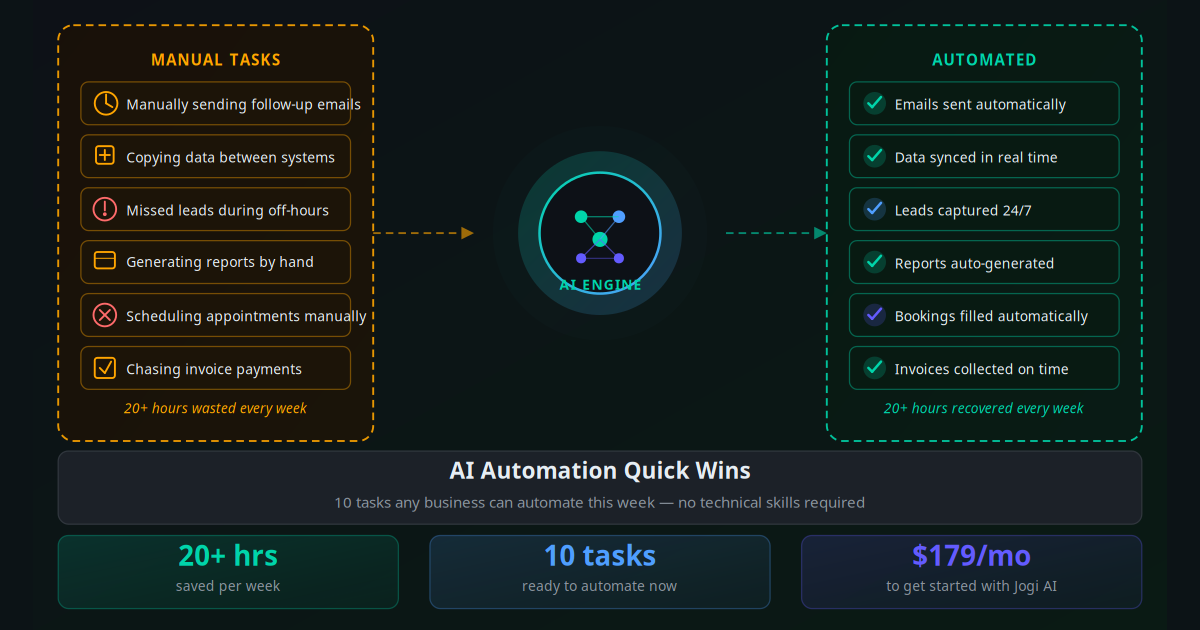
Most business owners know they should be automating more. They read about AI tools. They bookmark articles. Then they open their laptop on Monday and get pulled straight back into the same 47 repetitive tasks that ate last week too.
The problem is not motivation — it is the gap between "I should automate" and "I know exactly what to do right now." Big automation overhauls feel overwhelming. Where do you even start? What if it breaks something? What if it takes weeks and the ROI never materialises?
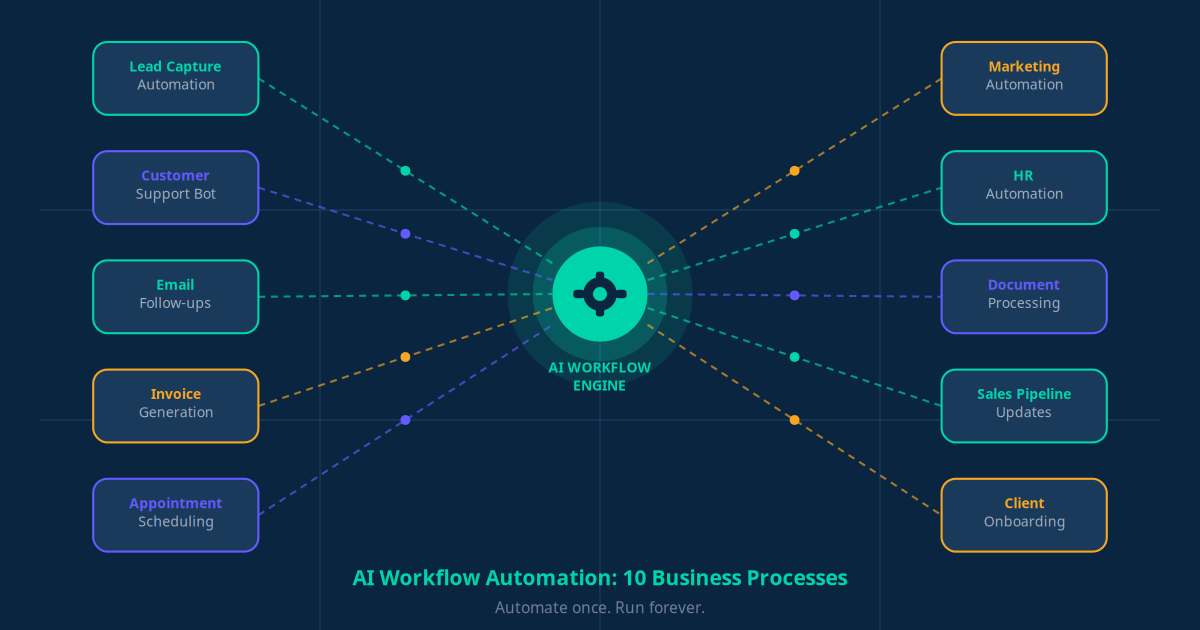
This guide takes a different approach. Instead of a transformation programme, it gives you 10 specific, time-bounded wins — tasks you can hand to AI this week that will free up 20+ hours monthly from day one. Each one is independent. Each one has a clear tool and a clear outcome. You can pick any one and be up and running by tomorrow.
These are not theoretical. They are drawn from the patterns Jogi AI sees most consistently across 200+ businesses we have helped automate.
Key Takeaway
You do not need a six-month automation strategy to get results. These 10 quick wins are each deployable in one to four hours, with measurable time savings starting in week one.
Why Quick Wins Beat a Big Automation Project
There is a well-documented pattern in business technology adoption: companies that try to automate everything at once almost always automate nothing. The planning phase consumes months. Key stakeholders lose interest. The project gets deprioritised when something more urgent lands on the CEO's desk. Meanwhile, staff keep doing things manually.
The quick wins approach works for three reasons. First, it delivers visible ROI within days, not months. When your team sees 3 hours of data entry vanish on day two, they become believers rather than sceptics. Second, each small automation teaches you something about your own processes — where the data lives, what the edge cases are, what the real bottlenecks are. This knowledge makes your next automation 50% faster to build. Third, momentum compounds. Businesses that implement one automation tend to implement ten within 90 days, because the first one removes the psychological barrier.
The 10 wins below are ranked roughly by ease of setup and speed of visible impact. Start at the top and work your way down. By the time you reach number 10, you will have recovered a working day every single week.
The 10 AI Automation Quick Wins
1. Automate Lead Follow-Up (Setup time: 1–2 hours)
Every time someone fills out a form on your website, they should receive a personalised response within 5 minutes. Harvard Business Review research found that responding to a lead within 5 minutes versus 30 minutes increases conversion by up to 900%. Yet most businesses take hours — or forget entirely. Set up a trigger in Make or Zapier: when a form submission lands, fire a personalised email using the prospect's name, reference the specific service they enquired about, and include a calendar link to book a call. This single automation consistently produces the highest ROI of any quick win we have seen.
2. Automate CRM Data Entry (Setup time: 1 hour)
If your team manually copies contact details from emails, forms, or spreadsheets into your CRM, stop them today. A simple CRM automation workflow syncs new contacts from every source — contact forms, email sign-ups, event registrations, WhatsApp enquiries — directly into your CRM with the correct fields pre-filled, tagged by source, and assigned to the right team member. This typically saves 2–4 hours per week per team member who does data entry.
3. Set Up Appointment Reminder Sequences (Setup time: 2–3 hours)
No-show appointments cost service businesses an average of 15–20% of their scheduled revenue. A 3-message reminder sequence — 48 hours before, 24 hours before, and 2 hours before — reliably reduces no-shows by 30–45%. Tools like Calendly, Acuity, or your booking system can trigger these automatically. Add a WhatsApp reminder alongside the email and the no-show rate drops even further, since WhatsApp open rates exceed 90%.
4. Build a FAQ Chatbot for Your Website (Setup time: 3–4 hours)
If your team answers the same 15 questions over and over — pricing, availability, how it works, cancellation policy — a AI customer support workflow handles all of them 24/7 without involving a human. Modern AI chatbots trained on your own FAQ document (a RAG approach) give accurate, brand-consistent answers. They also capture leads from visitors who would have left without contacting you. Platforms like Tidio, Intercom, and Crisp have setup wizards that make this achievable in an afternoon.
5. Automate Invoice Chasing (Setup time: 1–2 hours)
Unpaid invoices are one of the biggest cash-flow killers for small businesses. An automated invoicing workflow sends a polite payment reminder 3 days before due date, another on due date, and a third 3 days overdue — each with the invoice attached and a one-click payment link. This alone typically reduces average days outstanding (DSO) by 8–12 days. Xero, QuickBooks, and Stripe all support automated invoice reminder sequences natively or via integrations.
6. Automate Social Media Post Scheduling (Setup time: 2 hours)
Consistent social media presence drives brand awareness and search visibility, but posting manually every day is death by a thousand cuts. Batch-create a week of posts on Monday morning, then use a tool like Buffer, Later, or Hootsuite to schedule them automatically across all channels. Go further with AI social media automation that drafts captions from a topic prompt, suggests hashtags, and schedules at optimal engagement times. Time investment drops from 45 minutes per day to 45 minutes per week.
7. Set Up Email Nurture Sequences (Setup time: 3–4 hours)
Most leads are not ready to buy on their first contact. They need 5–12 touchpoints before making a decision. An automated email nurture sequence keeps your brand in front of prospects without any manual effort. Build a 5-email sequence using your existing content: introduce the business, address the top objection, share a relevant case study, demonstrate a key outcome, then make a specific offer. The key email automation principle is that each email should deliver standalone value — not just be a sales push.
8. Automate Weekly Reports (Setup time: 2–3 hours)
If someone on your team spends 2 hours every Friday pulling numbers from multiple sources and assembling a report, that is 8 hours per month gone. A Make or Zapier workflow can pull data from your CRM, booking system, email platform, and accounting software every Friday morning and compile it into a Google Sheet or email summary automatically. You get the same visibility with zero manual work. Some businesses use an AI summarisation step that turns the raw numbers into a plain-English narrative paragraph.
9. Automate WhatsApp Follow-Ups (Setup time: 2–3 hours)
WhatsApp messages have a 96% open rate versus 21% for email. For service businesses in particular, WhatsApp Business automation is one of the highest-leverage channels available. Set up automated WhatsApp messages for: post-booking confirmations, day-before reminders, post-service check-ins ("How did your appointment go?"), and reactivation messages for customers who have not returned in 60 days. Each message feels personal even though it is automated, because the recipient's name and specific details are merged in.
10. Automate New Employee Onboarding Documents (Setup time: 3–4 hours)
Hiring someone new typically involves the same 12-step document process: send offer letter, collect signed contract, share onboarding checklist, grant system access, schedule intro meetings. An HR automation workflow triggers this entire sequence the moment a hiring decision is recorded in your HR system or spreadsheet. The new hire receives a beautifully sequenced onboarding experience. HR saves 3–5 hours per hire. For businesses hiring even 2–3 people per month, this is a significant time and quality win.
What the Data Says About Time Savings
Business owners who automate even 3 of these 10 tasks recover an average of 11 hours per week — equivalent to adding 0.3 of an FTE without the cost.
Here is how the time savings stack up across these automations based on observed results from Jogi AI clients:
| Quick Win | Avg. Weekly Hours Saved | Setup Time | Difficulty |
|---|---|---|---|
| Lead follow-up automation | 3–4 hrs | 1–2 hrs | Easy |
| CRM data entry automation | 2–4 hrs | 1 hr | Easy |
| Appointment reminder sequences | 1–2 hrs (+ 15–20% revenue recovery) | 2–3 hrs | Easy |
| FAQ chatbot | 3–5 hrs | 3–4 hrs | Medium |
| Invoice chasing automation | 1–2 hrs | 1–2 hrs | Easy |
| Social media scheduling | 3–4 hrs | 2 hrs | Easy |
| Email nurture sequences | 2–3 hrs | 3–4 hrs | Medium |
| Weekly report automation | 2 hrs | 2–3 hrs | Medium |
| WhatsApp follow-ups | 2–3 hrs | 2–3 hrs | Easy-Medium |
| Employee onboarding automation | 3–5 hrs/hire | 3–4 hrs | Medium |
Implementing all 10 represents a realistic total of 20–35 hours per week recovered across a small team. Even implementing the top 5 — lead follow-up, CRM entry, appointment reminders, FAQ chatbot, and invoice chasing — is worth 12–17 hours per week on average.
How Different Businesses Apply These Wins
Healthcare Clinic (3 practitioners)
Problem: 18% no-show rate costing $4,200/month in lost revenue. Receptionists spending 3 hours/day on appointment calls and manual reminders. Solution: Automated WhatsApp + SMS reminder sequence at 48h, 24h, and 2h intervals, plus chatbot answering 80% of inbound queries. Result: No-shows fell to 6% within 60 days, saving $3,000/month in recovered appointments and 15 receptionist hours per week.
Digital Marketing Agency (6-person team)
Problem: Account managers spending 4 hours per week manually compiling performance reports for clients. Each report pulled data from 4–5 platforms. Solution: Automated weekly report pipeline pulling from Google Analytics, Meta Ads, email platform, and the agency's project management tool into a formatted Google Slides deck. Result: Report production time dropped from 4 hours to 20 minutes per account. Freed up 16 hours per week across the team — equivalent to taking on 2 additional clients.
E-commerce Store (DTC fashion brand)
Problem: 68% of leads from web forms never received a timely response. Conversion from enquiry to sale was just 8%. Solution: Instant automated email personalised with the exact product the visitor viewed, plus a 5-email nurture sequence delivering style guides, size information, and a limited-time offer. Result: Enquiry-to-sale conversion rose to 23% within 30 days. The automation effectively tripled the sales conversion rate without any additional advertising spend.
Real Estate Agency (12 agents)
Problem: Agents manually logging every lead from five different sources into the CRM — 90 minutes of data entry per agent per day. Solution: CRM integration automating lead capture from web forms, Rightmove/Zillow feeds, WhatsApp messages, and email into the agency's CRM with source tagging and lead scoring. Paired with an AI lead generation funnel for instant qualification. Result: 18 hours/day of data entry eliminated across the team, with improved lead data quality because the AI captured structured fields that agents often skipped.
Professional Services Firm (accountancy, 9 staff)
Problem: New client onboarding took 3 weeks because document collection was a back-and-forth email chain. Clients repeatedly missed document requests. Solution: Automated onboarding sequence triggered on contract signature — secure document portal link sent immediately, with 3-day and 7-day chasers for outstanding items, and automatic CRM status updates as each document arrived. Result: Average onboarding time dropped from 22 days to 8 days. Client satisfaction scores at onboarding increased from 6.8 to 8.9 out of 10.
The Right Tools for Each Automation
The good news: you do not need to learn a dozen different tools. Most of these 10 wins can be built using one of three core platforms:
| Platform | Best For | Starting Price | Skill Level |
|---|---|---|---|
| Make (formerly Integromat) | Multi-step workflows, data transformation, high-volume automation | Free / $9/mo | Beginner–Intermediate |
| Zapier | Quick integrations, large app library, ease of use | Free / $20/mo | Beginner |
| n8n | Self-hosted, custom logic, developer-friendly | Free (self-host) | Intermediate |
| Tidio / Intercom | AI chatbots, live chat, FAQ automation | $29/mo | Beginner |
| ActiveCampaign / Klaviyo | Email nurture sequences, segmentation | $29/mo | Beginner–Intermediate |
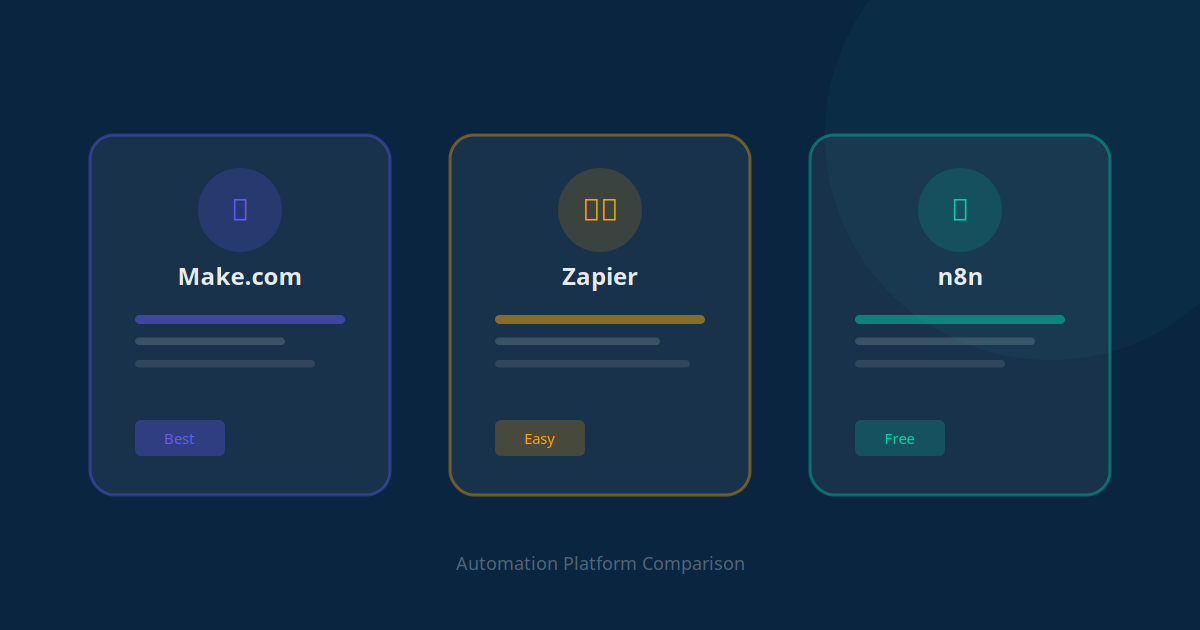
For a detailed comparison of automation platforms, the Make vs Zapier vs n8n comparison guide covers the trade-offs in depth. For most small businesses starting out, Make offers the best balance of power and cost. The free tier handles dozens of automations before you need to upgrade.
Your 7-Day Implementation Playbook
Here is the exact sequence to implement your first automation this week without getting overwhelmed:
Day 1 — Audit your repetitive tasks (30 min): Write down every task you or your team does more than twice per week that involves copying, reminding, reporting, or responding to the same query. Be specific: not "email admin" but "forwarding new enquiry emails to the sales team every morning."
Day 1 — Pick your highest-value quick win (15 min): Match your task list to the 10 wins above. Pick the one with the highest weekly time cost. For most businesses this is either lead follow-up (if you have active inbound) or CRM data entry (if you have a sales team).
Day 2 — Create a free Make or Zapier account (30 min): Sign up and connect the two primary tools involved in your chosen win. For lead follow-up: your web form tool and your email platform. For CRM entry: your lead source and your CRM. Use the guided setup wizard — both platforms have pre-built templates for common use cases.
Day 2–3 — Build and test the automation (2–3 hrs): Follow the template, customise the message copy with your brand voice, and test with real data. Submit a test form yourself, check that the trigger fires, verify the action executes correctly, and confirm the output looks right at the receiving end.
Day 4 — Go live and monitor (30 min setup, then passive): Turn the automation on. Spend the first 2 days checking the automation log to catch any errors. Most platforms send error notifications by email if a step fails — make sure these are turned on so you catch issues immediately.
Day 5–6 — Document the time saved (15 min): Track how many times the automation fired in its first 48 hours and estimate the minutes of manual work it replaced. This becomes your ROI baseline and the business case for your next automation.
Day 7 — Pick your second win and repeat: With one automation live and time already recovered, your confidence is higher and your skill level is higher. Pick the next highest-value item from your audit list. By the end of week 3, aim to have 3 automations running — at which point the compounding time savings become genuinely life-changing for a small team.
5 Mistakes That Kill Automation Projects
These are the most common failure patterns we see when businesses try to automate on their own:
Mistake 1: Starting With a Complex Multi-System Workflow
The most impressive-sounding automation is rarely the one to start with. A 12-step workflow connecting 6 tools is enormously harder to debug than a 2-step one. Start with the simplest possible version of each win. You can add complexity later once the core is working reliably.
Mistake 2: Not Testing With Edge Cases
Automations break on unexpected inputs. What happens when someone submits your form with an apostrophe in their name? When an email address has a capital letter? When a booking is for the same day? Test your automation with unusual inputs before going live. The failure modes are predictable — most are caused by text formatting, empty fields, and time zone mismatches.
Mistake 3: Automating a Broken Process
If your manual lead follow-up process is ineffective, automating it will just make you ineffective faster. Before automating, fix the process. What would the ideal response say? What is the ideal timing? What action do you want the recipient to take? Build the automation around the improved process, not the existing one.
Mistake 4: Skipping the Error Notification Setup
A silent automation failure is worse than no automation — because you think work is being done when it is not. Always configure your automation platform to email you immediately when a step fails. Review your automation logs weekly in the first month. Once a workflow has been running reliably for 30 days, you can drop monitoring to monthly.
Mistake 5: Treating Automation as a One-Time Project
Automations require maintenance. Your CRM changes. Your email template needs updating. Your booking system upgrades its API. Build a monthly automation review into your calendar — 30 minutes to check that each automation is still firing correctly and that the outputs still look the way you want them to. The AI workflow automation maintenance guide covers this in detail.
From Quick Wins to a Full AI Stack
Once your first three automations are running, you have demonstrated something important: that AI automation is reliable, affordable, and produces measurable results for your specific business. At that point, the question shifts from "should we automate?" to "how far can we take this?"
The next tier beyond quick wins involves orchestrating multiple automations together. Instead of a standalone lead follow-up email, you build a full automated sales funnel — lead capture, qualification, nurture, booking, and post-meeting follow-up — all connected. Instead of a standalone FAQ chatbot, you build a custom AI chatbot trained on your company data that handles complex multi-turn conversations, books appointments, and escalates intelligently.
Beyond individual workflows, multi-agent AI systems allow different AI agents to hand work to each other — a prospecting agent qualifies leads, a support agent handles inbound queries, a reporting agent monitors KPIs, all operating in parallel without human coordination.
"We started with one automation — following up on web enquiries. Two months later we had 14 automations running, and the team had taken on 40% more client work without hiring anyone new."
— Founder, digital services agency, 8-person teamThe AI startup stack article outlines which tools the highest-leverage teams combine to build a comprehensive automation layer that covers sales, support, operations, and reporting. For more structured planning, the AI systems playbook for SME leaders provides a 90-day roadmap from first automation to full AI infrastructure.
The Best Time to Start Was Last Month. The Second-Best Time Is Today.
Every week you delay automating lead follow-up, another 5–10 prospects get a slow response and choose someone else. Every week you delay CRM automation, your team spends another 3 hours on data entry. Every week you delay appointment reminders, another 3 no-shows cost you $500 in lost revenue.
The 10 quick wins in this guide are not complex. They do not require a developer. They do not require a large budget. They require one afternoon of focused work and the willingness to change a single process. Pick the one that will save you the most time and start there. The compounding effect of even three automations running within a month will change how your business operates.
If you want a personalised analysis of which automations would produce the highest ROI for your specific business model, use the AI Business Twin for a free assessment. It maps your existing processes to proven automation patterns and identifies exactly which tasks to tackle first based on your industry, team size, and current tools.
Frequently Asked Questions
How long does it take to set up AI automation quick wins?
Most of the quick wins in this guide can be set up in 1 to 4 hours using no-code tools like Make, Zapier, or n8n. The fastest to implement are email follow-up sequences and CRM data entry automation, which can be live within an hour. More complex wins like AI chatbots and social media automation typically take half a day to configure and test properly before going live.
Do I need technical skills to automate business tasks with AI?
No technical skills are required for the majority of these automation wins. Platforms like Make (formerly Integromat), Zapier, and n8n provide visual drag-and-drop interfaces. For AI chatbots, tools like Tidio and Intercom offer guided setup wizards. The only task that benefits from technical help is custom RAG chatbot development, but even that can be handled by an AI automation agency without requiring you to write any code yourself.
What is the highest-ROI automation a small business can implement first?
For most service businesses, the highest-ROI first automation is lead follow-up. Responding to a new lead within 5 minutes versus 30 minutes increases conversion by up to 900% according to Harvard Business Review research. Automating this response — a personalised email or WhatsApp message sent the moment a form is submitted — typically takes under 2 hours to set up and pays back within days. The second-highest ROI is appointment reminder automation, which reduces no-show rates by 30 to 45%.
Which automation tool should I start with — Make, Zapier, or n8n?
For most small businesses with no technical staff, Zapier is the easiest entry point because of its large library of pre-built templates. Make (formerly Integromat) offers more power and better value at higher volumes. n8n is the best choice if you want self-hosted infrastructure and maximum flexibility, but requires comfort with basic configuration. For a detailed comparison of all three, see the Make vs Zapier vs n8n guide on this blog.
Can AI automation replace my customer service team?
AI automation handles the high-volume, repetitive tier of customer interactions — FAQs, order status, booking confirmations, account lookups — which typically represents 60 to 80% of total support volume. It does not replace the judgment, empathy, and escalation skills of human agents for complex issues, complaints, or sensitive situations. The goal is to automate the routine so your human team focuses on the conversations that actually require a human.
How much does it cost to automate these tasks?
The tools required for these 10 quick wins typically cost between $50 and $300 per month in total depending on the platforms you choose. Make's basic plan starts at $9 per month. An AI chatbot like Tidio starts at $29 per month. An email automation platform like ActiveCampaign starts at around $29 per month. A managed AI automation package from Jogi AI starts at $179 per month and includes setup, integration, and ongoing optimisation across multiple automation layers.
What is the difference between AI automation and traditional automation?
Traditional automation follows fixed rules: if X happens, do Y. It breaks when inputs vary from the expected pattern. AI automation uses machine learning models that understand context, handle natural language, adapt to variations, and make judgment calls within defined boundaries. For example, a traditional chatbot can only answer exact keyword matches. An AI chatbot understands intent — a user typing "how do I cancel?" and "I want to stop my subscription" both trigger the correct cancellation flow.