7 Restaurant Workflows You Can Automate This Week




Key Takeaway
Automating small, highly repetitive tasks—like booking confirmations, feedback collection, and stock alerts—delivers immediate operational relief and revenue gains, bypassing the high costs and disruptions of custom software projects.
Last week, a pizzeria owner in South Mumbai showed me his host stand during a Friday night rush. The phone rang every ninety seconds. Walk-ins stood in a tight huddle near the door. The host was frantically toggling between a physical order book, a reservations tablet, and a ringing landline. In the chaos, two large bookings were double-booked, and three phone inquiries went straight to voicemail.
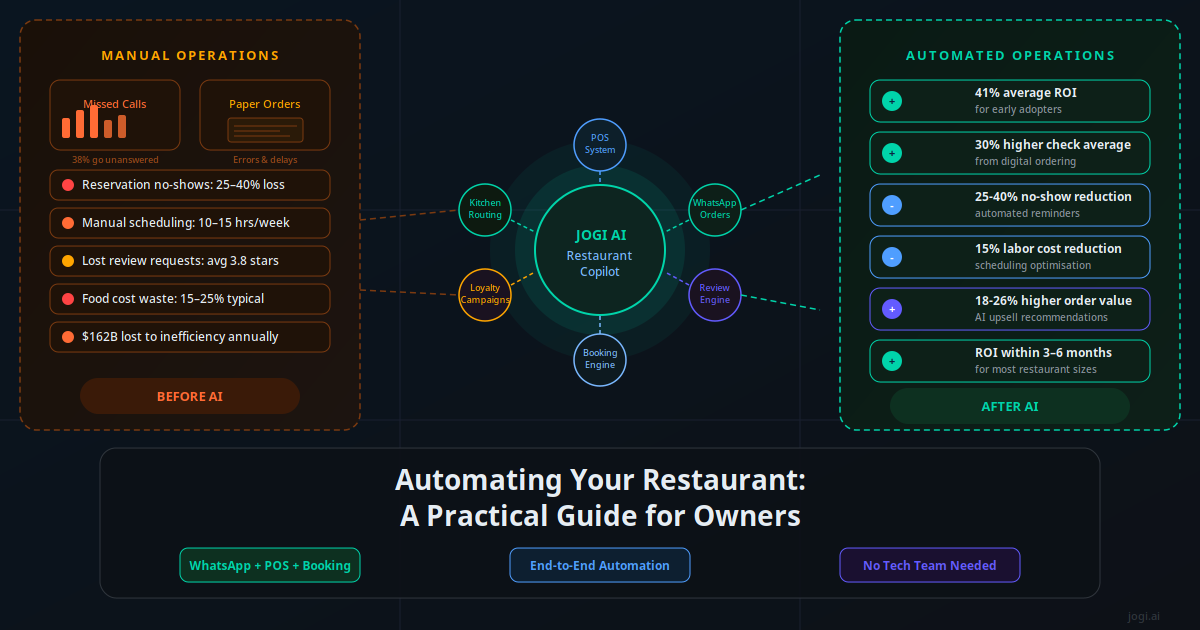
This is a common scene. Restaurant operators are excellent at food, service, and design. But the administrative overhead—the constant coordinating of bookings, the chasing of reviews, and the typing of orders—regularly pulls management away from the floor. The good news is that solving these issues does not require installing a six-month custom software platform. By connecting the systems you already use, you can deploy small, targeted automations that immediately reclaim hours of labor and protect your margins.
Why Quick Wins Beat Big Restaurant Tech Projects
Many restaurant owners believe that modernizing their operations requires a massive overhaul. They think they need custom mobile apps, expensive proprietary hardware, or months of staff training. But the reality is that major IT projects in the hospitality sector frequently stall, blow past budgets, or frustrate staff. A restaurant is a fast-moving, high-friction environment; software must fit existing habits, not force employees to learn complex new interfaces.
Small, incremental automations—often called quick wins—are different. They connect software you already own, like your Point of Sale (POS) system, booking platform, and messaging channels, using lightweight linkers like Make or Zapier. Instead of replacing your tools, these links work behind the scenes to move data automatically. A confirmation SMS triggers when a guest books online. A stock alert drafts when sales of a dish spike. These workflows can be set up in hours, tested in minutes, and tweaked without disrupting service.
But the real advantage of starting small is momentum. When a manager sees that a simple automated reminder cuts weekend no-shows by 30% without a single phone call, the skepticism around technology evaporates. Staff buy-in increases. Operations improve step-by-step. By focusing on narrow, high-frequency tasks first, you build a resilient digital foundation without risking your daily cash flow.
The Cost of Manual Operations: A Restaurant Tech Matrix
Before implementing any technology, it is vital to know where your labor hours and revenue are actually leaking. Many operators accept administrative friction as an unavoidable cost of doing business. However, when you calculate the hours spent on manual follow-ups, order entries, and administrative typing, the financial drain becomes obvious. The table below outlines the true resource costs of common manual processes versus their automated alternatives.
| Manual Process | Estimated Weekly Labor / Revenue Cost | Automated Alternative | Target Outcome |
|---|---|---|---|
| Calling guests to confirm weekend tables | 4–6 hours of host staff time | Multi-channel automated reminders | 98% open rate, no-shows cut under 3% |
| Answering repeat FAQ calls (hours, menu) | 3–5 hours of interrupted host time | WhatsApp Business AI assistant | 60% of common queries resolved instantly |
| Typing phone takeaway orders into POS | 8–12 hours of order entry labor | WhatsApp ordering to POS link | Direct order entry, zero manual re-typing |
| Requesting Google reviews via email | 2–3 hours of administrative work | SMS review trigger post-visit | 45% response rate, rating boost in weeks |
| Re-ordering inventory from suppliers | 3–4 hours of manager stock-taking | POS inventory to email draft link | Stock order drafted at threshold limit |
Data from retail and hospitality studies shows that restaurants using automated SMS follow-ups see a 45% feedback response rate, compared to less than 12% for traditional email surveys. Immediate, mobile-first messaging is the key to capturing guest attention.
Calculating these baseline losses is the first step toward a high-ROI setup. For example, if a host earning $15 an hour spends 6 hours a week dialing guests just to confirm reservations, that represents $360 a month in direct labor—excluding the cost of calls that are missed or go straight to voicemail. Automating that single loop using a low-code tool costs less than $20 a month and runs 24/7 without interruption.
Seven Workflows You Can Automate This Week
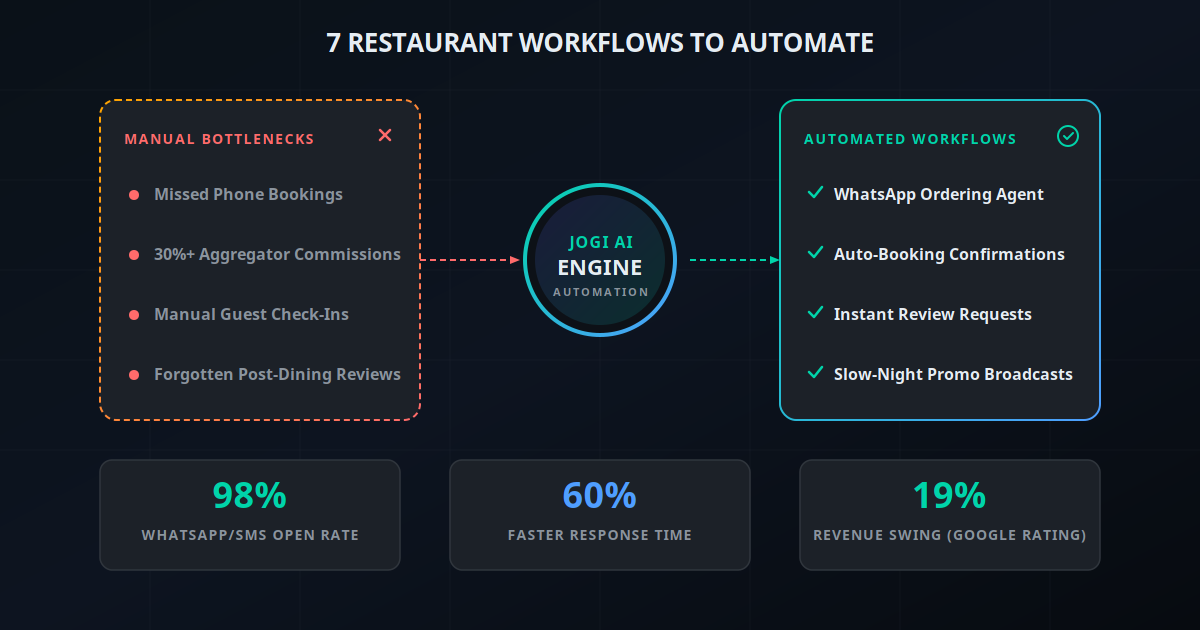
These seven workflows address the most common friction points in restaurant operations. They are designed to be set up quickly, using standard software connections, and require zero coding knowledge to maintain.
1. Automated Reservation Confirmations
When a guest books a table through your website or reservation portal, your system should instantly dispatch a confirmation message. Instead of relying on email, which frequently lands in spam folders, route this message through SMS or WhatsApp. The trigger is a new confirmed reservation in your table manager (such as OpenTable or Resy). The automated action sends a personalized greeting, the booking details, and a clear cancellation link. This reassures guests that their reservation is locked in and gives them a low-friction way to cancel if their plans change, keeping your inventory accurate.
2. WhatsApp Ordering AI Agent
Instead of sending customers to third-party delivery portals that take up to 30% of your ticket price, you can set up a direct WhatsApp ordering channel. By integrating a virtual assistant with the WhatsApp Business API, customers can message your number, browse your menu, select items, and pay—all inside the chat window. The AI agent guides the customer through the menu, handles modifications (like swapping sides or noting allergies), and sends the finalized order straight to your POS. This keeps guest data in your own database and protects your food margins from aggregator commissions.
3. Booking Reminder Sequence
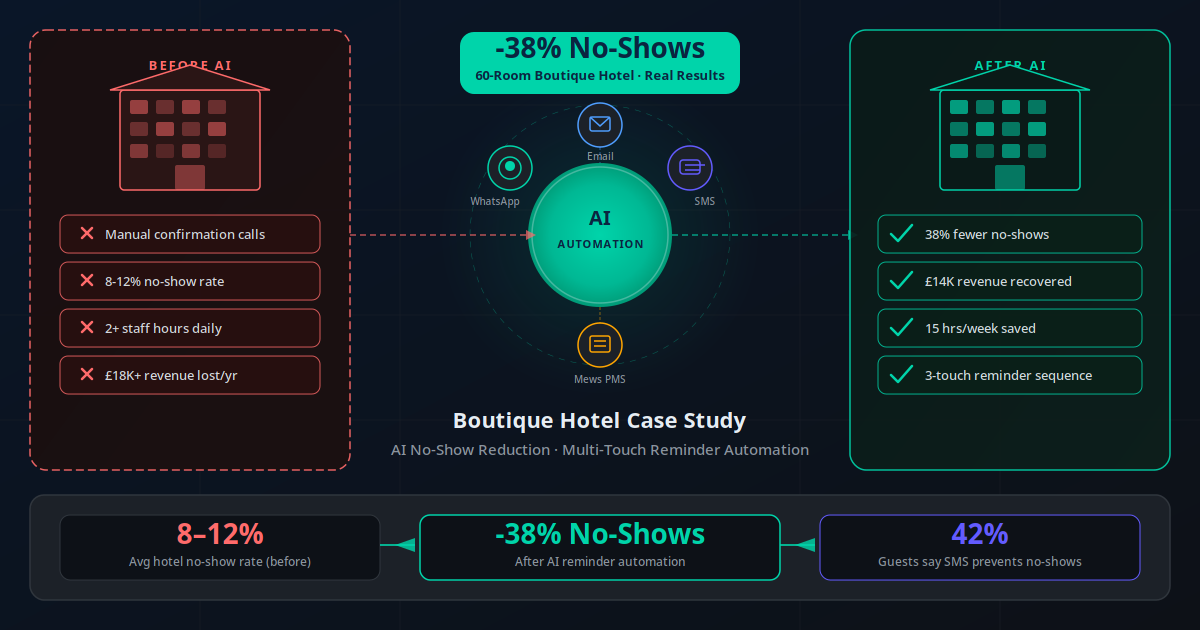
No-shows are a direct hit to restaurant profitability, especially on busy weekend shifts. A multi-touch automated reminder sequence keeps tables filled. Set up a workflow that sends a friendly text reminder 24 hours before the reservation, followed by a second nudge 4 hours before the table time. For large parties (6+ guests), configure the system to request a confirmation reply (e.g., "Reply YES to confirm"). If the guest replies "NO" or does not respond within a set window, the system automatically alerts the host to release the table to the waitlist, ensuring your dining room runs at full capacity. This mirrors other customer hospitality platforms and has been proven effective in reducing restaurant cancellations.
4. Review Request After the Visit
A half-star difference in your Google rating can swing your weekend table velocity dramatically. Rather than waiting for guests to leave reviews on their own, trigger an automated SMS request exactly 60 minutes after their check is closed in your POS. The message should be personal and brief, containing a direct link to your Google Business page. By timing the request to hit when the meal and service are fresh in their minds, you capture positive sentiment. This direct loop generates consistent, authentic feedback and helps push your search rankings above local competitors. You can read more about how this connects in our AI support workflow guide.
5. Slow-Night Promo Broadcasts
Most restaurants struggle to fill tables on rainy Tuesdays or quiet Wednesdays. An automated slow-night broadcast targets local regulars with hyper-focused offers. By connecting your booking history database to a CRM, your system can identify local guests who have dined with you on weeknights in the past. When Tuesday occupancy falls below a set threshold by 3:00 PM, the system automatically drafts and sends a message (e.g., "Free appetizer with two mains tonight only") to a pre-segmented list. This fills empty tables dynamically without eroding your weekend margins with general public discounts.
6. Repeat-Customer Win-Back
It is far cheaper to retain a guest than to acquire a new one. Set up a "win-back" trigger that runs once a week. The system scans your customer records for guests who have visited three or more times but have not made a booking or order in the last 45 days. Once identified, the workflow triggers a personalized message: "We haven't seen you lately. Here is a priority booking link for this weekend." This small, automated touchpoint shows regulars that they are valued and brings them back into your dining room before they form habits at other venues. Linking these contacts to your central database is explained in our CRM automation overview.
7. Automated Stock Reorder Alerts
Back-of-house administration is just as critical as customer-facing service. Set up an inventory threshold trigger in your POS system. When high-volume ingredients—such as cooking oil, specialty flour, or draft beer kegs—fall below your safety stock level, the system automatically takes action. It can either compile the numbers and draft a reorder email to your supplier, waiting in your outbox for a one-click approval, or send a direct alert to your kitchen manager's WhatsApp. This prevents menu item outages and saves hours of manual stock-taking during busy shifts. This simple background connection is a core part of building restaurant automated processes.
"Connecting our reservation system to an automated text sequence saved us more than 15 hours of phone calls a week. Our no-show rate fell from 12% to under 2% in the first month."
— Kabir Malhotra, Owner of Malhotra Bistro GroupReal Restaurant Success Stories: Automation in Action
These real-world examples show how diverse hospitality concepts deploy targeted automations to solve specific operational issues and drive measurable revenue growth. These direct case studies confirm the immediate advantages of linking APIs.
Bistro 44: The No-Show Solution
Problem: A 70-seat neighborhood bistro was losing an average of $900 every weekend due to unconfirmed bookings and no-shows.
Solution: They linked their Resy booking system to a 2-step SMS confirmation sequence using Make.
Result: No-shows dropped by 74% in 30 days, saving the front-of-house team 5 hours of manual calling every week. This matches outcomes shown in other hospitality settings, as detailed in our no-show reduction case study.
Pizza Kitchen: Commission Recovery
Problem: A busy quick-service pizzeria was paying over $4,000 a month in commissions to third-party delivery portals.
Solution: Deployed a direct WhatsApp ordering virtual assistant linked to their POS, offering a 5% discount for ordering direct.
Result: Shifted 35% of portal orders to direct channels in three months, recovering $1,400 a month in net food margin. You can read more about options in our WhatsApp API comparison.
The Grill Room: Google Review Acceleration
Problem: A premium steakhouse had excellent service but struggled to gather Google reviews, lagging behind newer local venues.
Solution: Set up a workflow that triggered an SMS review link 90 minutes after check closure in their Toast POS.
Result: Generated 142 new five-star reviews in 60 days, raising their rating from 4.2 to 4.6 and increasing organic web traffic by 22%.
Daily Brew Cafe: Automated Stocking
Problem: A high-volume coffee shop frequently ran out of alternative milks and espresso beans during busy morning runs.
Solution: Linked POS item sales counts to an inventory alert that drafts supplier orders when stock dips below two cases.
Result: Out-of-stock events fell to zero, and the manager saved 3 hours a week on manual stock sheets.
Sushi Palace: Slow-Shift Recovery
Problem: A multi-location sushi bar was running at 30% occupancy on Tuesday and Wednesday nights, losing money on labor.
Solution: Set up a database trigger that identifies repeat guests and broadcasts a weeknight priority booking link via SMS.
Result: Midweek occupancy increased by an average of 18%, turning quiet shifts into profitable runs.
The 7-Day Rollout Playbook: From Setup to Live
Deploying new technology in a restaurant can feel overwhelming. To make it manageable, do not attempt to set up all seven workflows at once. Instead, follow this structured, day-by-day playbook to implement, test, and launch your automations step-by-step over a single week.
Day 1: Map Your Guest Journey. Identify your biggest bottleneck. Is it phone calls, no-shows, or missing reviews? Write down the exact trigger (e.g., "Guest pays bill") and the desired action (e.g., "Send review link"). Keep the workflow simple and direct.
Day 2: Audit Your Tech Access. Verify that you have administrative access to your POS, reservation system, and messaging accounts. Ensure these platforms support API integrations or can connect to low-code tools like Make or Zapier.
Day 3: Connect the APIs. Set up your integration account. Build your first connection (we suggest starting with automated reservation reminders). Connect your table manager to your SMS provider (like Twilio or SMS Horizon) using the visual editor.
Day 4: Test in Sandbox Mode. Run test bookings using your own phone number. Check that the personalization fields (name, date, time) merge correctly and that all links work. Verify that no messages are double-sent or delayed.
Day 5: Train Your Floor Staff. Walk your host and kitchen team through the new workflows. Explain what customers will receive and how the system handles replies. Ensure the host knows how to manage automated table releases.
Day 6: Go Live on One Shift. Turn on the workflow for a single lunch or quiet dinner shift. Stand near the host stand to monitor the system live. Collect immediate feedback from staff on how it affects their floor pacing.
Day 7: Launch Full Time and Monitor. Enable the automation across all shifts. Review your data dashboard at the end of the week. Measure the time saved and no-shows prevented, then prepare to build your next workflow.
Starting with one simple, high-impact workflow—like reservation reminders—lets your team get comfortable with automated systems. Once the staff sees that the technology helps them rather than making their jobs harder, rolling out subsequent workflows becomes much smoother.
The Essential Restaurant Automation Tool Stack
You do not need to buy expensive, industry-specific enterprise software to automate your operations. A flexible, cost-effective stack can be assembled using standard platforms. The table below lists the primary tools used to run automated restaurant workflows, along with their functions and costs.
| Tool Category | Recommended Platforms | Primary Role in Workflow | Estimated Monthly Cost |
|---|---|---|---|
| Integration Engine | Make, n8n, Zapier | Connects POS, reservation tools, and SMS APIs | Free to $29/month |
| Messaging API | Twilio, SMS Horizon, Gupshup | Delivers SMS and WhatsApp messages directly to guests | Pay-per-message (~$0.0075/SMS) |
| Table Management | Resy, OpenTable, Dineout | Tracks reservations, guest details, and seating maps | Platform subscription fees |
| Point of Sale (POS) | Toast, Square, Petpooja | Records transactions, check closures, and inventory levels | Platform subscription fees |
| Customer CRM | HubSpot, ActiveCampaign, Klaviyo | Stores guest profiles, visit history, and preferences | Free to $49/month (scale-dependent) |
For most independent restaurants, we recommend using Make for integrations. It features a highly visual interface and offers a generous free tier that easily handles up to 1,000 tasks per month. If you handle high-volume data and want to host your own setup, n8n is an excellent open-source alternative that avoids recurring task fees entirely. You can find more detail on comparing these platforms in our integration tool guide.
How to Communicate Without Spamming Your Customers
When you automate your messaging, it is easy to cross the line from helpful to annoying. If a guest receives a booking confirmation, a 24-hour reminder, a 4-hour reminder, a feedback text, and a marketing promo all in the span of three days, they will quickly opt out—or block your number entirely. Protecting the guest experience must always take precedence over marketing frequency.
To keep your communication welcome, follow these simple guardrails:
- Obtain Clear Opt-in Consent: Never message a guest who has not explicitly agreed to receive text notifications. Add a clear check box on your reservation form and checkout screens.
- Define Strict Frequency Caps: Limit marketing broadcasts to a maximum of one message every two weeks per guest. Operational messages (confirmations, table ready alerts) do not count toward this cap.
- Use Quiet Hours: Never configure your system to send automated messages before 9:00 AM or after 9:00 PM. If a guest closes their check at 11:30 PM, delay the review request SMS until noon the next day.
- Make Opt-out Instant: Every promotional message must end with a simple opt-out instruction, such as "Reply STOP to unsubscribe." Honor these requests instantly.
Honestly, the quality of your copy matters more than the volume of your messages. Write like a real person, not an automated template. A text that says, "Hey Sarah, we loved hosting you tonight. If you enjoyed the pasta, would you mind leaving us a quick rating? It really helps our kitchen team: [Link]" will always yield higher response rates than a generic, corporate survey request. For those looking to implement voice agents, you can read our voice agent playbook.
Build a Connected Dining Room
A modern, successful restaurant does not require a massive IT budget or complex custom apps. It simply requires connecting the tools you already use so that information moves automatically where it is needed most. By starting with one or two small, automated workflows this week, you can reduce host stand chaos, protect your food margins, and build a more consistent guest experience. Start small, verify each step, and let your technology handle the administrative chores while your team focuses on what they do best: welcoming guests.
Use our AI Business Twin to get a free, personalized analysis of your restaurant's automation opportunities in under 10 minutes.
Frequently Asked Questions
What are the easiest restaurant workflows to automate first?
The easiest workflows to automate first are reservation confirmations, SMS-based booking reminders, and automated post-dining review requests. These require no complex coding, connect easily with platforms like Make or Zapier, and show immediate revenue recovery by eliminating no-shows and driving new Google reviews within a single week.
How does WhatsApp ordering benefit my restaurant?
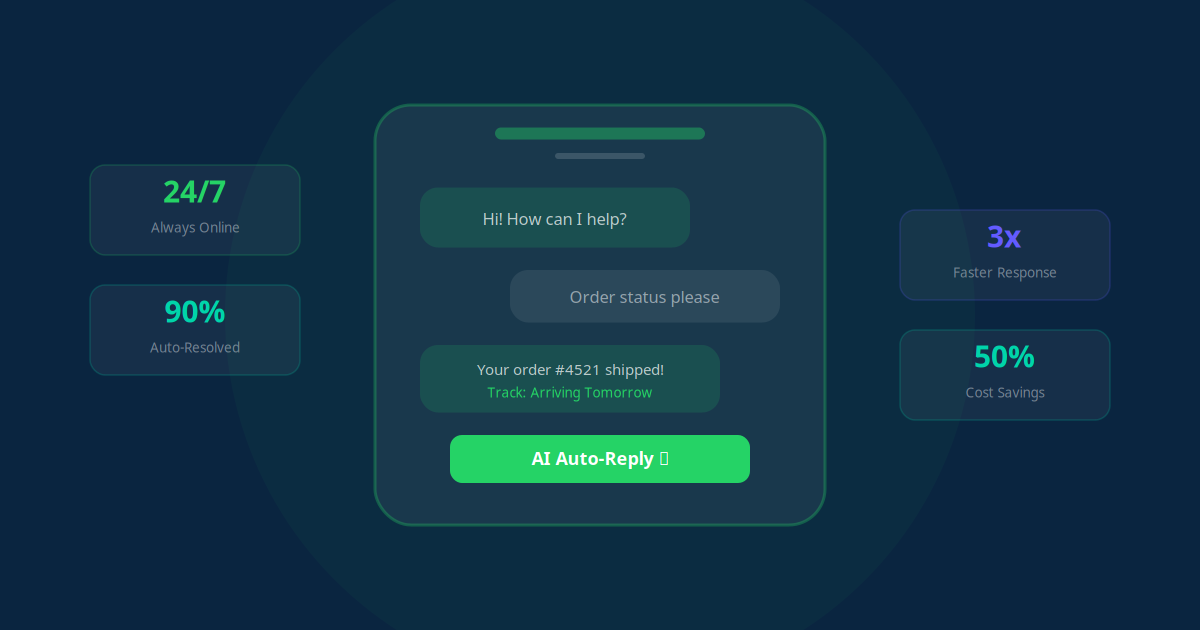
WhatsApp ordering allows guests to view menus and place orders inside an app they already use daily, showing 98% open rates and 3x higher conversion compared to proprietary apps. Crucially, it bypasses third-party delivery apps, saving you up to 30% in portal commissions while keeping guest data under your control.
Do I need a developer to set up these restaurant automations?
No, you do not need a developer to deploy these workflows. Modern low-code integration platforms like Make or n8n allow you to link your POS, reservations platform, and messaging systems using simple trigger-and-action visual maps. Jogi AI can also handle the complete design, setup, and maintenance for you.
How do automated review requests improve restaurant revenue?
Harvard Business School research shows that a half-star difference in a restaurant's Google rating can impact revenue by 5% to 9%. Automated SMS review requests reach guests when their dining experience is fresh, yielding 45% response rates and rapidly accumulating positive ratings to drive organic local search traffic.
Can we target promotions to slow nights using automation?
Yes. By connecting your POS or booking system to a CRM, your system can identify low-occupancy nights and broadcast highly targeted promo messages via SMS or WhatsApp to local regulars. This fills tables on slow Tuesdays or Wednesdays without eroding margins via general public discounts.
Is SMS or WhatsApp better for automated restaurant guest messaging?
Both enjoy 98% open rates, but WhatsApp is superior for interactive, media-rich tasks like menus, order changes, and payment links. SMS is highly effective for short, direct transactional reminders like booking confirmations, table readiness notifications, and quick post-stay review links.
How does automated stock reordering work for back-of-house operations?
An automated stock reorder system connects inventory counts in your POS to your suppliers. When a key ingredient like pizza flour or coffee beans falls below a set threshold, the system automatically drafts a reorder email to your supplier or triggers a Slack/WhatsApp alert to the manager for one-tap approval.