AI Customer Onboarding Automation: Cut Time-to-Value by 70%




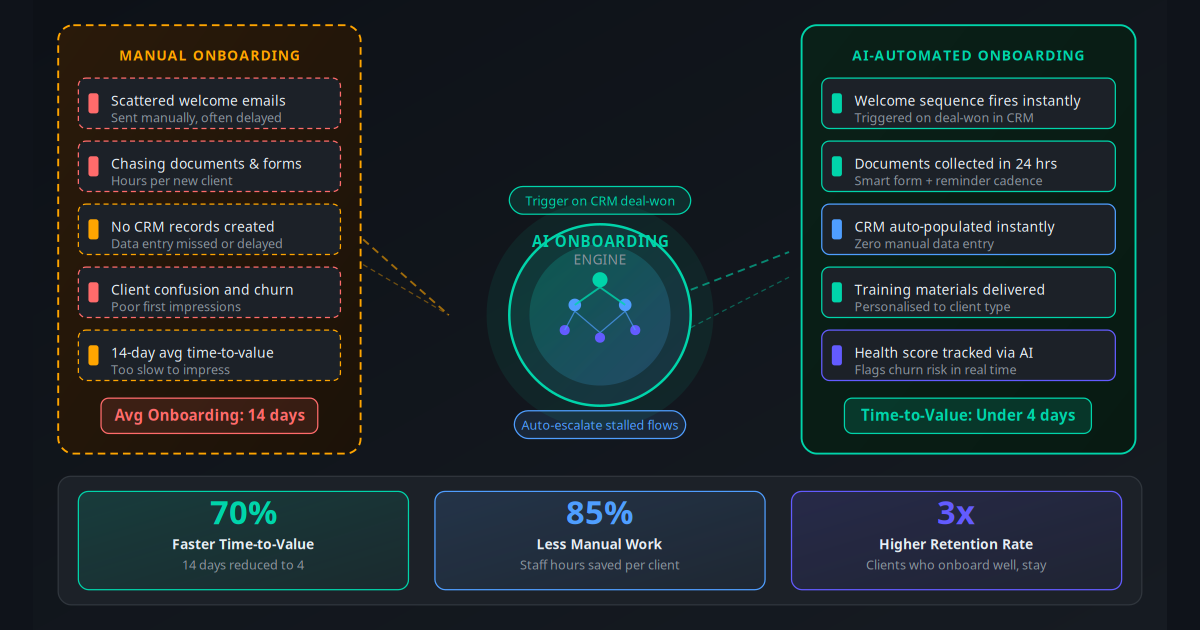
A client signs your contract. Money hits your account. Then what? For most service businesses, the answer is: an account manager notices the payment, manually sends a welcome email sometime in the next 24–48 hours, searches for a checklist document, begins chasing the client for paperwork, and spends the next two weeks trying to get through a setup process that should take two days.
That gap between signing and first value is where clients decide whether they made the right choice. 23% of B2B clients who churn in the first 90 days cite poor onboarding as the primary reason. Not product quality. Not price. The experience of becoming your customer.
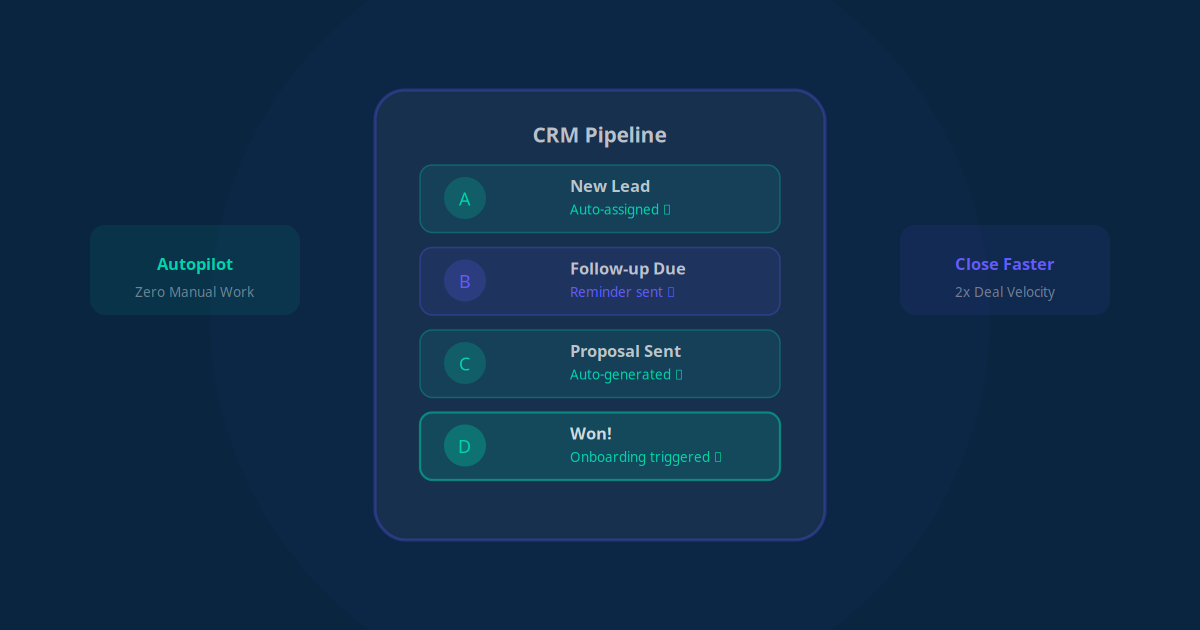
AI customer onboarding automation eliminates the gap entirely. The moment a deal closes in your CRM, a personalised welcome sequence fires automatically, the right documents are requested and collected, your team is briefed, and the client starts receiving value — all before your account manager has had their morning coffee. Here is how it works and how to build it for your business.
Why Manual Onboarding Quietly Kills Retention
The problem with manual onboarding is not that your team is bad at it. It is that humans are inconsistent by nature. Your best account manager runs a flawless onboarding when she has capacity. When she is handling four new clients at once, things slip. The welcome email goes out late. A document reminder is forgotten. A client who needed a check-in call on day five did not get one.
Inconsistency in onboarding produces inconsistency in outcomes. And inconsistent outcomes produce churn — often before the client has experienced enough value to want to stay.
There is also a capacity ceiling problem. If onboarding a single client takes 6–8 staff hours spread over two weeks, your growth is permanently limited by how many clients your team can manually process. Every new client you sign competes for the same scarce attention as your existing client base.
Key Takeaway
Manual onboarding scales linearly with headcount. Automated onboarding scales to zero marginal cost per new client. That difference compounds into a significant competitive advantage over 12–18 months.
What AI Customer Onboarding Automation Actually Does
Onboarding automation is not a single tool — it is a connected workflow that spans your CRM, email platform, document collection system, training delivery, and communication channels. The AI layer sits on top of this stack and handles decisions: which content to send, when to send it, when to escalate, and how to personalise each step for each client type.
At a practical level, AI onboarding automation does five things that manual processes cannot do reliably:
- Triggers instantly on deal close: No human needs to notice the payment or check a spreadsheet. The moment a deal status changes to "won" in your CRM, the sequence fires.
- Personalises at scale: The client's industry, plan type, company size, and stated goals — already in your CRM — determine which welcome message, which document pack, and which training track they receive.
- Follows up automatically: If a client has not returned a document after 48 hours, the system sends a reminder. After 96 hours, a different message. After 7 days, a human escalation alert. No one has to remember to chase.
- Populates records without data entry: Documents are parsed, extracted data is written back to the CRM record, and setup tasks are created and assigned — all without manual input.
- Monitors health in real time: AI tracks engagement signals (email opens, portal logins, document returns, milestone completions) and scores each client's onboarding health, flagging at-risk accounts before they become churned ones.
The Data: What Poor Onboarding Costs You
| Metric | Industry Average (Manual) | With Automation | Impact |
|---|---|---|---|
| Time-to-first-value | 12–18 days | 3–5 days | 70% faster |
| Staff hours per onboarding | 6–10 hours | 0.5–1.5 hours | 85% reduction |
| Document collection time | 5–9 days avg | Under 24 hours | 80% faster |
| 90-day churn rate | 22–28% | 7–12% | ~55% reduction |
| Onboarding completion rate | 54% | 91% | +37 percentage points |
| NPS at day 30 | +22 avg | +51 avg | 130% improvement |
Clients who complete onboarding in under 5 days are 3.1 times more likely to renew at their first contract anniversary than those who take 14+ days to reach first value — Gainsight Customer Success Benchmark Report
The 6 Core Components of Automated Onboarding
1. Trigger Layer — Deal-Won Automation
The onboarding flow starts the moment a CRM record moves to "Closed Won" (or your equivalent stage). Your CRM automation fires a webhook or triggers a workflow in your automation platform (Make, n8n, or Zapier). From this single trigger, every downstream action is initiated without human involvement. The trigger data — client name, company, plan purchased, contact email — feeds personalisation throughout the sequence.
2. Welcome Sequence — First 24 Hours
Your email automation system sends a personalised welcome email within minutes of deal close — not hours. This email introduces the onboarding journey, sets expectations for what happens next, and gives the client a single clear action to take. Research consistently shows that a response time under 5 minutes for post-sale communications increases client satisfaction scores by 40% compared to next-day responses.
3. Document Collection — Smart Forms and Parsing
The system sends a branded intake form requesting all necessary information and documents. Smart forms branch based on client type — a healthcare client sees different fields than a retail client. Responses are received, AI extracts key data points, and the information is written directly into the CRM. No manual transcription. Document reminders fire automatically at 48 and 96 hours for incomplete submissions.
4. Internal Briefing — Team Notification and Task Creation
Simultaneously, the automation creates a client record in your project management tool, assigns the relevant account manager, creates a checklist of onboarding tasks with due dates, and sends a Slack or WhatsApp notification to the team. Your staff's first action with a new client is not starting from scratch — it is reviewing a pre-populated brief.
5. Training and Content Delivery — Personalised Track
Based on the client's plan, industry, or stated goals, the system delivers relevant getting-started guides, video tutorials, or product walkthroughs on a timed schedule. A client who bought your social media management service gets a different day-1, day-3, and day-7 content track than one who bought WhatsApp automation. Delivery timing is staggered to avoid overwhelming — not everything at once.
6. Health Score Monitoring — Churn Prevention
The AI layer scores each client's onboarding health daily based on engagement signals: did they open the welcome email? Did they submit documents? Did they log into the portal? Did they respond to check-ins? A health score below a threshold triggers an automatic "Is everything okay?" message to the client and an internal alert to the account manager. This is your early warning system for churn — intervening on day 8 is infinitely more effective than discovering a disengaged client at day 60.
Industry Use Cases: Onboarding Automation in Action
Marketing Agency — 12 New Clients Per Month, 3 Account Managers
A digital marketing agency onboarding 12 clients per month was spending 72 staff hours on manual onboarding tasks. Automated onboarding fires a personalised welcome sequence on deal close, collects brand assets and account access via smart forms, creates a Notion workspace with pre-populated brief, and delivers a weekly check-in sequence. Staff time per onboarding dropped from 6 hours to under 45 minutes. 90-day client retention improved from 71% to 89%.
Accounting Firm — Tax Season Client Intake
An accounting firm with seasonal volume spikes used to spend 3 days per new client chasing documents manually. Automated onboarding sends a secure document collection link immediately on engagement, sends reminders until the full package arrives, and populates the client record with extracted data (tax file numbers, business details, prior year figures). Document collection time dropped from 8 days average to under 36 hours. Staff freed up 40+ hours per tax season for higher-value work. See how AI transforms accounting firms for more on this use case.
SaaS Company — Product Activation Sequence
A B2B SaaS business with a 14-day trial-to-paid onboarding period automated its entire activation journey: setup emails, integration guides, feature introduction sequences timed to usage milestones, and a health score model that predicted trial conversions 7 days before the trial ended. Trial-to-paid conversion increased 34%. The customer success team was redirected from reactive support to proactive expansion conversations.
Healthcare Practice — New Patient Registration
A multi-location healthcare practice automated new patient onboarding: appointment confirmation triggers a sequence collecting medical history forms, insurance details, and consent documents via secure portal. Staff receive a complete patient brief before the first appointment. On-the-day form completion dropped from 23 minutes to under 5 minutes. Missed first appointments fell 31% because patients who completed pre-registration were more committed. See the full analysis in this clinic no-show reduction case study.
Consultancy — Retainer Client Onboarding
A management consultancy with 20–30 new retainer clients per quarter reduced its project kick-off preparation time by 65%. Automated onboarding collects discovery questionnaire responses, sends a personalised "Here is what we will accomplish together" roadmap email on day 1, and creates a shared Notion workspace with pre-populated templates and first-week agenda. Clients arrive at the kick-off call already familiar with the process, cutting meeting time in half.
How to Build Your Automated Onboarding Workflow
Audit your current process (2 hours): Map every manual step your team currently takes when a new client signs. Write down who does what, when, and what tools they use. This is your baseline — and it reveals which steps take the most time and are most inconsistently executed.
Define your trigger (30 minutes): Identify the single event in your CRM that reliably signals a new client has signed. For most businesses this is a deal stage change to "Closed Won" or a payment webhook from Stripe or your invoicing system. This is the automation's starting pistol.
Build your welcome sequence (1 day): Write three emails — a day-0 welcome, a day-2 check-in, and a day-7 progress touch. Keep day-0 short: two paragraphs max, one clear action. Connect these to your email automation platform and ensure they pull client name and plan details from your CRM dynamically.
Create the intake form (1 day): Build a smart form that collects every document and piece of information you currently chase manually. Use conditional logic to show only relevant fields based on client type. Tools like Typeform, Jotform, or Tally integrate directly with Make and n8n for automated data routing.
Wire up your CRM and project management tool (1–2 days): Build the automation in Make, n8n, or Zapier to create a CRM record, write extracted data to fields, create project tasks, assign the account manager, and trigger internal notifications. Test each step with a dummy client before connecting to live data.
Add content tracks (2–3 days): Build out your getting-started content — ideally 3–5 pieces per client type. Schedule delivery on days 1, 3, 7, and 14. Keep each piece focused on a single outcome: "Complete your account setup," "Connect your first integration," "Schedule your kick-off call."
Implement health score monitoring (1 day): Define 4–6 engagement signals that indicate a client is progressing well. Build a score that increments on each signal. Set a threshold (e.g., score below 3 after 7 days) that triggers an alert email to the account manager and an automatic check-in to the client. This is your churn prevention layer.
Test, measure, and iterate (ongoing): Onboard your first 3 clients through the automated system and review every step. Track time-to-first-value, document completion rate, and 30-day NPS. Adjust the sequence timing, message copy, and escalation thresholds based on real client behaviour, not assumptions.
Onboarding Automation Tools: A Practical Comparison
| Tool | Best For | Key Feature | Starting Cost |
|---|---|---|---|
| HubSpot Workflows | Businesses already on HubSpot CRM | Native CRM triggers, email sequences, task creation | Free tier available |
| Make (Integromat) | Multi-tool orchestration, custom logic | Visual workflow builder, 2,000+ integrations | $9/month |
| n8n | Developers, self-hosted, AI node integration | Open source, AI nodes, code execution | Free (self-hosted) |
| Zapier | Non-technical teams, quick setup | Largest app library, easy triggers | $19.99/month |
| Customer.io | SaaS, event-based onboarding sequences | Behavioural triggers, multi-channel messaging | $100/month |
| Intercom | Product-led onboarding, in-app messaging | Checklists, tooltips, chat automation | $74/month |
| Jogi AI Custom Build | End-to-end onboarding with AI personalisation | CRM integration, AI health scoring, multi-channel | From $179/month |
For most service businesses, the right stack is: an existing CRM as the trigger source + Make or n8n for orchestration + your email platform for sequences + Typeform or Jotform for document collection. An AI workflow automation layer on top adds the personalisation and health scoring capabilities that off-the-shelf tools lack.
ROI and the Metrics That Actually Matter
"We went from spending 8 hours per new client on onboarding admin to 40 minutes. In a quarter where we signed 18 new clients, that was 130 hours returned to the team. The system paid for itself in month one."
— Operations Director, professional services firm, SydneyWhen calculating ROI on onboarding automation, most businesses focus only on staff time saved. That is actually the smaller number. The larger ROI comes from retention improvement:
- If your average client LTV is $8,000 and your 90-day churn drops from 25% to 10%, every 10 new clients you sign now retain 1.5 more clients on average. At $8,000 LTV that is $12,000 in additional retained revenue per 10 sign-ups.
- Staff time savings: If onboarding takes 6 hours at a fully loaded cost of $40/hour and you sign 15 clients per month, that is $3,600/month in labour currently spent on tasks that automation replaces. Even if automation reduces this by 70%, you save $2,520/month.
- Faster time-to-value means faster upsell opportunities. A client who is fully set up and seeing results by day 5 is ready to hear about your premium tier by week 3. A client still struggling with setup at day 20 is not.
Track these four metrics monthly to quantify your onboarding automation ROI:
- Time-to-first-value (days from contract to first measurable client outcome)
- Document completion rate (% of clients who return all required materials within 48 hours)
- 90-day retention rate (% of clients still active at 90 days)
- Onboarding NPS (client satisfaction score collected at day 14 or 30)
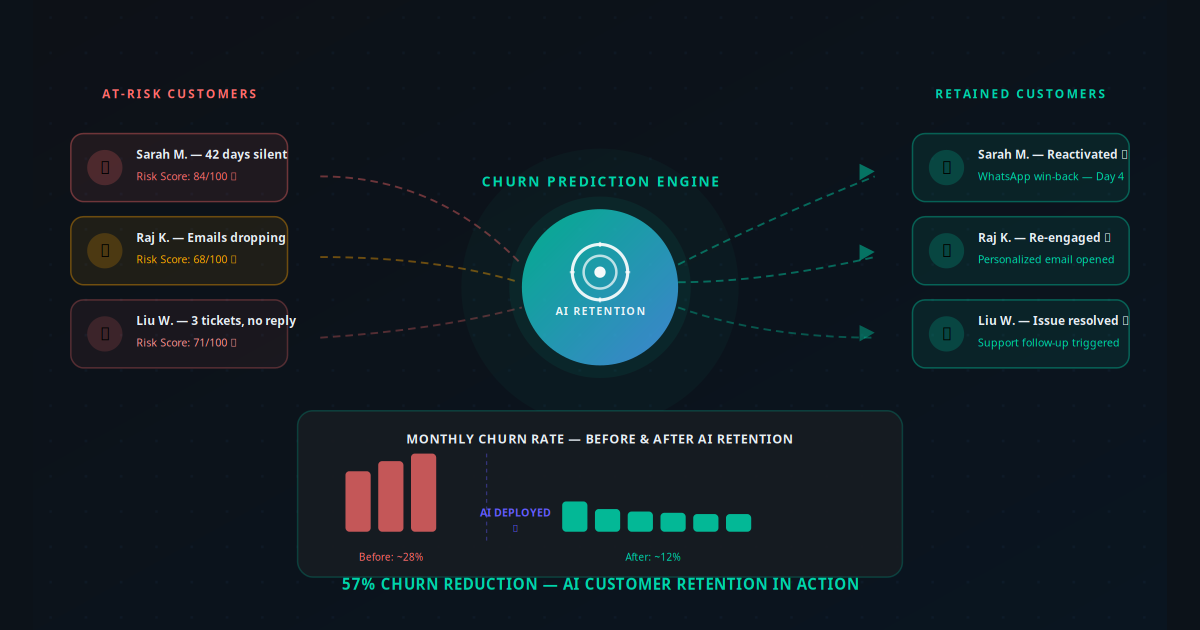
Pair your onboarding automation with a solid AI-powered customer retention strategy and you have a complete lifecycle automation system — acquisition through renewal.
5 Onboarding Automation Mistakes to Avoid
Mistake 1: Automating a Broken Process
If your current manual onboarding is confusing to clients, automating it just delivers confusion faster. Before building the automation, redesign the process from the client's perspective. What do they need to know first? What action is most urgent? What questions do new clients always ask? Build the answer to those questions into your automated sequence, then automate the delivery.
Mistake 2: Sending Too Much Too Soon
New clients are already processing the decision they just made. Flooding them with 8 emails in 3 days creates anxiety, not confidence. Limit day-0 to a single welcome message with one action. Day-1 to one resource or form. Day-3 to a check-in. Space your content to match the pace at which a client can actually absorb and act on it.
Mistake 3: No Human Escalation Path
Automation should handle the 80% of onboarding that is routine and predictable. The 20% that is not — a client who is confused, frustrated, or has a complex setup requirement — needs a human. Build explicit escalation triggers: if health score drops below threshold, if a client explicitly asks for help, if a milestone is not hit by day 10. Your AI-powered support workflows can handle tier-1 questions automatically, escalating only what genuinely requires a human decision.
Mistake 4: Ignoring Mobile Experience
61% of welcome emails are opened on mobile. If your intake form or onboarding portal is not mobile-optimised, you are creating friction at the most critical moment of the client relationship. Test every touchpoint on mobile before going live. A form that takes 4 minutes on desktop and 18 minutes on mobile will see dramatically different completion rates.
Mistake 5: Not Closing the Feedback Loop
The single best improvement you can make to your onboarding automation after the first 90 days is collecting systematic client feedback. A simple 2-question survey at day 14 ("How would you rate your onboarding experience?" and "What would have made it better?") gives you actionable data to improve messaging, timing, and content. Without this feedback, you are optimising a process based on assumptions rather than evidence.
Start With One Flow, Then Scale
You do not need to build the entire automated onboarding system in week one. Start with the highest-impact single component: the day-0 welcome email triggered automatically on deal close, plus the document collection form. That alone eliminates the two biggest sources of delay and inconsistency in most onboarding processes. Get that working well. Measure the improvement. Then add health score monitoring, content tracks, and internal briefing automation one layer at a time.
The compounding effect of onboarding automation is not just the hours your team saves. It is the retention lift that accumulates with every new client who experiences a seamless first week — arriving at day 30 already seeing results, already trusting your process, already thinking about renewing rather than second-guessing their decision.
Every manual onboarding task your team still runs is a task that could be instant, consistent, and zero-cost with the right automation in place. Use the AI Business Twin for a free personalised analysis of where automation would have the highest impact on your specific onboarding process — in under 10 minutes.
Frequently Asked Questions
What is AI customer onboarding automation?
AI customer onboarding automation uses AI and workflow tools to automatically trigger welcome sequences, collect required documents via smart forms, populate your CRM, deliver personalised training or setup materials, and monitor progress toward the client's first value milestone. It replaces manual tasks that staff would otherwise handle one client at a time, letting you onboard dozens of clients simultaneously with consistent quality.
How much does automating client onboarding cost?
The cost depends on your existing tech stack. Businesses using platforms like HubSpot, Salesforce, or Pipedrive can build onboarding automation on their existing CRM using native workflows or an add-on like Make or n8n at around $50 to $200 per month. A fully custom AI-powered onboarding system with document parsing, personalised content delivery, and health-score tracking typically starts at $179 per month with a service like Jogi AI and often pays for itself within the first three clients.
Which businesses benefit most from onboarding automation?
Any business that acquires new clients regularly and needs to collect information, deliver instructions, or complete a setup process benefits. The highest-impact use cases are professional services firms (accountants, consultants, agencies), SaaS companies, financial advisors, law firms, healthcare practices, and service businesses onboarding multiple clients per month. The ROI is highest when manual onboarding currently takes more than two hours per client.
Does automated onboarding feel impersonal to clients?
Not when done well. Personalisation is built into the automation — the welcome message uses the client's name and company, follow-up content is tailored to their industry or plan type, and check-in messages are timed to their actual progress rather than a fixed schedule. Most clients experience automated onboarding as more attentive than manual processes because no step is forgotten and responses are immediate.
How long does it take to set up automated client onboarding?
A basic automated onboarding flow — welcome email, document collection form, and CRM record creation — can be set up in one to two days using tools like HubSpot, Make, or n8n connected to your existing systems. A full onboarding sequence with personalised content delivery, health score tracking, and multi-channel touchpoints typically takes one to two weeks to build and test properly.
Can onboarding automation reduce client churn?
Yes, and this is one of the most compelling business cases for the investment. Research consistently shows that clients who reach their first value milestone within the first week are 3 times more likely to stay past their first contract term. Automated onboarding accelerates time-to-first-value, ensures no setup steps are missed, and flags clients who go quiet before they become a churn risk — giving your team time to intervene proactively.
What tools are used to automate customer onboarding?
The most common tools are a CRM like HubSpot, Salesforce, or Pipedrive for triggering flows on deal-won events; an automation platform like Make, n8n, or Zapier for orchestrating multi-step sequences; a form tool like Typeform or Jotform for document and data collection; and an email platform for personalised welcome sequences. AI layers — such as document parsing, health score prediction, and personalised content selection — are added on top of this foundation.
How do I measure whether my onboarding automation is working?
Track four core metrics: time-to-first-value (days from contract signing to the client achieving their first measurable outcome), document completion rate (percentage of clients who return all required forms within 48 hours), onboarding completion rate (percentage who reach all setup milestones), and 90-day retention rate (how many clients are still active three months after signing). Compare these before and after automation to quantify the impact.
Can AI personalise the onboarding experience for different client types?
Yes. Modern AI onboarding systems use client attributes stored in your CRM — industry, plan type, company size, goals — to select the right content track, adjust messaging tone, and prioritise setup steps. A retail client sees different training materials and integration instructions than a healthcare client, even though both go through the same automated flow. This personalisation at scale is something manual processes simply cannot achieve consistently.
What is the biggest mistake businesses make with client onboarding?
The most common mistake is treating onboarding as an internal process rather than a client experience. Many businesses automate the document collection and CRM population (reducing their own work) without considering whether the client feels guided, informed, and excited. The most effective onboarding automation is designed from the client's perspective first — what do they need to know, in what order, and how quickly — and then automated to deliver that experience consistently at zero marginal cost per new client.