AI for Event Planning Businesses: Automate Enquiries, Contracts and Vendor Management




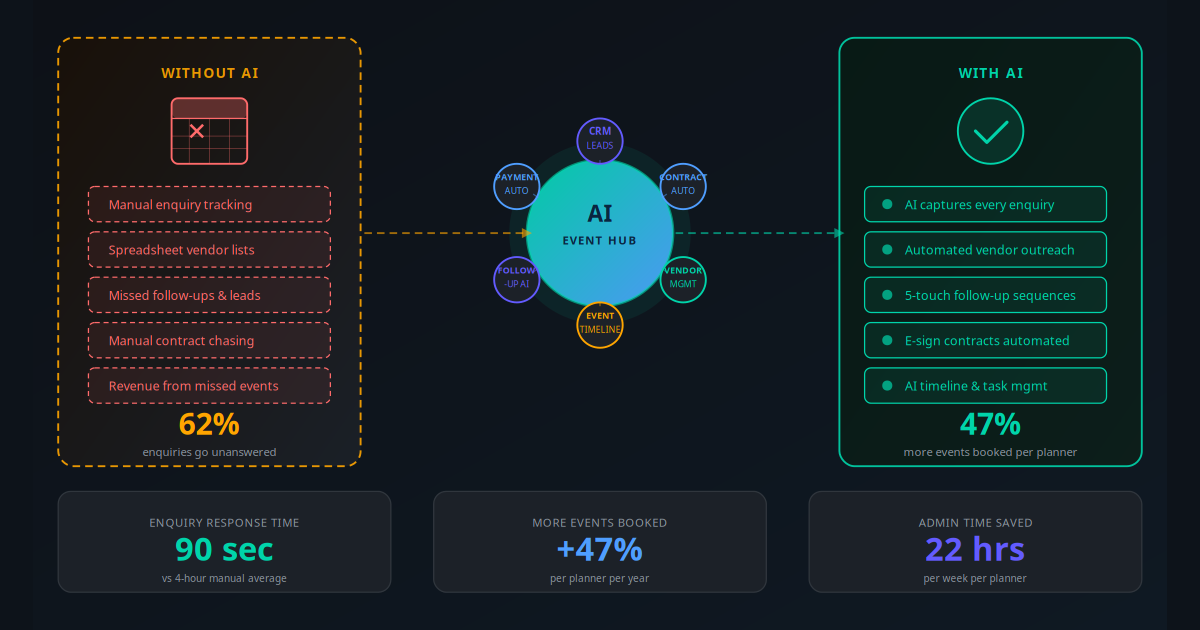
Every event planning business runs on the same fuel: enquiries. And right now, 62% of those enquiries are going unanswered for four hours or more. By the time you follow up, the client has already spoken to two competitors. The problem is not your service quality — it is the gap between when a lead arrives and when a human is available to respond.
That is just the first leak. After the initial response, event planners spend an average of 8 hours per event on admin that AI can handle in minutes: sending proposals, chasing contract signatures, coordinating vendor availability, building event timelines, and running follow-up sequences on cold enquiries. For a business handling 30 events per year, that is 240 hours — six full working weeks — consumed by tasks that do not require creative judgment or human expertise.
AI automation changes this completely. Not by replacing planners — the creativity, client relationship, and on-the-day execution will always need a human — but by eliminating every piece of repetitive work surrounding it. This guide covers the exact workflows, tools, and implementation plan that event businesses are using in 2026 to book 47% more events with the same team size.
The Hidden Cost of Manual Event Admin
Most event planners think of their admin as a cost of doing business. The reality is that it is a quantifiable revenue ceiling. Consider the compounding effect of these four manual bottlenecks:
Slow Enquiry Response
Research from the Harvard Business Review shows that leads contacted within one hour are 7 times more likely to convert than those contacted after two hours. For event planners, the average response time to a new enquiry is 4.2 hours during business hours — and zero response after hours. If 40% of your enquiries arrive outside your working day, you are losing those leads before you even know they exist.
Leaky Follow-Up
An enquiry that does not convert after the first consultation is not dead — it is dormant. Industry data shows that 68% of event planning enquiries that go cold eventually book with someone. If that planner is not you, it is because you stopped following up. Most planners manage follow-up manually through their inbox, which means it is inconsistent, easy to forget, and limited to two or three touches before it gets uncomfortable. AI runs structured five-touch sequences automatically, recovering 31% of cold leads.
Contract and Payment Delays
The average time from a verbal yes to a signed contract in event planning is 6.8 days. During that window, the client is still evaluating alternatives. Every day without a signed contract is a day the booking can fall through. AI generates and delivers the contract the same day as the consultation, with automated reminders that cut average signing time to under 48 hours.
Vendor Coordination Overhead
For a mid-size event with 8 vendors — catering, florals, photography, AV, transportation, hair and makeup, entertainment, and a venue liaison — the coordination overhead per event runs to 12–18 emails, 6–10 calls, and 3–4 hours of follow-up. Multiply that across 30 events per year and you have 90–120 hours of vendor admin. AI handles every routine coordination message, tracks responses, and escalates only when a vendor fails to reply or a conflict arises.
Key Takeaway
The four main admin bottlenecks — slow enquiry response, leaky follow-up, contract delays, and vendor coordination overhead — cost the average event planning business 240+ hours per year and an estimated $45,000–$90,000 in lost or unrealised revenue. All four can be automated with a stack that costs under $400 per month.
What AI Automation Does for Event Planners
AI automation for event businesses is a layered system, not a single tool. The five core components work together to cover the full client lifecycle:
AI Enquiry Response and Lead Qualification
An AI system monitors your website enquiry form, email inbox, WhatsApp, and social media DMs. When a new enquiry arrives, it sends a personalised response within 90 seconds — referencing the event type, date, and budget range from the enquiry form — and asks two to three qualifying questions to determine budget, headcount, and location. Qualified leads are routed to your calendar for a discovery call. Unqualified enquiries receive a helpful response with appropriate alternatives. This happens at 2 AM on a Sunday exactly as it does at 11 AM on a Tuesday.
Automated Proposal and Contract Delivery
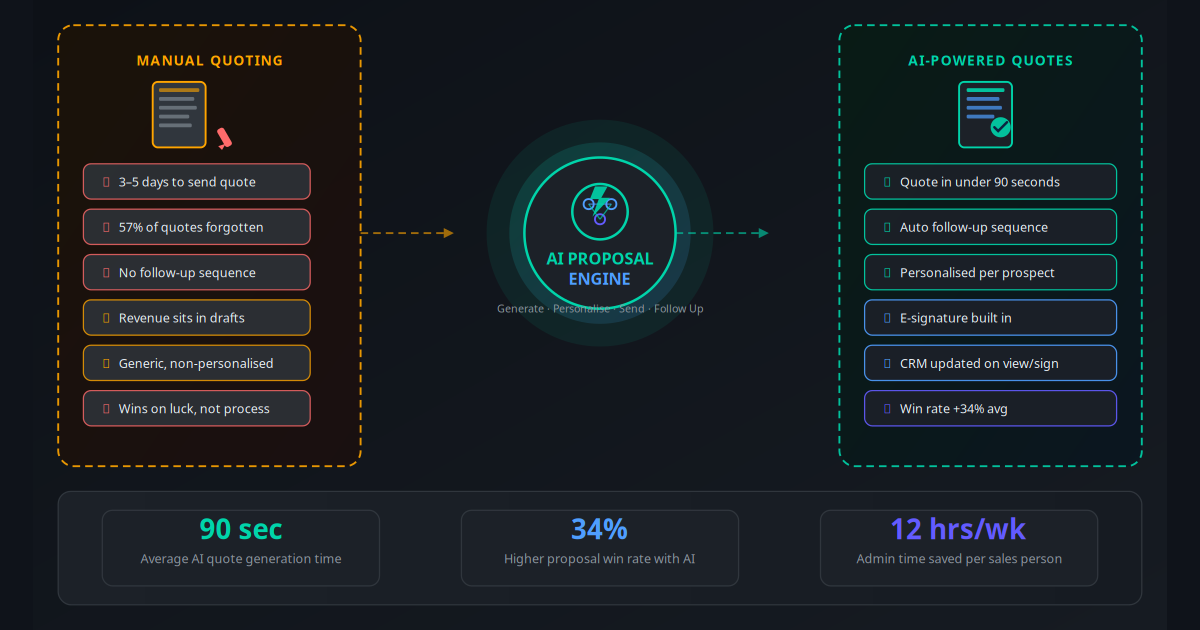
After a discovery call, AI generates a customised proposal using your existing templates, pre-populated with the client's event details, package selection, and pricing. The proposal is delivered within minutes of the call ending, not days. Once the client accepts, a full contract is generated and sent for e-signature automatically — no manual drafting needed. This is directly analogous to how AI proposal and quote automation works in other service businesses, and the conversion data is equally compelling.
Multi-Touch Client Follow-Up Sequences
Every enquiry that does not immediately convert enters a structured follow-up sequence. Each touch is personalised, references specific details from the initial enquiry, and escalates the value proposition — from social proof, to urgency around date availability, to a time-limited incentive. The sequence runs automatically across email and WhatsApp until the lead converts, unsubscribes, or is manually archived.
Vendor Management Automation
When an event is confirmed, AI triggers a vendor workflow: availability requests go to your preferred vendor list, quotes are collected and compared, confirmations are sent, briefing documents are delivered, and timeline reminders run automatically as the event date approaches. Your CRM automation tracks vendor status in real time — you see at a glance which vendors are confirmed, which are outstanding, and which have a contract issue requiring attention.
Event Timeline and Task Management
AI generates a complete event timeline from a confirmed booking, creating dated tasks for every milestone: venue walkthrough, catering tasting, final headcount confirmation, vendor briefings, and on-the-day logistics. Tasks are assigned with automated reminders sent to both the planner and the client. When a task is completed, the AI updates the timeline and triggers the next step — removing the risk of a critical deadline being missed across a portfolio of simultaneous events.
The Revenue Impact: What the Data Shows
Across event businesses that have implemented AI automation, the improvement metrics are consistent:
| Metric | Before AI Automation | After AI Automation | Typical Timeframe |
|---|---|---|---|
| Enquiry response time | 4.2 hours average | 90 seconds | Day 1 |
| Enquiry-to-consultation rate | 22% | 38–41% | 30–60 days |
| Contract signing time | 6.8 days average | Under 48 hours | Day 1 |
| Cold lead re-engagement rate | 8% | 28–31% | 60–90 days |
| Admin hours per event | 8 hours | 1.5–2 hours | Day 1 |
| Events booked per planner per year | 28–32 | 40–47 | 3–6 months |
| Vendor coordination time per event | 4–5 hours | 45 minutes | 30 days |
The step-change in events per planner — from 30 to 47 — is the headline number. But the mechanism behind it is simply time recovery. When each event requires 6 fewer hours of admin, a planner with a 40-hour week gains capacity for 6 more events per quarter without adding a single hire. At an average event fee of $3,500, that is $21,000 in incremental revenue per planner per quarter from the same labour cost.
"I went from turning away enquiries because I was at capacity to handling a 40% larger book of business with zero additional admin staff. The AI handles everything between the sales call and the event day."
The 6 AI Workflows to Automate First
1. Instant Enquiry Capture and Response
Connect every inbound channel — website form, email, WhatsApp, Instagram DM — to a single AI triage layer. When an enquiry arrives, the AI sends a warm, branded response within 90 seconds, acknowledges key details from the enquiry, asks the two or three qualifying questions that determine fit, and routes the lead to your calendar for a discovery call. Use WhatsApp Business automation as your primary channel — it has a 98% open rate versus 21% for email and a response time that clients associate with premium service.
2. Discovery Call Scheduling Automation
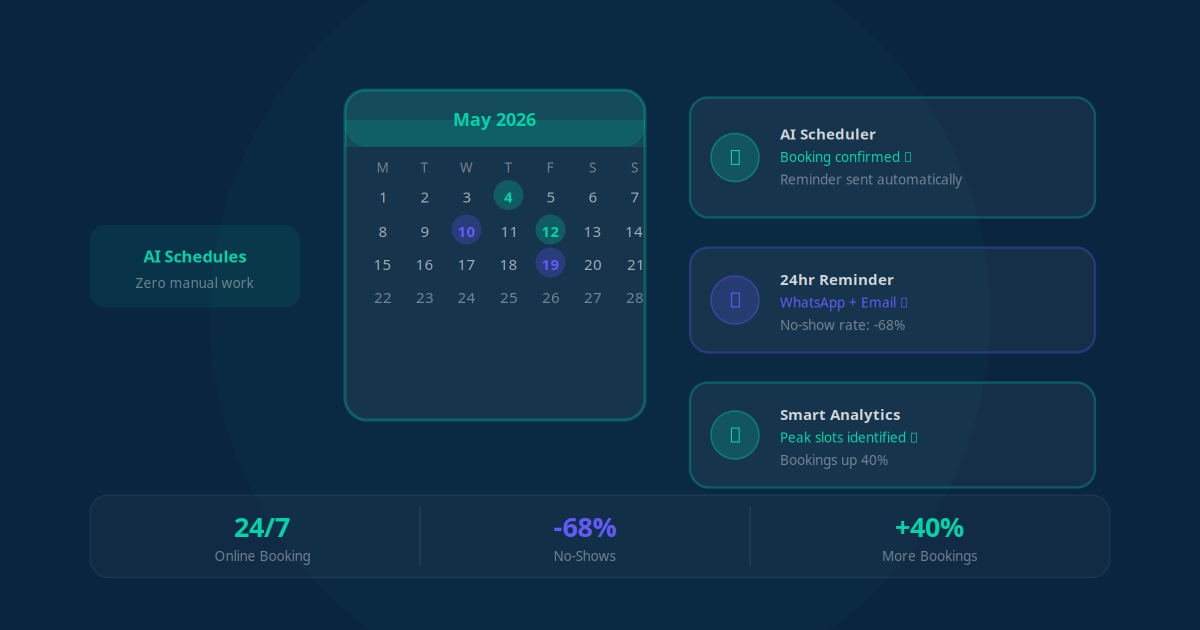
When a lead qualifies, the AI presents your availability directly in the conversation and confirms the discovery call booking without your involvement. A confirmation message goes to the client, a calendar invite is created, and a pre-call briefing is sent 24 hours before — containing the client's event details so you arrive to the call fully prepared. Clients who do not book a call slot receive an automated nudge 48 hours later.
3. Proposal and Contract Pipeline
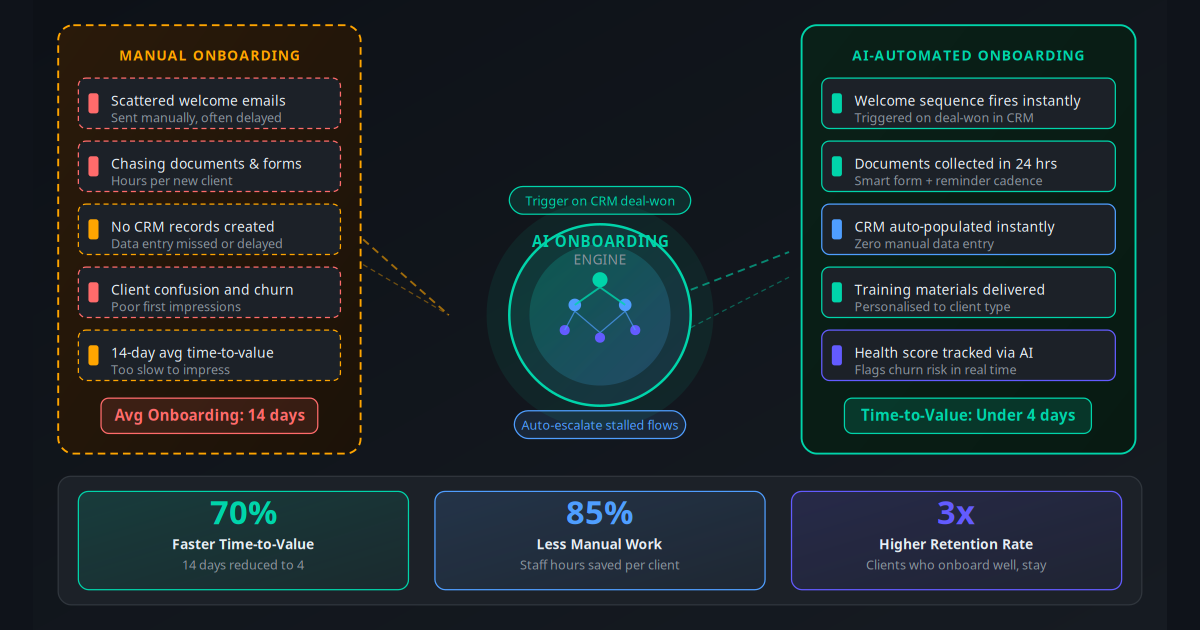
After a discovery call, a custom proposal is generated from your template library — pre-populated with the client's event date, type, headcount, venue, selected packages, and payment schedule. The proposal is sent within 30 minutes of the call. When the client confirms, a contract is generated and sent for e-signature. The AI tracks document status and sends automatic reminders at 48 hours and 96 hours if the contract is unsigned. Deposit invoices fire automatically upon signature. This mirrors the workflow that drives results in AI customer onboarding automation — speed and structure at the point of commitment.
4. Five-Touch Cold Lead Nurture Sequence
Every enquiry that does not convert after the discovery call enters an automated sequence. Touch 1 (Day 3): personalised follow-up referencing their specific event. Touch 2 (Day 10): social proof — a relevant client testimonial or case study. Touch 3 (Day 18): urgency — venue or date availability. Touch 4 (Day 28): value add — a free planning guide or checklist relevant to their event type. Touch 5 (Day 45): final check-in with a time-limited offer. Planners running this sequence see 31% of cold leads re-engage within 60 days.
5. Vendor Coordination Workflow
When an event is confirmed and deposited, the AI initiates vendor outreach. Availability requests go to your preferred vendor list for each category. Responses are tracked and a comparison is generated for your review. Once vendors are selected, AI sends confirmation emails, requests signed agreements, delivers event briefing documents 2 weeks before the event, and sends final logistics reminders 48 hours out. See AI workflow automation for business processes for the underlying mechanics of how multi-party coordination workflows are built.
6. Post-Event Review and Referral Campaign
48 hours after an event, AI sends a personalised thank-you message with a satisfaction survey. Happy clients are guided to your Google Business profile or preferred review platform. Exceptional responses trigger a personalised referral request: "If you have a friend or colleague planning an event, we would love to help them the same way we helped you." Planners using this workflow see Google review volume triple within 90 days and generate 22% of new bookings from referrals — up from 9% before automation.
Real-World Use Cases by Event Business Type
Wedding Planning Company (2 Planners, 45 Events Per Year)
Problem: Enquiries arriving on weekends and evenings went unanswered until Monday, losing 3–4 hot leads per week. Manual contract chasing averaged 9 days. Solution: AI enquiry bot on WhatsApp and website, automated proposal delivery, e-signature contract with 48-hour reminders. Result: After-hours enquiry conversion increased by 38%, contract signing time dropped to 1.9 days, and the team booked 18 additional weddings in the first year without adding staff. Revenue impact: $63,000 incremental.
Corporate Event Company (Team of 6, 120 Events Per Year)
Problem: Vendor coordination across 120 events was consuming 480 hours per year — the equivalent of 12 full working weeks. Each planner managed 4–6 simultaneous events, and vendor follow-ups were falling through the cracks. Solution: Automated vendor workflow triggered by event confirmation, with tracking dashboard and escalation alerts for non-responses. Result: Vendor coordination time per event dropped from 4.5 hours to 40 minutes. The team recovered 390 hours annually and used that capacity to take on 22 additional events, generating $77,000 in incremental revenue.
Social Events Planner (Solo Operator, Parties and Milestone Celebrations)
Problem: Running a solo business meant every hour spent on admin was an hour not spent on client relationships or creative planning. The planner was losing 30% of enquiries to response delays and had no consistent follow-up system. Solution: Full AI enquiry-to-contract pipeline with five-touch follow-up sequence. Result: Enquiry response time went from hours to 90 seconds. Conversion rate from enquiry to booked event increased from 18% to 34%. The planner grew from 24 to 38 events per year without hiring, adding $49,000 in revenue.
Conference and Symposium Organiser (B2B Focus)
Problem: Multi-speaker, multi-sponsor conference planning required coordinating 40–60 vendors and stakeholders per event. The admin load was so high that the team could only manage 4 conferences per year. Solution: AI vendor coordination with automated briefing documents, timeline management, and stakeholder communication sequences. Result: Admin overhead per conference reduced by 62%, allowing the team to manage 7 conferences per year with the same staff — a 75% increase in revenue-generating capacity.
Destination Event Planner (International Clientele)
Problem: Time zone differences meant enquiries from international clients arrived outside business hours and went cold before a response could be sent. Complex multi-vendor coordination across international suppliers required constant back-and-forth. Solution: 24/7 AI enquiry response with multilingual capability, plus vendor coordination workflow adapted for international time zones and currency. Result: International enquiry conversion increased from 12% to 29%. Revenue from international clients grew by $94,000 in the first year of AI automation.
How to Implement AI in Your Event Business: 7-Step Plan
Audit your current enquiry and conversion data. Pull the last 90 days of enquiries from your inbox, website, and social channels. Calculate your response time, enquiry-to-consultation rate, and enquiry-to-booking rate. This baseline tells you where AI will have the highest immediate impact — and gives you numbers to benchmark against after 60 days.
Set up your CRM as the central hub. Everything — leads, clients, events, vendors, tasks — needs to live in one place. HubSpot (free tier) or Dubsado (purpose-built for event businesses) are the two strongest options. Your CRM is the data layer that all AI workflows read from and write to. If your data is fragmented across spreadsheets and inboxes, clean it before you automate.
Build and activate your enquiry AI. Configure the AI with your service types, pricing tiers, availability rules, and qualification criteria. Connect it to your website form, email inbox, and WhatsApp Business account. Test 20 enquiry scenarios — different event types, budgets, dates, and channels — before going live. The goal is a response that feels genuinely personalised, not templated.
Automate your proposal and contract pipeline. Build a proposal template for each service tier in your contract software (Dubsado, HoneyBook, or PandaDoc all support automation). Connect the proposal generation to your CRM so a confirmed call triggers the draft automatically. Set up e-signature with automated reminder sequences for unsigned contracts at 48 and 96 hours.
Build the cold lead nurture sequence. In your automation platform (Make or n8n), create the five-touch email and WhatsApp sequence for enquiries that did not convert. Write each message to be specific, warm, and value-additive — not a generic "just checking in." Use the email automation frameworks that consistently outperform generic templates in service businesses.
Automate vendor coordination workflows. For each event type, build a vendor outreach template and a timeline checklist. Connect your CRM so a signed contract triggers vendor availability requests automatically. Build the tracking dashboard so you see vendor status across all active events at a glance. Set up escalation alerts for vendors who have not responded within 72 hours.
Deploy post-event review and referral automation. Connect your CRM to a review request workflow that fires 48 hours after each event. Build the referral message template that triggers for clients who give a 9 or 10 satisfaction score. Review the data weekly for the first 30 days — which messages generate the most review clicks, which follow-up touch converts the most cold leads, and where the AI enquiry bot is losing conversations. Optimise based on real data.
Tools and Platforms: What to Use in 2026
The event planning AI stack combines purpose-built event software with general automation infrastructure. Here is what performs best in 2026:
| Tool Category | Top Option | Alternative | Monthly Cost | Best For |
|---|---|---|---|---|
| Event Business CRM | Dubsado | HoneyBook | $20–$40 | Proposals, contracts, client portals |
| General CRM (larger teams) | HubSpot | Pipedrive | Free–$45 | Lead management, pipeline tracking |
| Automation Orchestration | Make (Integromat) | n8n (self-hosted) | $9–$29 | Multi-step workflows, all integrations |
| WhatsApp Business API | WATI | 360dialog / Twilio | $49–$79 | Enquiry response, client communication |
| AI Chatbot / LLM Layer | GPT-4o (via API) | Claude 3.5 Sonnet | $20–$60 | Personalised enquiry response, qualification |
| E-Signature / Contracts | DocuSign | PandaDoc / Dubsado | $15–$30 | Contract delivery and tracking |
| Scheduling Automation | Calendly | Acuity Scheduling | $12–$20 | Discovery call booking |
For event businesses just starting with automation, the highest-ROI starting point is the CRM plus WhatsApp API combination — this solves the two biggest revenue leaks (slow response and lost cold leads) within the first 30 days. See the Make vs Zapier vs n8n comparison for a detailed breakdown of automation platform options and which suits different team sizes best.
If you are considering building these workflows yourself versus using a managed service, the AI workflow automation guide for business processes walks through the full build-vs-buy analysis with real cost comparisons.
ROI Proof: The Numbers Behind the Results
"We were turning down 8 to 10 enquiries per month because we did not have capacity to respond properly. Within 60 days of automating our enquiry and contract pipeline, our conversion rate doubled and we booked 14 additional events in the first 6 months without a single new hire."
— Wedding planning company, 2 planners, UK marketHere is a full ROI model for a mid-size event planning business:
- Baseline: 2 planners, 40 enquiries/month, 22% conversion, 8 events booked/month, average event fee $3,200
- Monthly revenue at baseline: 8 events × $3,200 = $25,600
- After AI — enquiry conversion increases to 38%: 15 events booked/month vs 8 — 7 additional events/month
- Additional monthly revenue: 7 × $3,200 = $22,400/month
- Admin time recovered per planner: 6 hours/event × 15 events = 90 hours saved/month across the team
- Cold lead re-engagement (31% of unconverted): 3–4 additional events/month recovered from previously lost leads
- Total automation stack cost: ~$350/month
- Year 1 ROI (conservative, conversion improvement only): ($22,400 × 12 − $4,200) / $4,200 = 62.9× return
Even modelling just the improvement in enquiry conversion — ignoring cold lead recovery, vendor time savings, and referral growth — the return on a $350/month automation investment is extraordinary for a business with a $3,200 average event fee. The AI automation ROI calculator lets you run these numbers for your specific business.
Event businesses also benefit directly from improved AI-powered lead generation workflows — the same intelligent qualification and nurture logic that works for product businesses applies directly to high-consideration service sales like event planning.
Mistakes That Derail Event Planning AI Projects
Deploying a Generic Chatbot Instead of a Trained AI
A generic chatbot that says "Thank you for your enquiry, we will get back to you shortly" is worse than no automation — it trains clients to expect a meaningless acknowledgement and then wait. Your AI needs to be trained on your service types, pricing tiers, typical event sizes, availability windows, and the qualifying questions that genuinely matter. The difference between a generic bot and a properly trained AI is the difference between 8% and 38% enquiry conversion.
Automating a Broken Process
If your proposal template is unclear, your contract is legally weak, or your vendor list is incomplete, automation will scale those problems — delivering unclear proposals faster, sending weak contracts to more clients, and chasing vendors who were wrong for the job. Fix the underlying process first, then automate it. Document your ideal client journey before you build any workflow.
No Human Escalation Path
Every AI system needs a clear handoff to a human when the conversation exceeds its scope. A client asking highly specific questions about disability access at a venue, a complaint about a past event, or a bespoke package request all require human judgment. Configure escalation triggers and guarantee a human response within 2 hours of escalation during business hours. Clients who feel they are talking to a wall will not book.
Ignoring WhatsApp as the Primary Channel
Most event planners still rely on email for client communication. The data is clear: WhatsApp messages have a 98% open rate versus 21% for email, and clients respond to WhatsApp messages 4 times faster. Building your AI enquiry and follow-up system on WhatsApp as the primary channel — with email as a backup — dramatically improves every conversion metric. This is the single highest-impact change most event businesses can make.
Launching Without Testing the Full Enquiry Flow
Before going live, have 15 people send test enquiries from different channels — your website form, a WhatsApp message, an Instagram DM, and a direct email. Test edge cases: what happens when the event date is fully booked? What if the budget is below your minimum? What if the client asks a question about insurance or contract cancellation terms? The AI's response to these edge cases determines whether clients trust it enough to proceed. Most event planning AI systems fail in the first week because edge cases were not tested.
Not Reviewing the Data in the First 30 Days
Your automation platform tracks every step of every workflow — which follow-up message generates the most replies, which enquiry qualifier question causes the most drop-offs, which vendor category creates the most coordination delays. Reviewing this data weekly for the first month and making small adjustments consistently outperforms a set-and-forget approach. AI-driven customer workflows improve significantly when the underlying data is used actively for optimisation.
Your Next Move: More Events, Less Admin
The event planning industry is built on relationships, creativity, and execution. None of those things should be crowded out by a spreadsheet of vendor follow-ups or an inbox full of enquiries waiting for a response. AI automation does not change what makes a great event planner — it removes every obstacle between your talent and the clients who need it.
The businesses implementing AI in 2026 are not doing it to look innovative. They are doing it because a 47% increase in events booked per planner, with the same team and no additional admin overhead, is simply a better business. The enquiries are arriving regardless — the only question is whether your system captures them all or lets 62% slip away unanswered.
Use the AI Business Twin to get a personalised audit of your event business's specific automation opportunities and a realistic ROI projection for your revenue model — in under 10 minutes, at no cost.
Frequently Asked Questions
How does AI help event planners respond to enquiries faster?
When a potential client submits an enquiry through your website, social media, or email, an AI system captures the details and sends a personalised, branded response within 90 seconds — regardless of the time of day. The response acknowledges the event type, date, and budget range from the enquiry form, asks qualifying questions, and shares a link to book a discovery call. This speed is critical because 78% of clients choose the first planner who responds meaningfully. Planners using AI lead response typically see enquiry-to-consultation conversion rates jump from 22% to 41%.
Can AI automate event planning contracts and e-signatures?
Yes. Once a client confirms they want to proceed, AI can generate a customised contract pre-populated with their event details, dates, venue, package selection, and payment schedule. The contract is sent for electronic signature via tools like DocuSign or PandaDoc, and the AI sends automated reminders if the client has not signed within 48 hours. When the contract is signed, the AI triggers the invoice for the deposit and creates the project timeline in your management tool — all without any manual steps.
How does AI help with vendor management for events?
AI can automate the entire vendor outreach and coordination process. When an event is confirmed, the AI sends availability check requests to your preferred vendors, collects their quotes, and compiles a comparison. It then manages vendor confirmations, sends briefing documents automatically, tracks outstanding contracts and payments, and sends timeline reminders to each vendor as the event date approaches. Planners using vendor automation report cutting vendor coordination time by 68% per event.
What is the ROI of AI automation for a solo event planner?
A solo planner handling 30 events per year spends an estimated 8 hours on admin per event — enquiry responses, follow-ups, contracts, vendor coordination, and timeline management — totalling 240 hours annually. AI automation reduces this to roughly 2 hours per event, saving 180 hours per year. At a planner billing rate of $75 per hour, that is $13,500 in recovered capacity. With that time, a solo planner can typically take on 8 to 12 additional events per year, generating $40,000 to $80,000 in incremental revenue from the same working hours.
How does AI handle client follow-up for events that did not convert?
When an enquiry does not book after the initial consultation, AI runs a multi-touch nurture sequence. The first message goes out 3 days after the consultation, referencing specific details from the meeting. A second message follows 10 days later with a relevant testimonial or portfolio piece matching their event type. A third touches on urgency around venue availability for their date. A fourth offers a time-limited incentive. Planners using this four-touch sequence re-engage 31% of enquiries that initially went cold.
Can AI manage the event timeline and task lists automatically?
Yes. Once an event is confirmed, AI can generate a complete countdown timeline based on the event date — automatically creating tasks, assigning deadlines, and sending reminders to both the planner and the client. Tasks like venue walkthroughs, catering tastings, vendor briefings, and final confirmations are pre-populated based on your event type templates. When a task is completed, the AI updates the timeline and triggers the next dependent task. This eliminates the risk of a critical step being missed and reduces planner stress significantly.
Which event planning businesses benefit most from AI automation?
Wedding planners, corporate event companies, conference organisers, and social event businesses all benefit substantially. The highest ROI tends to come from businesses handling 15 or more events per year where the volume of enquiries, vendor coordination, and client communications creates a genuine administrative bottleneck. Businesses with a team of 2 to 10 planners often see the fastest payback because AI acts as a virtual admin layer across the whole team without adding headcount.
How long does it take to set up AI automation for an event planning business?
A core automation stack covering enquiry response, contract generation, and client follow-up sequences can be operational in 7 to 14 business days. This includes connecting your existing tools such as your CRM, email platform, contract software, and website enquiry form. More advanced workflows like vendor coordination automation and AI timeline management typically add another 1 to 2 weeks. Most event planning businesses are fully automated within 3 to 4 weeks.